


Summarize Blog
Quick Summary
Explore how Jira Cloud Automation combined with test management capabilities helps QA teams streamline planning, execution, defect tracking, reporting, and build an efficient end-to-end QA workflow.
QA teams often spend more time managing testing tasks than actually improving software quality. Creating test cycles, assigning testers, updating statuses, and tracking defects manually can slow releases and make it harder to identify risks early.
Jira Cloud Automation helps teams reduce repetitive work by automating routine workflows, but it does not provide complete test management capabilities such as test case organization, execution tracking, and quality reporting.
To build an efficient QA process, teams need automation that connects every stage of testing, from planning and execution to defect tracking and reporting.
This guide explores five key stages of QA automation. Test planning, execution, defect tracking, CI/CD integration, and reporting. It also shows how the platform helps teams build a connected end-to-end QA workflow inside Jira.
Why Modern QA Teams Need Jira Cloud Automation
Software teams are releasing updates faster than ever, but many QA processes still rely on manual coordination. As applications become more complex, repetitive testing tasks can slow releases, create inconsistencies, and make it harder to identify quality risks early.
Jira Cloud Automation helps QA teams streamline repetitive workflows and improve consistency across testing activities. However, effective QA workflow automation requires more than automated issue updates. Teams also need better visibility into test planning, execution, defects, and release readiness.
Some of the most common challenges QA teams face today include:
- Manual QA workflows slow down releases: Creating test cycles, assigning testers, updating issue statuses, and notifying stakeholders manually take valuable time away from actual testing.
- Jira Cloud Automation helps reduce these challenges: QA engineers often spend hours handling administrative tasks like changing issue statuses, assigning defects, adding comments, and sharing updates.
- Delayed testing creates bottlenecks: Missed assignments, late test cycle creation, or delayed notifications can postpone execution and put pressure on release timelines.
- Poor traceability makes issue tracking difficult: When requirements, test cases, executions, and defects are not connected, teams struggle to identify failure causes and measure release readiness.
- Inconsistent workflows increase human error: Different testing approaches across teams can lead to missed steps, duplicate efforts, and unreliable reporting.
- Scaling QA without automation creates coverage gaps: As test suites, team size, and sprint velocity grow, managing execution manually becomes harder and increases the risk of missed regressions.
Jira Cloud Automation helps address these challenges by keeping routine workflows consistent and minimizing manual coordination. When Jira Cloud Automation is combined with a Jira-native test management solution, teams can connect test planning, execution, defect tracking, and reporting within a single workflow. This enables better visibility, smoother collaboration, and a more reliable QA process.
How AIO Tests Complements Jira Cloud Automation
Jira Cloud Automation helps QA teams reduce repetitive Jira tasks such as assigning issues, updating fields, changing statuses, and sending notifications. However, these automation rules do not provide the test management capabilities needed to manage test cases, executions, defects, automated results, and test coverage.
The tool adds these capabilities directly inside Jira, giving QA teams a structured way to manage testing across the QA lifecycle.
With this test management tool for Jira teams can:
- Manage test cases in Jira: Create Classic step-based or BDD/Gherkin test cases, organize them with folders and custom fields, maintain versions, and reuse existing test assets.
- Plan testing with Sets and Cycles: Group related test cases into reusable Sets and add them to execution Cycles for sprint testing, regression testing, or release validation.
- Execute and track manual tests: Assign tests to team members, record execution results, capture evidence, log Jira defects, and preserve execution history.
- Centralize automated test results: Report results from supported automation frameworks and CI/CD pipelines into the platform, allowing teams to review manual and automated execution results in one place.
- Maintain end-to-end traceability: Link Jira requirements with test cases, executions, and defects to track coverage and understand how test failures affect requirements.
- Monitor QA progress: Use built-in reports and Jira dashboard gadgets to review execution progress, test coverage, defects, automation results, and testing trends.
Automate QA Workflows with Workflow Manager
The platform also provides Workflow Manager for rule-based automation within supported test management activities. Teams can configure workflows around supported entities such as Cases, Cycles, and automation-result Batches.
For example, teams can use Workflow Manager to:
- Prevent test cases from being published until required review conditions are met.
- Restrict specific changes to Cases or Cycles based on defined conditions.
- Send notifications when supported test management events occur.
- Apply conditions and actions to keep QA processes consistent across teams.
Workflow Manager is separate from Jira Cloud Automation. Jira Automation handles Jira-side workflow actions, while this tool applies rules to supported activities within the test management process.
Connect Jira Automation with the QA Workflow
Jira Automation and this test management solution can support different parts of the same QA workflow.
For example, when a Jira issue moves to Ready for Testing, a Jira Automation rule can assign the work item to a QA owner, update fields, or send notifications. QA teams can then use the platform to manage the related test cases, execution Cycles, results, and defects.
Teams that need more advanced workflows can also use the AIO Tests REST APIs with Jira Automation's web request capability to perform supported test management operations programmatically, such as working with Cycles or automated execution results.
Together, the two capabilities provide a clear division of responsibility. Jira Cloud Automation handles Jira workflow automation, while this quality test management for Jira solution provides the test management, execution tracking, traceability, and reporting needed to manage QA from requirement to release.
Why Use AIO Tests for End-to-End QA Workflow Automation?

Streamline Jira Automation Testing Across the QA Lifecycle
A connected QA workflow follows a logical sequence where each activity builds on the previous one:
How Does the Jira Automation Tool Power QA Workflow Automation?
A Jira automation tool helps QA teams reduce repetitive tasks that slow down testing and release processes. When combined with a Jira-native test management platform, Jira Cloud Automation can trigger workflow actions based on Jira events, helping teams create consistent QA processes while reducing manual coordination.
Instead of managing every step manually, teams can connect Jira workflows with test management activities to improve efficiency across test planning, execution, defect management, and release tracking.
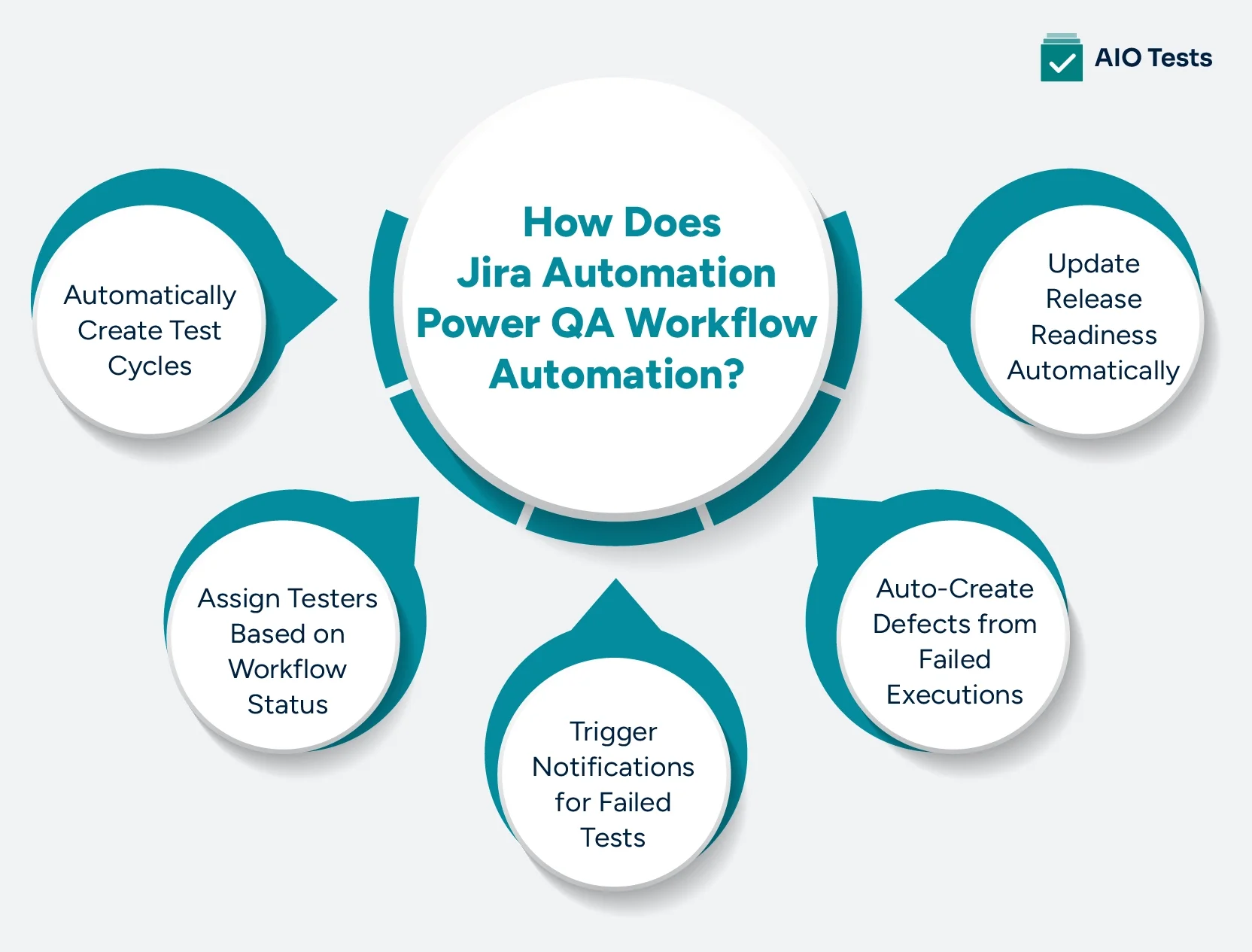
1. Automatically Create Test Cycles
Jira Automation can trigger a rule when a sprint starts or a Jira version is created. To create a test Cycle from that event, teams can use Jira Automation’s Send web request action with the AIO Tests REST API, which supports creating new Cycles and creating Cycles from existing Sets.
2. Assign Testers Based on Workflow Status
Jira Automation can assign Jira work items when they move to statuses such as ‘Ready for Testing’ or ‘In QA.’ The platform separately supports assigning test cases within Cycles to testers; automating AIO Tests execution assignments from Jira workflow events requires an appropriate integration or API-based workflow rather than Jira’s standard Assign work item action.
3. Trigger Notifications for Failed Tests
Jira Automation can send notifications when relevant Jira events occur, such as a defect being created or transitioned. The tool also provides its own notification capabilities, and its Workflow Manager can send emails for supported AIO Tests events, including completion of an automation-results batch.
4. Auto-Create Defects from Failed Executions
The test case tool lets testers create Jira bug reports from test execution and auto-populates the bug with relevant test details. After defect creation, Jira Automation rules can support automated issue tracking by assigning owners, setting priorities, updating statuses, and notifying relevant team members.
5. Update Release Readiness Automatically
Testing results, execution progress, and defect statuses provide important insights into release readiness. Teams can use the tool execution, traceability, defect, and multi-Cycle reports to review testing progress and assess release readiness using current test data.
Use the Jira Automation Feature for Automated Issue Tracking
The Jira automation feature helps QA teams create consistent issue management workflows by using triggers, conditions, and actions to automate repetitive tasks. Instead of manually updating every issue, teams can define rules that respond to specific events and keep testing workflows moving efficiently.
A typical Jira Automation rule follows three steps:
- Trigger: Defines when an automation rule should start, such as an issue status change, defect creation, sprint update, or field update.
- Condition: Determines whether the rule should run based on criteria like issue type, priority, component, label, or workflow status.
- Action: Executes the required task, such as updating fields, assigning users, sending notifications, or transitioning issues.
When combined with a Jira-native test management solution, these automation rules help teams maintain better visibility across the QA lifecycle.
Key benefits include:
- Maintain End-to-End Traceability: Use AIO Tests to connect Jira requirements with test cases, executions, and defects, while Jira Automation handles Jira-side actions such as issue assignments, field updates, transitions, and notifications.
- Automate Defect Routing: Assign defects automatically based on components, labels, priorities, or custom fields, ensuring issues reach the right team members faster.
- Prioritize Critical Issues: Use automation rules to highlight high-impact defects and help teams focus on issues that could affect release quality.
- Keep Teams Updated: Send automated notifications when defects are created, updated, resolved, or require retesting, keeping developers and QA teams aligned.
By combining Jira Automation rules with structured test management, teams can reduce manual issue handling while maintaining a clear connection between requirements, testing activities, and release outcomes
Enable Jira DevOps Integration for a Continuous Delivery Workflow
Modern software delivery depends on close collaboration between development and QA. A strong Jira DevOps integration ensures testing becomes part of the delivery pipeline rather than a last-minute checkpoint.
Combined with a Jira test management tool, teams can improve visibility, reduce feedback loops, and support a reliable continuous delivery workflow.
Connect QA with Development
This platform keeps testing activities connected to development work within Jira, making collaboration simpler throughout the release cycle.
- Link requirements, test cases, executions, and defects in one place.
- Give developers and testers shared visibility into testing progress.
- Reduce context switching by managing QA directly inside Jira.
Support CI/CD Pipelines
This tool integrates with leading automation frameworks and CI/CD tools, allowing automated test results to become part of the release workflow.
- Check whether critical test scenarios have been completed before a release using execution status, coverage, and defect data.
- Monitor test outcomes alongside development activities.
- Detect failures early to prevent release delays.
Improve Release Confidence
Complete visibility into testing helps teams make informed release decisions with greater confidence.
- Verify test coverage before deployment
- Review unresolved defects and execution status from a single dashboard.
- Ensure critical test scenarios are completed before every release.
Best Practices For Scalable Test Case Automation
An automated QA workflow is only effective if it's easy to maintain as your projects grow. Following a few best practices helps keep your test repository organized, reduces duplication, and ensures automation remains reliable over time.
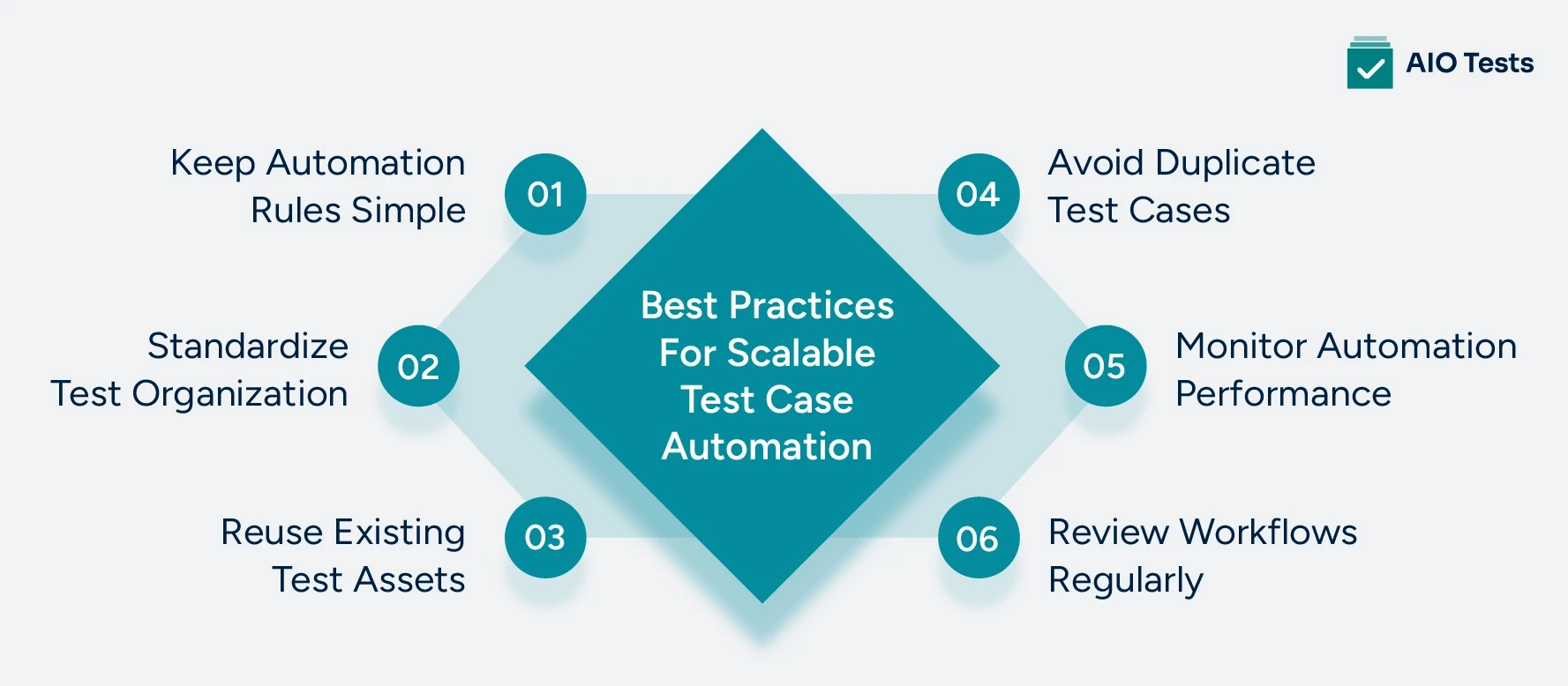
1. Keep Automation Rules Simple
Automation should simplify your QA process, not make it harder to manage. Keeping rules focused and easy to understand makes troubleshooting faster and reduces the risk of unexpected workflow behavior.
- Create rules with a single, clear purpose.
- Test new rules before using them in production projects.
- Regularly review automation logs to identify failed or unnecessary executions.
2. Standardize Test Organization
As your test repository expands, a consistent structure becomes essential. Standardizing how test assets are organized helps every team member find, maintain, and reuse tests more efficiently.
- Use clear naming conventions for test cases, Sets, and Cycles.
- Organize test assets with folders and logical groupings.
- Apply consistent labels and custom fields across projects.
3. Reuse Existing Test Assets
Many test scenarios remain relevant across multiple releases. Reusing existing test cases instead of recreating them saves time, reduces maintenance, and keeps regression testing consistent.
- Organize related test cases into reusable Sets for regression or smoke testing.
- Reuse common test steps by linking existing cases instead of duplicating them.
- Reuse test cases across multiple Cycles and releases to reduce maintenance effort.
4. Avoid Duplicate Test Cases
Duplicate test cases make repositories difficult to manage and often lead to inconsistent testing. Maintaining a single source of truth improves test quality and simplifies future updates.
- Maintain a centralized test repository.
- Update existing test cases instead of creating similar copies.
- Search existing folders and repositories before adding new test cases.
5. Monitor Automation Performance
Automation isn't something you configure once and forget. Regular monitoring helps identify workflow issues early and ensures your automation continues supporting evolving project requirements.
- Track execution trends using reports and dashboards.
- Investigate failed executions to identify recurring issues.
- Remove outdated or unused automation rules as workflows evolve.
6. Review Workflows Regularly
Testing processes should evolve alongside your product, team, and release strategy. Periodic reviews help identify improvement opportunities and keep workflows aligned with current development practices.
- Review workflows after major releases or process changes.
- Update test assets when features or requirements change.
- Refine automation rules to support new sprint and release workflows.
Conclusion
A QA workflow that depends on manual coordination can quickly become a bottleneck, especially as release cycles shorten and testing requirements grow more complex. Teams need a structured approach that reduces repetitive work while maintaining visibility across test planning, execution, defect tracking, and reporting.
Jira Cloud Automation helps teams automate routine workflow tasks, while a Jira-native test management platform adds the capabilities needed to manage the complete testing lifecycle within Jira. Together, they help QA teams streamline processes, improve traceability, and maintain better visibility from requirements through release readiness.
If you want to simplify your QA process inside Jira, start a free 30-day trial or book a personalized demo to explore how it can support an end-to-end QA workflow.

Frequently Asked Questions
1. What is Jira Cloud Automation, and how does it benefit QA teams?
Jira Cloud Automation helps teams automate repetitive tasks, workflows, and issue updates within Jira. For QA teams, it reduces manual follow-ups, improves defect handling, and keeps testing activities aligned with development workflows.
2. How does AIO Tests enhance Jira Cloud Automation for end-to-end test management?
A Jira test management tool enhances Jira Cloud Automation by adding complete test management capabilities, including test case creation, execution tracking, automation reporting, and traceability. It helps QA teams manage manual and automated testing workflows within the same Jira environment without switching between multiple tools.
3. Can AIO Tests automate test case execution and defect tracking in Jira?
Yes, this tool helps teams manage automated test results by integrating with automation frameworks and CI/CD tools. It also links failed tests with Jira defects, allowing teams to track issues, analyze failures, and maintain better visibility throughout the testing process.
4. How does AIO Tests improve traceability between requirements, test cases, and defects?
This platform connects requirements, test cases, executions, and defects to create a complete testing trail. Teams can track test coverage, identify failed scenarios, and understand how defects impact specific requirements or releases.
5. Why should teams choose AIO Tests for QA workflow automation in Jira?
Teams can use this Jira-native test management solution to bring test management, automation reporting, AI-assisted test creation, BDD support, and quality insights into Jira. It helps QA and development teams improve collaboration, reduce manual effort, and maintain a more efficient end-to-end testing workflow.


.svg)

