


Summarize Blog
Quick Summary
This blog explores how automation testing tools transform regression testing by reducing manual effort, improving consistency, increasing coverage, and helping QA teams deliver faster, higher-quality software with greater confidence.
Regression testing is intended to protect product stability, but for many teams, it becomes a time drain. As features grow and release cycles tighten, it becomes harder to retest everything by hand. So in that case, automation testing tools start to matter.
From what many QA leads share, automation tends to speed up regression testing by a wide margin while also improving consistency in defect detection. This is about saving time and giving teams space to focus on the areas that need it most.
When tests are automated and well-managed, they give you clearer insight into coverage, risks, and quality. That’s why more QA teams are turning to regression testing with proper automation to get structured workflows to keep releases on track.
In this blog, we’ll explore how automation tools help speed up regression testing and how to get more value out of the ones you already use.
Why Regression Testing Slows Down QA Teams
Regression testing is the process of checking that existing features still work after changes have been made to the codebase. Whether it's a bug fix or even a small update, it can break things that were working before. That’s why regression testing is a critical part of every release cycle.
But the process often becomes a bottleneck. Manually repeating the same set of test cases across multiple releases takes time. As your software product grows, the number of tests increases, and teams start falling behind.
Here’s why manual regression testing often slows teams down:
- Tests are repetitive and time-consuming
- Human error leads to missed bugs
- Running full suites across multiple devices or environments is unrealistic without automation
- There’s no easy way to track what was tested and what wasn’t
And while skipping regression tests might save time in the short term, it often leads to issues in production, pricey rollbacks, and slower releases. To keep up, teams need a way to test more in less time without sacrificing coverage or quality. That’s where automation testing tools become important.
How Automation Testing Tools Speed Up Regression Testing
Regression testing is essential for every release, but doing it manually is slow and repetitive. As your development grows, you need to keep up without help, which becomes a challenge. This is exactly the kind of repetitive work automation testing tools are built to solve.
These QA testing tools allow you to automate repetitive checks, making it easier to run full test suites frequently and consistently. Teams can run them automatically after every code commit or as part of their CI/CD pipeline. Here’s how automation testing tools directly improve the speed of regression testing:
- Tests run faster than any manual execution, even with large suites
- Tests run more often, allowing bugs to surface early
- Parallel execution helps cover more devices and browsers at the same time
- No skipped steps; these automated scripts follow the same logic every time
- Less human input means fewer mistakes and less backtracking
What Are the Top Automated Testing Benefits for Regression?
Now, let’s look at some of the important benefits of regression testing automation. When teams use an automated regression testing framework, they gain better control over coverage and execution.
Key Features to Look for in Automation Testing Tools
Choosing the right automation testing tools can significantly impact regression testing speed and reliability. The most effective tools combine scalability, ease of integration, and strong reporting capabilities to support modern QA workflows.
- Ease Setup
A good tool should be easy to configure without heavy setup time or infrastructure changes. QA teams should be able to start creating and running tests quickly. This reduces onboarding time and improves productivity from day one.
- CI/CD Support
Strong integration with CI/CD pipelines ensures tests run automatically with every code change. This helps teams detect issues early in the development cycle. It also keeps regression testing aligned with fast release cycles.
- Cross Platform
The tool should support multiple browsers, devices, and environments. This ensures consistent testing coverage across different user conditions. It reduces the risk of platform-specific bugs reaching production.
- Reporting Clarity
Clear and detailed reporting helps teams quickly understand test results. It should highlight failures, trends, and execution history without extra effort. Better visibility leads to faster debugging and decision-making.
- Scalable Execution
As test suites grow, the tool must handle large-scale execution efficiently. Parallel testing and distributed execution help reduce overall testing time. This is essential for teams managing frequent regression cycles.
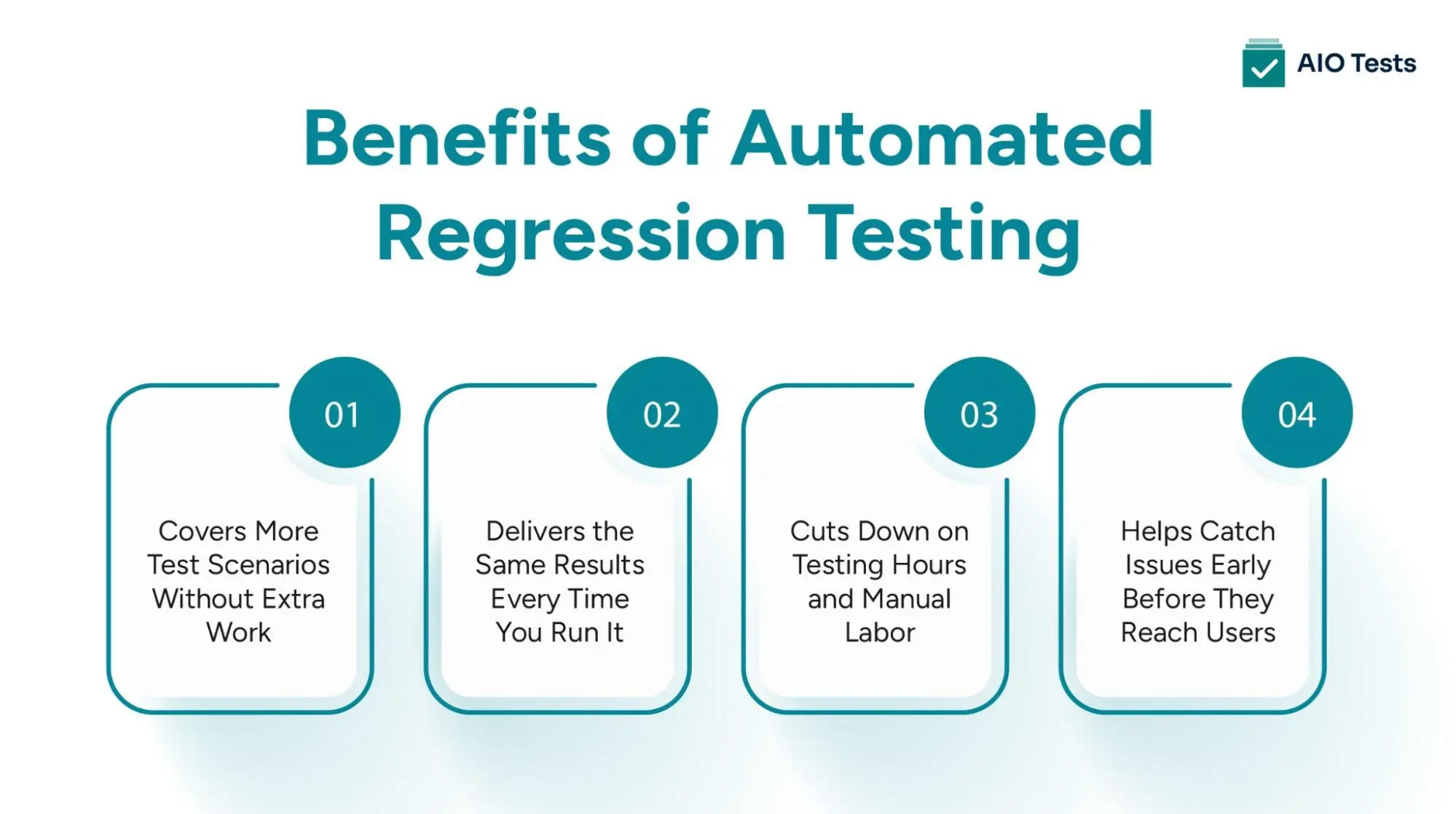
1. Improved Test Coverage with Automation
Manual testing limits how much you can check in the time you have. With automation, you can run hundreds or even thousands of test cases. You can check in different environments, devices, and browsers without adding QA headcount.
When teams expand coverage with automation, they test better by catching issues that would be missed in a rushed manual run. Here’s how automation improves coverage:
- Run the full regression suite regularly, not just before releases
- Cover edge cases that would otherwise be skipped
- Test more variations of inputs, user paths, and states with automation
- Integrate with CI/CD pipelines to ensure continuous testing
2. Consistent and Reliable Testing
Automated tests behave the same way every time. There’s no risk of human oversight, skipped steps, or fatigue-driven errors. That means more consistent results, which leads to faster debugging and fewer false alarms. Some of the benefits include:
- Lower risk of regressions escaping into production
- Clear pass/fail results with no guesswork
- Easier root cause analysis from consistent failures
3. Time and Resource Savings
One of the clearest automated testing benefits for regression is how much time it saves your team. Tasks that would take days can be completed in minutes. With that time back, QA teams can:
- Focus on exploratory testing and critical user journeys
- Collaborate more with developers on edge cases
- Keep pace with frequent releases without burning out
4. Improved Software Quality
When you automate regression testing and run it regularly, you’re more likely to catch bugs earlier in the development cycle. That leads to fewer issues in production, smoother releases, and greater confidence across teams. Over time, this approach delivers improved software quality through regression automation in a measurable way.
- More confident product releases
- Fewer customer-reported issues
- Better alignment between QA and engineering
Why Automation Alone Isn’t Enough
Automating regression tests can save time and reduce manual effort, but just running tests isn’t the same as managing them well. Most teams hit a point where the scripts are running, but no one’s sure what’s being covered, what failed last cycle, or which tests still matter.
Without structure, automation becomes hard to trace. Test results get buried in logs. Failures slip through without visibility. And over time, the regression suite becomes just another black box in the pipeline. That’s why automation needs support with better organization, reporting, and traceability.
How to Get More Out of Your Automation Testing Tools
Running automated tests is just one part of the QA process. The harder part is managing those tests, organizing results, tracking coverage, linking test cases to product features, and making sure nothing slips through the cracks. This is where AIO Tests helps teams stay organized and focused.

AIO Tests doesn’t replace your existing automation testing tools. It works by providing structure, visibility, and traceability around your automation workflow. Here’s how AIO Tests supports QA teams using this feature:
1. Broad Compatibility with Automation Testing Tools
AIO Tests integrates with the tools your team already relies on, whether you’re testing user interfaces, APIs, mobile apps, or running unit tests.
- It supports frameworks like JUnit, TestNG, NUnit, Robot Framework, Cucumber, Newman, and Cypress
- Compatible with tests written in Java, Python, JavaScript, C#, and more
- Offers both REST API integration and plug-and-play reporters for flexible implementation
- Native support for tools like Katalon Studio, Cypress, and Playwright, including automated test mapping, execution tracking, and result upload.
2. Seamless CI/CD Integration
AIO Tests fits cleanly into your existing delivery pipeline, helping you run and report regression tests as part of your continuous integration workflows. Regression testing becomes traceable, timely, and fully integrated into your deployment cycles.
- Jenkins and Azure DevOps plugins for reporting test results immediately after builds.
- Supports test result collection through REST APIs from any CI/CD system, including popular platforms like GitHub, GitLab, Bitbucket, and more.
- Let's you trigger Jenkins and GitHub builds directly from the AIO Tests interface.
3. Unified Test Management and Traceability
Managing large test suites, especially across multiple releases, requires more than raw execution. AIO Tests helps QA teams organize, plan, and track both manual and automated tests from one place. For more advanced strategies on organizing tests effectively, check out our test case management best practices.
- Link test cases to Jira issues, user stories, releases, and product requirements
- Organize test libraries using folders, tags, priorities, and case ownership
- Track the lifecycle of each test: manual, automated, or ready for automation
- Define clear handoffs between manual testers and automation engineers
4. Advanced Test Execution Reporting
AIO Tests gives teams full visibility into what’s running, what’s passing, and what needs investigation. With over 20+ built-in reports and centralized execution tracking, your team can quickly identify issues and respond to failures.
- Collect and display logs, screenshots, and execution metadata
- Visual dashboards show pass/fail trends, test stability, and re-run frequency
- Filter results by execution cycle, test owner, environment, or defect status
- Link failed tests to Jira tickets or re-run directly from the platform
- Track automation efficiency using Automation Burndown and Burnup reports
5. Automation Coverage Tracking
Knowing which features are tested and which aren’t is critical to effective regression testing. AIO Tests helps teams visualize and track their coverage in real time. This lets QA teams focus on what matters most and ensures your automation strategy aligns with product changes.
- Label and filter test cases by automation status
- Identify tests that are ready for automation but not yet implemented
- Track coverage across modules, features, and requirements
- Assign automation ownership and monitor progress over time
You already have automation testing tools. What AIO Tests gives you is everything around them: structure, visibility, and control. Whether you're working within a regression testing framework like Cypress, JUnit, or Katalon Studio, AIO Tests helps bring organization and traceability to your testing workflows.
Conclusion
Regression testing helps ensure that yesterday’s fixes don’t break today’s features. But as test suites grow, manual testing slows everything down, and scattered automation makes things harder to manage.
That’s why using the right automation testing tools matters. They help QA teams cover more ground, run tests more often, and find issues before users do. But tools alone aren’t enough. What makes automation work is visibility, traceability, and clear ownership over what’s tested and what still needs attention.
That’s where AIO Tests helps you. It doesn’t replace your test frameworks; it connects them. It helps your team bring together test results, organize cases, link coverage to releases, and keep everything traceable from execution to issue tracking.
If you're already investing in regression testing automation, AIO Tests gives you the visibility and structure to make that investment pay off. Get a Free Demo and start your free trial.

FAQs
1. What is the difference between manual testing and automation testing?
Manual testing is performed by QA engineers who execute test cases step by step without using scripts or tools. Automation testing uses predefined scripts and tools to run tests automatically, making it faster, more consistent, and scalable for regression testing.
2. Which automation testing tools support cross-browser testing?
Many automation testing tools support cross-browser testing, including Selenium, Cypress, Playwright, and TestCafe. These tools allow QA teams to validate application behavior across multiple browsers and ensure a consistent user experience.
3. Are automation testing tools suitable for Agile development?
Yes, automation testing tools are highly suitable for Agile environments where frequent releases are common. They help teams run regression tests quickly after each update, ensuring continuous feedback and faster iteration cycles.
4. Can automation testing tools be integrated with CI/CD pipelines?
Yes, most modern automation testing tools integrate seamlessly with CI/CD pipelines like Jenkins, GitHub Actions, and Azure DevOps. This enables automated test execution with every build, helping teams detect issues early in the development process.


.svg)

