


Summarize Blog
Quick Summary
Learn how non-functional testing helps QA teams validate performance, load, reliability, scalability, and usability. This guide covers NFRs, acceptance criteria, test cases, Jira workflows, test cycles, and traceability.
Non-functional testing often spans multiple test types, tools, environments, and sources of evidence. Performance and load tests may run in tools such as JMeter, while requirements, test cases, defects, execution results, and retesting still need to be managed in Jira.
The challenge is keeping these activities connected. QA teams need to trace each non-functional requirement (NFR) to measurable acceptance criteria, test cases, executions, results, defects, and retests. Without this connection, teams can have test results without clear visibility into the requirement or release they support.
This guide covers the key types of non-functional testing, including performance, load, stress, endurance, scalability, reliability, and usability testing. It also explains how to define measurable NFRs, structure test cases, manage test cycles in Jira, and connect specialized tools such as JMeter with the broader QA workflow. The starting point is understanding what each type of test needs to validate.
What Should Non-Functional Testing Validate?
Non-functional testing validates the quality attributes that determine how well an application operates, rather than whether a feature performs its intended function. The right test depends on the question the QA team needs to answer.
These tests can overlap, but each has a different objective. For example, load testing checks whether a system handles an expected workload, while stress testing pushes it beyond that workload to identify its limits.
The same approach applies to usability and reliability. A usability test may assess whether users can complete a checkout task without errors, while reliability testing checks whether the application continues to operate consistently over repeated or extended use.
Functional vs Non-Functional Testing: What Changes in the Test Approach?
Functional and non-functional testing evaluate different aspects of the same application. Functional testing checks whether a feature behaves as required, while non-functional testing checks whether the system meets defined quality and performance expectations.
What Functional Testing Verifies
Functional testing focuses on what the application should do. For example, a checkout test may verify that a user can add a product, enter payment details, complete the transaction, and receive an order confirmation.
The expected outcome is usually clear: the payment succeeds and the order is created.
What Non-Functional Testing Verifies
Non-functional testing focuses on how the application performs while users complete those same tasks. The checkout flow may work correctly, but QA also needs to know whether it can handle the expected workload within the required response time.
For example:
Can 2,000 users complete checkout while 95% of requests remain below the required response time?
This requires measurable NFRs, defined thresholds, and metrics such as response time, throughput, error rate, or resource utilization.
Functional vs Non-Functional Testing
The two approaches work together. A feature can pass functional testing and still fail non-functional requirements if it becomes slow, unstable, or difficult to use under the required conditions.
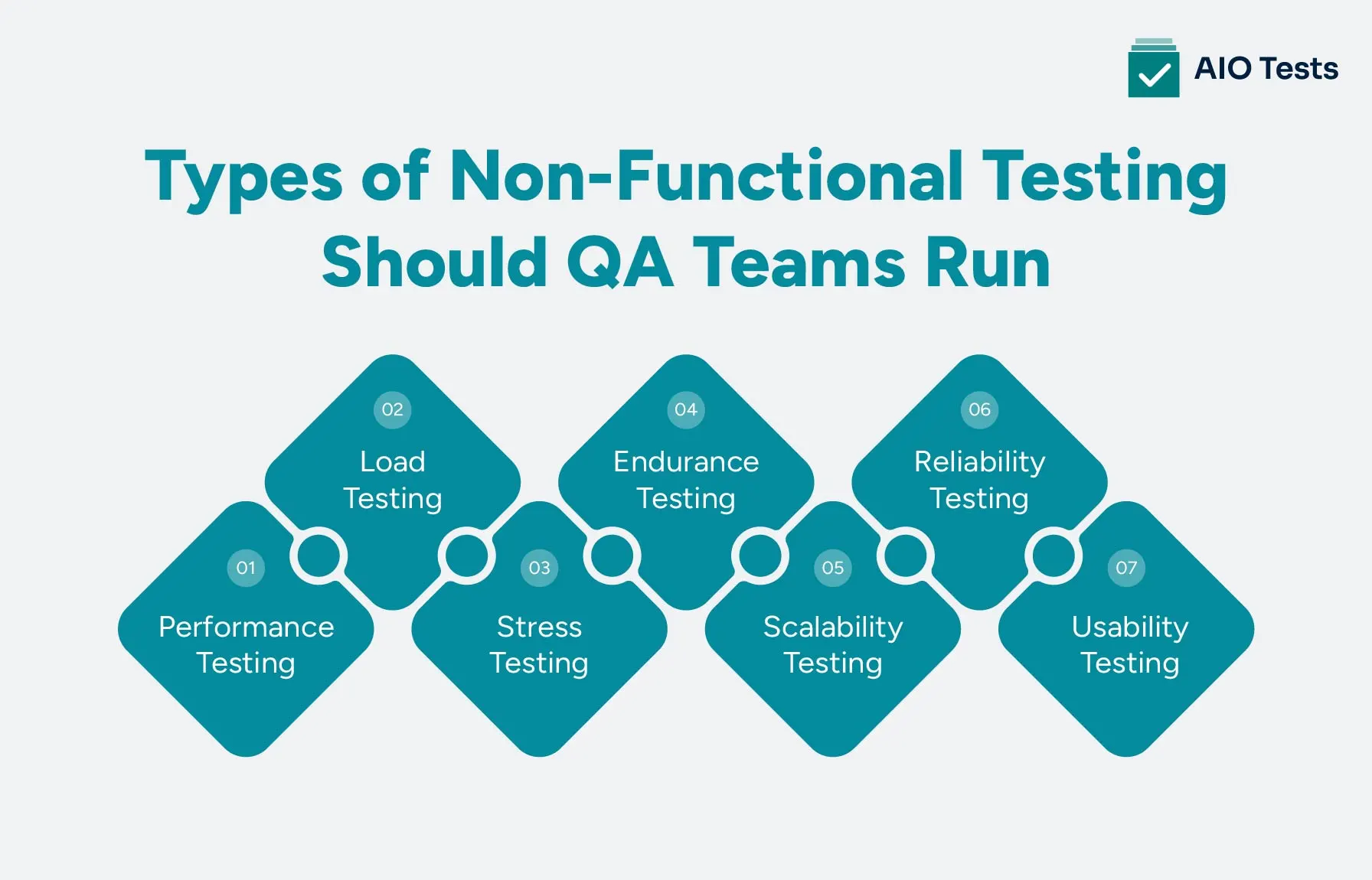
Which Types of Non-Functional Testing Should QA Teams Run?
The types of non functional testing a QA team runs depend on the application's risks, workload, users, and business requirements. Performance and load tests may be critical for a high-traffic application, while usability, reliability, or scalability tests may address different risks.
Performance Testing
Performance testing evaluates how an application behaves under defined conditions. Common measures include:
- Response time
- Throughput
- Error rate
- Resource utilization
- Stability
The goal is to determine whether the application meets its performance requirements without unacceptable degradation.
Load Testing
Load testing evaluates how the application handles an expected workload. Teams may simulate concurrent users, transactions, or requests based on normal and peak usage.
For example, a team may test whether an application can support 2,000 concurrent users while meeting its defined response-time target.
Stress Testing
Stress testing pushes the application beyond its expected capacity. It helps identify breaking points, failure behavior, and how the system responds when demand exceeds its planned limits.
Endurance Testing
Endurance testing runs a sustained workload for an extended period. It can reveal performance degradation, memory issues, resource leaks, or other problems that may not appear during shorter tests.
Scalability Testing
Scalability testing evaluates how the system responds as demand increases. QA teams may increase users, transactions, data volume, or other workload factors to determine whether the application can scale while maintaining acceptable performance.
Reliability Testing
Reliability testing checks whether an application can operate consistently over repeated or extended use. It can also evaluate how the system behaves during failures and whether it recovers as expected.
Usability Testing
Usability testing evaluates how easily users can complete tasks and understand the application. Teams can assess:
- Task completion
- Navigation
- User errors
- Learnability
- User feedback
These testing types answer different quality questions, so teams should select them based on their NFRs and acceptance criteria rather than treating every non-functional test as the same activity.
Performance Testing vs Load Testing: How Are They Different?
Load testing is a type of performance testing. Performance testing is the broader practice of evaluating how a system behaves under different conditions.
The two terms are often used together because load testing uses performance metrics such as response time, throughput, error rate, and resource utilization. The difference is mainly in the scope and workload being evaluated.
For example, a QA team may run several performance tests to understand how response time changes as traffic increases. A load test may focus on whether the application meets its acceptance criteria at a known peak workload.
When Should You Run Load Testing?
Load testing is useful when the team needs confidence that the application can handle a realistic workload. Common scenarios include:
- Before expected increases in traffic
- Before or during peak usage periods
- Before major releases
- For high-risk workflows such as checkout or payment
- During capacity planning
The key is to define the expected workload and success criteria before execution. This gives the team a measurable basis for deciding whether the system is ready for the expected demand.
How to Turn NFRs Into Measurable Test Requirements
Non-functional requirements need measurable conditions before a QA team can test them. A requirement such as “the checkout application must be fast” does not define what pass or fail means.
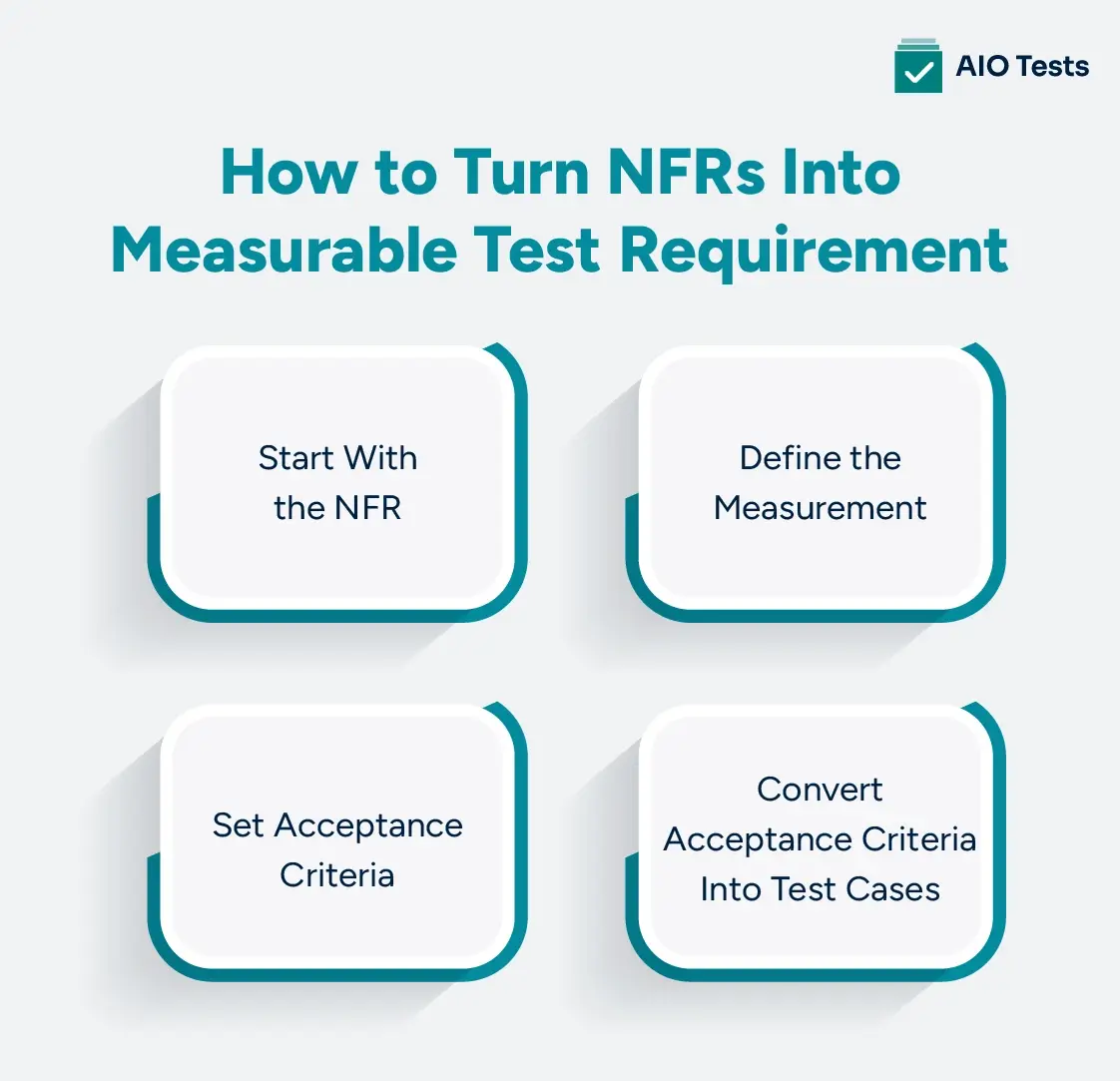
1. Start With the NFR
Begin with the quality attribute the application needs to meet.
Example:
The checkout application must remain responsive during peak traffic.
This gives the team a clear objective but still needs measurable conditions.
2. Define the Measurement
Choose metrics that match the requirement. Depending on the test, these may include:
- Response time
- Concurrent users
- Throughput
- Error rate
- Availability
The selected metrics should reflect what the application needs to deliver under the expected conditions.
3. Set Acceptance Criteria
Turn the NFR into a specific pass/fail condition.
Example:
95% of checkout requests must complete within 2 seconds at 2,000 concurrent users.
Now the team has a workload, response-time target, and measurable threshold.
4. Convert Acceptance Criteria Into Test Cases
The final step is to translate the requirement into an executable test.
This approach makes non-functional requirements testing more useful because QA teams can trace each result back to a defined requirement and determine whether the application met its expected quality threshold.
How to Design Non-Functional Test Cases
A non-functional test case should define what quality attribute is being tested, under which conditions, and what result qualifies as a pass. The structure will vary by test type, but the core information remains consistent.
Test Objective
State what the test needs to validate. For example, a performance test may verify whether checkout maintains the required response time under peak traffic.
Preconditions
Document the conditions required before execution, including:
- Application version
- Dependencies
This helps the team reproduce the same test conditions when results need to be investigated or retested.
Workload or User Scenario
Define the conditions under which the test will run.
For performance tests, this may include:
- Concurrent users
- Request rate
- Transaction volume
- Duration
For usability tests, define the user profile, task, expected outcome, and observation criteria.
Acceptance Criteria
Set measurable pass/fail conditions before execution. For example, a test may require 95% of requests to complete within two seconds under a defined workload.
Evidence and Expected Results
Record the expected result and capture supporting evidence from the execution. This may include performance measurements, screenshots, user observations, logs, or other relevant test data.
A consistent structure makes non-functional test cases easier to execute, compare, and trace back to the NFR they validate.
How to Manage Non-Functional Testing Across Jira and Testing Tools
Non-functional testing does not require Jira to generate workloads or replace specialized testing tools. Jira can act as the central layer that connects requirements, test cases, executions, evidence, defects, and retesting.
A practical workflow looks like this:
Create and Organize Non-Functional Test Cases
Create separate test cases for performance, load, stress, usability, reliability, and scalability scenarios. Each test should reference the relevant NFR, acceptance criteria, environment, and expected result.
Plan Tests With Test Cycles
Use test cycles to organize non-functional testing around:
- Release
- Sprint
- Application or module
- Environment
- Test type
This gives the team a defined scope for each testing activity and makes execution results easier to review.
Track Test Executions
Record the details needed to understand each execution, such as:
- Expected result
- Actual result
- Status
- Environment
- Application version
- Evidence
This creates a consistent record even when the actual workload is generated through an external testing tool.
Connect Failed Tests to Defects
When an execution fails its acceptance criteria, link the result to a defect.
This keeps the failure connected to the original test and makes it easier to verify the fix.
Maintain Requirement-to-Test Traceability
Connect each non-functional requirement to its testing activity:
This traceability helps QA teams see which requirements were tested, what failed, what was fixed, and whether the final release met its defined criteria.
How AIO Tests Supports Non-Functional Testing in Jira
Non-functional testing can involve requirements, test cases, external testing tools, execution results, evidence, defects, and retesting. AIO Tests provides a Jira native test management workflow that connects these activities without replacing specialized tools used for performance or load execution.
Manage Non-Functional Test Cases
Create and organize test cases for performance, load, stress, usability, reliability, and scalability scenarios. The Jira test management tool supports classic and BDD test cases, expected outcomes, custom fields, folders, and test case versioning.
Plan Test Cycles and Executions
Use test cycles to plan and track test executions within Jira. The tool lets teams create and manage test cycles, add test cases, report execution statuses, and review cycle results.
Capture Results and Evidence
Record execution outcomes and attach relevant evidence to the testing workflow. The platform gives teams visibility into test status, results, and supporting information within Jira.
Connect Tests With Requirements and Defects
The Jira test management tool supports traceability between requirements, test cases, execution results, and defects.
This gives teams a connected view of test coverage, execution outcomes, defects, and release readiness.
Bring Automated Results Into the Test Management Workflow
Specialized tools can handle test execution, while the platform brings automated results into the Jira-based test management workflow. It supports integrations and reporting for frameworks and tools such as JUnit, TestNG, Cucumber, Cypress, Katalon, Newman, and CI/CD systems.
This allows teams to track automated and manual testing alongside requirements, test cases, executions, and defects.
Bring Non-Functional Testing Into Your Jira Workflow
Manage test cases, executions, evidence, defects, and traceability within Jira with AIO Tests.

Best Practices for Managing Non-Functional Tests
Effective non-functional testing starts with clear requirements and continues through execution, defect management, and retesting. These practices help QA teams keep testing focused and traceable.
Define Measurable NFRs
Avoid vague requirements such as “the application should be fast.” Define measurable targets for response time, throughput, concurrent users, availability, or other relevant metrics.
Set Acceptance Criteria Before Execution
Decide what qualifies as a pass before running the test. Clear thresholds make results easier to evaluate and reduce subjective decisions.
Use Realistic Workloads and User Scenarios
Base performance and load tests on expected usage patterns. For usability testing, use realistic users, tasks, and application scenarios that reflect how the product will be used.
Separate Load, Stress, Endurance, and Scalability Objectives
Each test answers a different question. Keep the objectives separate so teams can identify whether the application meets expected demand, handles excess load, remains stable over time, or scales with increasing demand.
Keep Test Evidence Connected to Executions
Store relevant results, measurements, screenshots, observations, or other evidence with the corresponding execution. This makes results easier to review and reproduce.
Link Failed Tests to Defects
When a test fails, connect it to the related defect and track the fix through retesting. This preserves the relationship between the original requirement, failed test, and resolution.
Repeat Critical Non-Functional Tests Across Releases
Run critical tests again when major application changes, infrastructure changes, or expected workload changes could affect performance, reliability, or usability. This helps teams identify regressions before release.
Conclusion
Non-functional testing evaluates how well an application performs, scales, remains reliable, and supports users under defined conditions. Performance, load, stress, endurance, scalability, reliability, and usability testing each answer a different quality question.
The process starts with measurable NFRs and acceptance criteria, then connects them to test cases, executions, evidence, defects, and retesting. Specialized tools can handle activities such as workload generation and performance measurement, while Jira can provide the central workflow for managing and tracing the testing process.
For teams using Jira, a connected test management workflow makes it easier to see what was tested, which requirements were met, what failed, and what was fixed before release.

FAQs
1. What is non-functional testing?
Non-functional testing evaluates quality attributes such as performance, usability, reliability, scalability, security, and compatibility. It checks how well a system operates under defined conditions rather than whether a specific feature works.
2. What is the difference between functional and non-functional testing?
Functional testing verifies what an application does, such as whether a payment succeeds. Non-functional testing evaluates how the application performs, such as whether the payment completes within the required response time under a defined workload.
3. What are the types of non-functional testing?
Common types include performance, load, stress, endurance, scalability, reliability, usability, security, compatibility, and accessibility testing. The types used depend on the application's requirements and risks.
4. Is performance testing functional or non-functional?
Performance testing is a type of non-functional testing. It evaluates characteristics such as response time, throughput, resource utilization, stability, and behavior under different workloads.
5. Is usability testing non-functional testing?
Yes. Usability testing is non-functional testing because it evaluates how easily and effectively users can interact with an application. It can assess task completion, navigation, user errors, learnability, and user feedback.


.svg)

