


Summarize Blog
Quick Summary
Your test suite is growing, but is your testing process actually improving?
As Jira projects expand, QA teams often face a hidden problem: duplicate test cases. A scenario created for one sprint may already exist under a different name, another release, or a different team’s test folder. Over time, these repeated tests quietly increase regression efforts without adding new coverage.
For example, “Verify user login with valid credentials” and “Check successful user authentication” may look like two separate tests, but both validate the same workflow.
The impact goes beyond a cluttered repository. Duplicate tests increase test maintenance, slow down regression cycles, and make it harder for teams to understand their actual test coverage.
To build an efficient QA process, teams need better ways to detect, manage, and prevent duplicate test cases in Jira while keeping their test repository organized and reusable.
Common Types of Duplicate Test Cases
Not all duplicate tests look the same. Some are obvious copies, while others hide behind different names or slightly changed steps. Understanding these patterns helps QA teams identify where their test repository is creating unnecessary work.
1. Exact Duplicate Test Cases: Same Test, Different Entry
These are the easiest duplicates to spot. The test cases have different IDs or names but validate the exact same scenario.
Example:
- Test Case A: Verify user login with valid credentials
- Test Case B: Check successful user authentication
Both tests cover the same flow:
- Enter valid credentials
- Submit login details
- Verify successful login
Keeping both tests means the team maintains two records for one validation.
2. Similar Test Cases: Different Words, Same Coverage
Some duplicates are harder to find because they are written differently but test the same user action.
Example:
- Verify customer can add a product to cart
- Validate item addition before checkout
The wording changes, but the actual behavior being tested remains the same.
These hidden duplicates are common in growing Jira test repositories where multiple testers add coverage over time.
3. Duplicate Tests Across Releases: Copy-Paste Creates Test Debt
A common mistake is creating new versions of existing tests for every sprint or release.
Example:
- Login Test – Sprint 1
- Login Test – Sprint 2
- Login Regression Test – Release 3
If the functionality has not changed, these tests are likely repeating the same validation.
Instead of copying tests, teams should maintain reusable Jira test cases that can be executed across multiple releases and regression cycles.
Why Duplicate Test Cases Are a Problem for QA Teams
A growing test suite does not always mean better test coverage. When duplicate test cases start accumulating in Jira, they create hidden costs that slow down QA teams and make testing harder to manage.
Here is how duplication impacts everyday testing workflows:
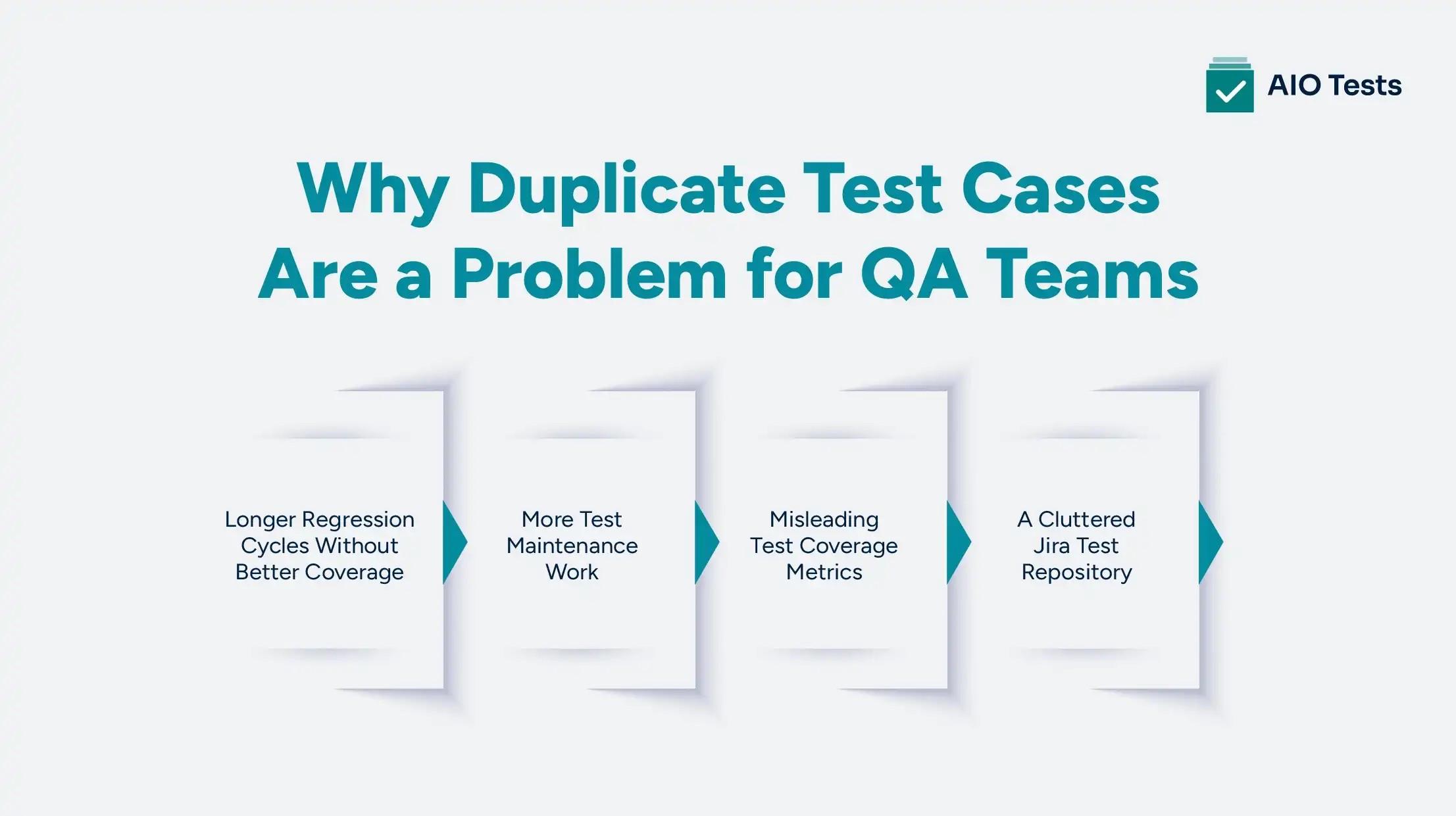
1. Longer Regression Cycles Without Better Coverage
Every duplicate test adds another execution step, even when it validates functionality that is already covered.
For QA teams, this means:
- More tests to run during every release.
- More time spent validating the same scenarios.
- Longer regression cycles without improving product confidence.
A larger test suite is only valuable when each test adds unique coverage.
2. More Test Maintenance Work
Every product change creates additional review work when duplicate tests exist.
For example, a change in the checkout flow may require updates across multiple similar payment tests.
Instead of maintaining one reliable test case, teams spend time:
- Finding duplicate versions.
- Updating repeated steps.
- Deciding which tests are still relevant.
Over time, duplicate tests turn into unnecessary test maintenance overhead.
3. Misleading Test Coverage Metrics
Duplicate tests can make test coverage metrics look better than they actually are.
A team may have thousands of executed tests, but many of them may validate the same scenarios.
This can lead to:
- Inflated coverage numbers.
- Misleading quality reports.
- Less clarity around actual testing gaps.
Effective testing is not about having more test cases. It is about having the right test cases.
4. A Cluttered Jira Test Repository
As duplicate Jira test cases increase, finding the right test becomes harder.
Testers may spend time asking:
- "Does this test already exist?"
- "Which version should I execute?"
- "Can I update this test or create a new one?"
A cluttered repository slows collaboration and increases the chances of creating even more duplicate tests.
A well-organized QA test repository helps teams find, reuse, and maintain valuable test coverage.
Why Does Test Case Duplication Happen in Jira?
Duplicate test cases rarely appear overnight. They usually build up over time as teams grow, releases increase, and more people contribute to the same Jira project.
Without a clear process for creating and maintaining tests, even experienced QA teams can unknowingly add repeated scenarios to their test repository.
Here are the most common reasons behind test case duplication in Jira:
Creating Tests Without Checking Existing Coverage
One of the biggest reasons duplication happens is simple: teams create new tests before checking what already exists.
A tester working on a new feature may create a login or payment test without realizing a similar scenario is already part of the regression suite.
This often happens when:
- Existing tests are difficult to search.
- Test repositories are not well organized.
- Teams do not review existing coverage before adding new cases.
Poor Test Case Naming Makes Search Difficult
A good test name helps teams quickly understand what a test covers. A vague name does the opposite.
For example:
Unclear names:
- Login test
- User validation
- Payment check
These make it difficult to identify existing coverage.
A structured naming approach improves discoverability:
Better:
- LOGIN_VALID_CREDENTIALS_SUCCESS
- PAYMENT_INVALID_CARD_FAILURE
Clear names help testers find and reuse existing Jira test cases instead of creating duplicates.
Copying Tests for Every Release or Sprint
Many teams duplicate tests because copying feels faster than organizing reusable scenarios.
For example:
- Login Test – Sprint 1
- Login Test – Sprint 2
- Login Regression – Release 3
If the functionality remains the same, these tests create unnecessary repetition.
A better approach is maintaining reusable test cases that can be included across different sprints, releases, and regression cycles.
Multiple Teams Testing the Same Functionality
In larger organizations, different teams may test the same feature from different areas.
For example:
- Product QA validates checkout flow.
- The automation team creates checkout scripts.
- The UAT team creates business validation tests.
Without a shared QA test repository, teams may unknowingly create overlapping scenarios.
Lack of Test Repository Maintenance
A test repository needs regular cleanup, just like application code.
Without ownership and review processes, teams often accumulate:
- Duplicate tests.
- Outdated scenarios.
- Unused test cases.
- Multiple versions of the same workflow.
Regular test reviews and proper test case management in Jira help teams keep their repositories organized and prevent duplication from growing over time.
How to Detect Duplicate Test Cases in Jira
Finding duplicate test cases is the first step toward improving test quality. However, detecting duplication can become challenging when teams manage hundreds or thousands of Jira test cases.
A combination of manual reviews, better organization, and test management practices can help identify unnecessary duplication
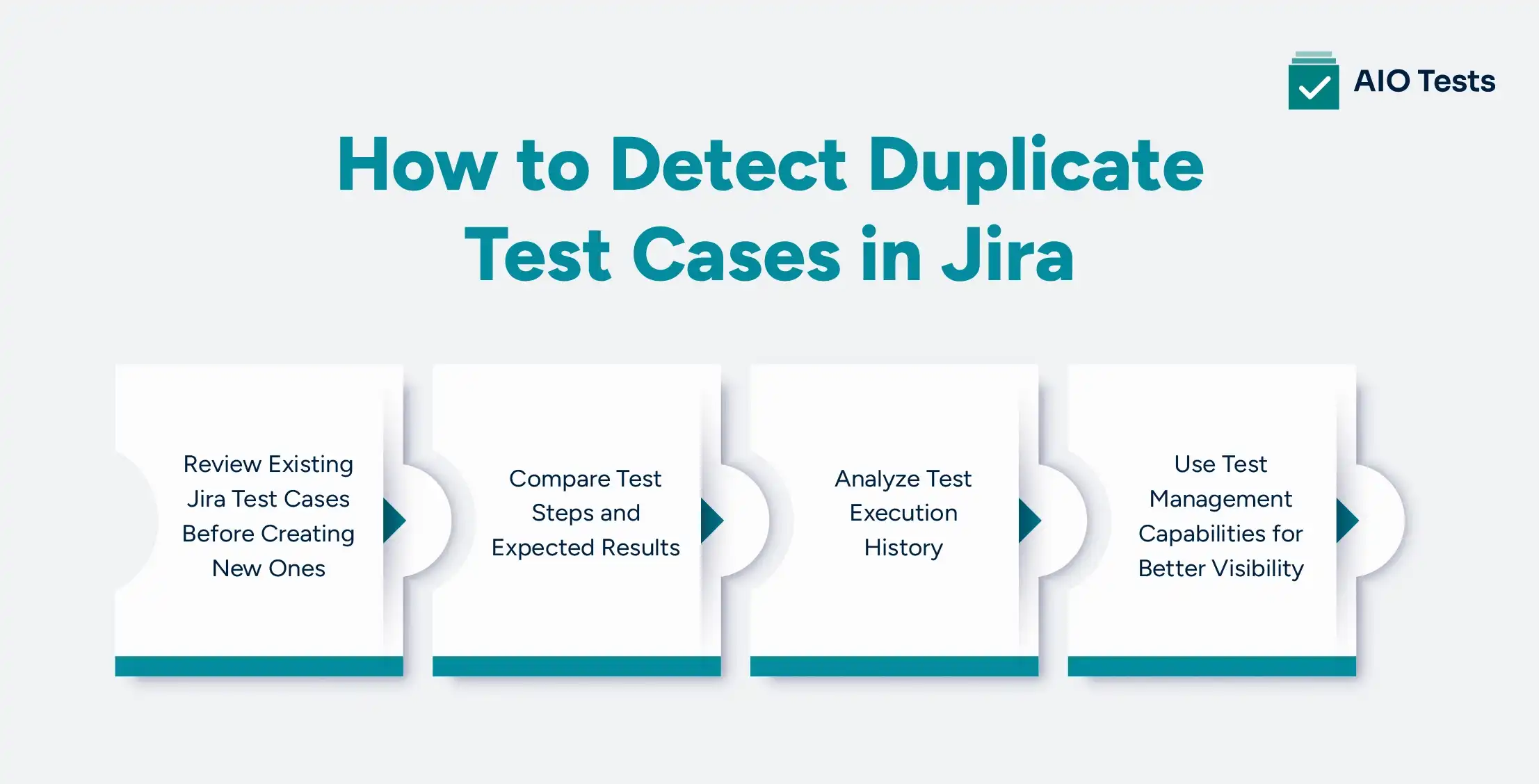
1. Review Existing Jira Test Cases Before Creating New Ones
The simplest way to prevent duplication is to check whether similar coverage already exists.
Before creating a new test case, testers should:
- Search existing test cases by feature or module.
- Review related requirements.
- Check previous regression scenarios.
- Identify reusable tests.
For example, before creating a new login test, search terms like:
- Login
- Authentication
- User access
- Sign-in
This helps testers discover existing scenarios that may already cover the requirement.
A strong test management process encourages teams to reuse existing coverage instead of continuously adding new Jira test cases.
2. Compare Test Steps and Expected Results
Duplicate test detection should go beyond comparing test titles.
Two test cases may have completely different names but validate the same workflow.
When reviewing possible duplicates, compare:
Preconditions
Example:
- User accounts exist.
- The user is logged into the application.
Test Data
Example:
- Same user credentials.
- Same product information.
- Same transaction details.
Test Steps
Example:
- Navigate to login page.
- Enter credentials.
- Submit request.
Expected Results
Example:
- User successfully accesses the dashboard.
Comparing these elements helps identify duplicate or overlapping scenarios that keyword searches may miss.
3. Analyze Test Execution History
Execution history provides valuable information about whether tests are still useful.
Teams should review:
- Frequently executed tests.
- Tests that always run together.
- Tests that have never been executed.
- Similar regression scenarios.
For example, if two tests have:
- Similar steps.
- Similar execution history.
- Similar results.
One of them may not provide additional value.
Regular execution reviews help teams optimize their test suite and reduce unnecessary maintenance.
4. Use Test Management Capabilities for Better Visibility
Manual duplicate detection becomes difficult as test repositories grow.
Teams need better visibility into:
- Existing test coverage.
- Test relationships.
- Execution history.
- Test ownership.
- Repository structure.
A structured test case management in Jira approach helps teams organize tests, improve discoverability, and identify unnecessary duplication.
Tools that provide centralized repositories, reporting, and traceability make it easier to maintain a cleaner testing workflow.
How AIO Tests Helps Prevent Duplicate Test Cases in Jira

As QA teams scale, maintaining a growing test repository becomes more challenging. Duplicate test cases often appear when teams cannot easily find existing coverage, reuse previous scenarios, or understand how tests are connected across releases.
AIO Tests (test management tool) helps teams manage the complete testing lifecycle inside Jira by providing a centralized platform to create, organize, execute, and track test cases.
With features like reusable test cases, test sets, execution cycles, traceability, and reporting, teams can reduce redundant efforts and maintain a more organized QA workflow.
Manage Jira Test Cases From One Central Repository
One common reason duplicate test cases are created is that teams struggle to locate existing coverage.
When test cases are managed across spreadsheets, documents, or disconnected tools, testers may create new scenarios instead of reusing existing ones.
The tool helps teams organize and manage Jira test cases in one place, allowing them to:
- Create and manage test cases directly inside Jira.
- Organize tests using folders, custom fields, and structured workflows.
- Link test cases with Jira requirements, executions, and defects.
- Maintain visibility across the testing lifecycle.
With better organization and traceability, teams can spend less time searching for existing tests and more time improving test coverage.
Reuse Test Cases Instead of Creating Duplicate Tests
A common cause of duplicate test cases is copying existing tests for every sprint, release, or regression cycle.
For example, instead of creating:
- Login Test – Sprint 1
- Login Test – Sprint 2
- Login Regression Test
Teams can maintain a reusable:
- Login Validation Test
and use it across different testing cycles.
The platform supports reusable test management workflows, allowing teams to organize test cases into reusable groups and execute them across different cycles. This reduces repeated test creation and helps teams maintain a cleaner Jira test repository.
Organize Regression Testing With Test Sets and Cycles
Regression testing can become difficult to manage when teams repeatedly create new test collections for every release.
The tool helps teams organize related test cases into reusable Sets and execute them through Cycles. Sets allow teams to group frequently executed or logically connected test cases, while Cycles help plan and track test execution.
This allows teams to:
- Group regression and smoke test scenarios.
- Reuse existing test collections.
- Plan execution workflows.
- Track testing progress and results.
Instead of rebuilding regression suites repeatedly, teams can maintain structured and reusable testing workflows.
Improve Test Visibility With Traceability and Reports
Duplicate test cases often increase when teams lack visibility into how tests are connected and used.
This tool provides end-to-end traceability by connecting:
This helps teams understand:
- Which requirements are covered.
- Which test cases are linked to specific workflows.
- How tests are performed during execution cycles.
- Where coverage needs review or improvement.
The platform also provides reporting capabilities, including traceability, execution, coverage, and case-related reports, helping QA teams analyze their testing process and continuously optimize their test repository.

Best Practices to Prevent Duplicate Test Cases
Create Clear Test Case Naming Standards
A consistent naming structure makes it easier for testers to search and identify existing test cases. Use names that clearly mention the module, scenario, and expected outcome instead of generic titles. This reduces confusion and helps teams avoid creating duplicate coverage. Clear naming is the foundation of better test case organization.
Build a Centralized QA Test Repository
A centralized QA test repository gives teams a single place to create, manage, and access test cases. It prevents tests from being scattered across spreadsheets, documents, or different tools. With better visibility, testers can quickly find existing scenarios before adding new ones. This helps maintain a cleaner and more reliable test library.
Reuse Test Cases Across Sprints and Releases
Teams often create duplicates when they copy existing tests for every sprint or release. Instead of creating new versions, maintain reusable test cases that can be executed across different testing cycles. This reduces repeated work and improves test case optimization. Reusable tests also make regression testing faster and easier to manage.
Review and Remove Outdated Test Cases Regularly
Test repositories need regular reviews to stay accurate and useful. Teams should identify duplicate, outdated, or unused tests and remove them when they no longer provide value. Regular cleanup reduces test maintenance effort and keeps the repository focused on meaningful coverage. A well-maintained test suite improves testing efficiency over time.
Maintain Traceability Between Requirements and Tests
Connecting requirements, test cases, executions, and defects helps teams understand why each test exists. This visibility makes it easier to identify unnecessary duplication and missing coverage. Traceability ensures every test contributes to validating a specific requirement or risk. It also supports better test case management as projects scale.
Conclusion
Duplicate test cases do not improve software quality. They increase testing effort without adding meaningful coverage.
As Jira projects grow, QA teams need more than a collection of test cases. They need a structured approach to organize, reuse, and maintain their testing assets.
By improving test organization, creating reusable scenarios, reviewing existing coverage, and adopting effective test case management in Jira, teams can reduce redundant testing and improve regression efficiency.
AIO Tests helps Jira teams build a more organized testing workflow by providing centralized test management, reusable test cases, structured execution, and better visibility into test coverage.
With the right approach, QA teams can spend less time managing duplicate tests and more time ensuring product quality.

FAQ Section
1. What causes duplicate test cases in Jira?
Duplicate test cases in Jira usually happen because teams create new tests without reviewing existing coverage. Other common causes include poor naming conventions, copying tests between releases, multiple teams working independently, and lack of test repository maintenance.
2. How can you detect duplicate test cases in Jira?
Teams can detect duplicate test cases by reviewing existing Jira test cases before creation, comparing test steps and expected results, analyzing execution history, and using test management capabilities that improve repository visibility.
3. Why should QA teams avoid redundant test cases?
Redundant test cases increase regression testing time, create additional maintenance work, and make test coverage reports less reliable. Removing unnecessary duplication helps teams focus on meaningful scenarios.
4. What are the best practices for preventing test case duplication in Jira?
Best practices include using clear naming conventions, maintaining a centralized QA test repository, reusing test cases across releases, performing regular test reviews, and maintaining traceability between requirements and tests.
5. How can test case management in Jira help optimize a QA test repository?
Effective test case management in Jira helps teams organize test cases, improve searchability, reuse existing scenarios, track executions, and maintain better visibility into test coverage. Tools like AIO Tests help teams manage these activities directly within Jira.


.svg)

