

Summarize Blog
Quick Summary
Learn how generative AI in software testing helps QA teams create better tests, reduce repetitive work, improve coverage, and make faster release decisions with best practices for using generative AI across software testing and CI/CD pipelines
CI/CD pipelines have transformed how quickly software teams can build and release applications. However, faster delivery cycles have also introduced new testing challenges. With every release, QA teams must handle growing regression suites, frequent requirement changes, and increasing demands for test automation.
While traditional automation helps teams execute tests faster, it does not completely address challenges like creating effective test cases, finding coverage gaps, or maintaining tests as applications evolve. This is where generative AI in software testing is helping QA teams rethink their approach by improving test creation, analysis, and decision-making.
However, adopting generative AI successfully requires more than just adding an AI tool to the testing process. Teams need the right strategy, human validation, reliable data, and seamless integration with existing QA workflows.
This blog explores the best practices teams should follow to effectively use generative AI across software testing and CI/CD pipelines.
How AI and Testing Are Transforming Modern QA Workflows
Software teams are under constant pressure to deliver reliable releases faster without compromising quality. However, as applications become more complex, traditional testing approaches often struggle to keep pace with changing requirements, expanding test suites, and shorter development cycles.
The combination of artificial intelligence and testing is helping QA teams move beyond repetitive manual processes and adopt smarter, AI-assisted workflows. Rather than replacing testers, AI works alongside them by reducing time-consuming tasks, improving test coverage, and providing valuable insights throughout the software development lifecycle.
From understanding requirements to analyzing test results, AI can support multiple stages of the QA workflow, including:
1. Requirement Analysis
AI can analyze user stories, acceptance criteria, and product requirements to identify potential testing scenarios. This helps teams understand testing needs earlier in the development process and reduce missed coverage areas.
2. Test Planning
QA teams can use AI to suggest relevant test scenarios based on requirements, previous test cases, and historical defect patterns. This allows testers to prioritize important areas before execution begins.
3. Test Creation
AI helps generate structured test cases, test steps, and expected outcomes. This reduces the time testers spend manually converting requirements into executable testing scenarios.
4. Test Execution Analysis
AI can analyze execution results, identify recurring failures, and highlight areas requiring attention. This helps teams focus on high-impact issues rather than manually reviewing large amounts of testing data.
5. Reporting and Decision-Making
AI-assisted reporting provides teams with clearer visibility into test progress, quality risks, and release readiness. This enables faster and more informed deployment decisions.
By embracing AI in QA testing, organizations can improve testing efficiency while allowing testers to focus on more strategic quality initiatives.
Best Practices For Using AI for QA Teams
Adopting AI successfully requires more than simply choosing an AI tool. Teams need a structured approach that aligns AI capabilities with their testing goals, existing workflows, and quality standards.
The following best practices help organizations maximize the value of AI for QA while maintaining accuracy, reliability, and control throughout the testing process.
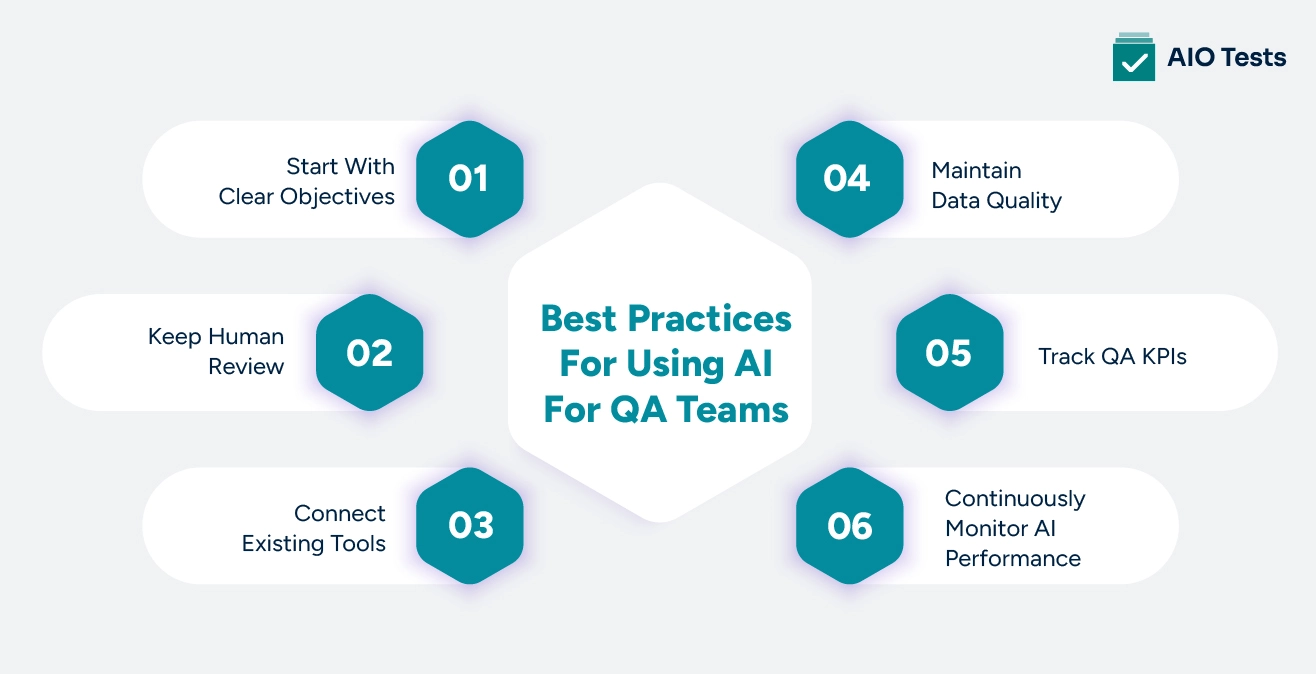
1. Start With Clear Objectives
Before implementing AI, teams should identify the specific testing challenges they want to solve.
A successful AI strategy starts with clear objectives, such as:
- Reducing test creation time
- Improving regression coverage
- Increasing release confidence
- Minimizing repetitive QA tasks
Instead of applying AI across every testing activity immediately, teams should begin with high-impact areas where AI can deliver measurable improvements.
A platform that supports AI-powered test case generation directly inside Jira makes it easier to act on these objectives without rebuilding your existing workflow.
2. Keep Human Review
AI can generate valuable testing suggestions, but human expertise remains essential to maintaining quality.
AI-assisted QA workflows work best when testers review, validate, and refine AI-generated outputs before they are used.
Human review helps ensure:
- Generated tests align with business requirements
- Edge cases are properly covered
- Testing logic matches application behavior
- Incorrect scenarios are identified before execution
QA professionals bring domain knowledge and critical thinking that AI models may not fully understand.
The goal is not to remove testers from the process but to help them work more efficiently by combining human expertise with AI capabilities.
When AI-assisted QA runs inside your existing test management environment, testers can review, refine, and approve generated test cases without switching between tools.
3. Connect Existing Tools
AI delivers greater value when it becomes part of existing software development workflows rather than operating as a separate system.
Disconnected AI tools can create additional complexity by separating important testing information, including:
- Requirements
- Test cases
- Execution results
- Defects
- Reports
Teams should focus on connected workflows where testing information remains accessible throughout the software development lifecycle.
A Jira-native test management solution helps teams manage testing activities within the same environment where development work happens, improving traceability, collaboration, and visibility across QA workflows.
4. Maintain Data Quality
The accuracy of AI-generated outputs depends heavily on the quality of information provided to the system.
Incomplete requirements, outdated test cases, or unreliable testing data can lead to inaccurate AI-generated recommendations.
Teams should focus on:
- Protecting sensitive application data
- Establishing security guidelines for AI usage
- Reviewing AI-generated outputs regularly
When AI reads directly from Jira issues and epics rather than external inputs, the quality of generated test cases improves because the source data is already structured and maintained by your team.
5. Track QA KPIs
Organizations should measure the impact of AI adoption using relevant QA KPIs instead of relying only on assumptions about productivity improvements.
Important metrics include:
- Improvement in test coverage
- Reduction in test creation time
- Defect detection rate
- Regression cycle duration
- Release readiness confidence
Tracking these metrics helps teams understand whether AI is improving testing outcomes and identify areas where additional improvements are needed.
Built-in reporting that tracks execution status, coverage, and defect trends gives QA leaders the numbers they need without pulling data manually from multiple sources.
6. Continuously Monitor AI Performance
AI adoption is not a one-time implementation. Teams should regularly evaluate AI outputs, check whether generated test cases are accurate, and identify gaps before they affect testing quality.
Monitoring AI performance helps teams understand whether AI-generated outputs are improving testing efficiency and maintaining quality standards.
Teams should review:
- Accuracy of AI-generated test cases
- Impact on test coverage
- Reduction in manual testing effort
- Quality of defect identification
- Feedback from QA teams
Regular monitoring allows organizations to refine AI workflows, update testing inputs, and ensure that AI continues to support their evolving QA requirements.
Having AI generation, execution tracking, and reporting in one connected environment makes this kind of ongoing review practical rather than something teams have to schedule separately.
Key Use Cases of Generative AI Testing Across QA Processes
Software testing AI is becoming increasingly valuable as QA teams look for ways to handle growing testing demands without increasing manual effort.
By supporting activities like test creation, execution analysis, and failure identification, AI helps teams improve efficiency across different stages of the QA lifecycle.
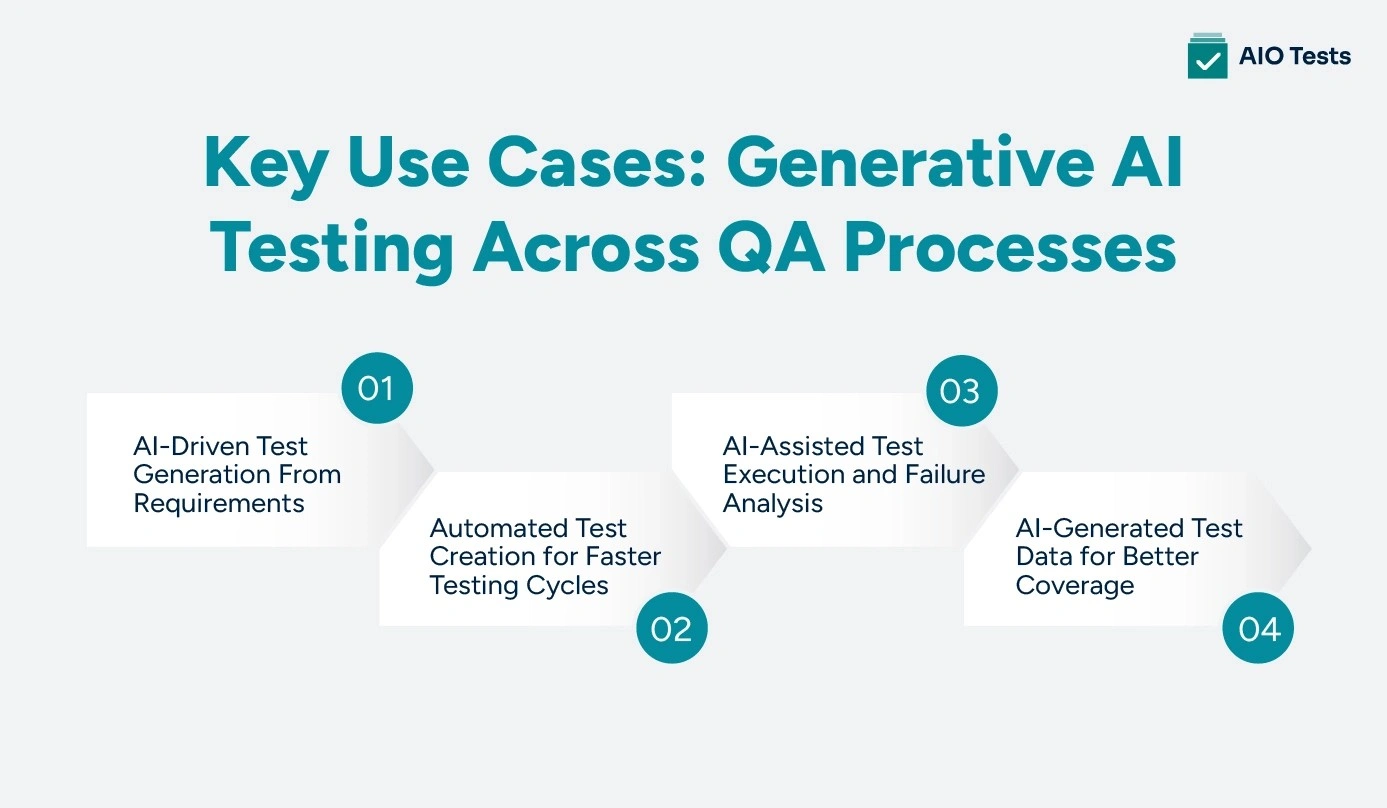
AI-Driven Test Generation From Requirements
One of the most valuable applications of AI-driven test generation is its ability to convert software requirements into structured test scenarios.
QA teams often spend significant time analyzing user stories and manually creating test cases. Generative AI helps streamline this process by analyzing requirements, identifying expected behaviors, and suggesting relevant test scenarios automatically.
Key benefits include:
- Generating test scenarios from user stories and acceptance criteria
- Creating detailed test cases with expected outcomes
- Identifying potential coverage gaps
- Reducing manual test design effort
Automated Test Creation for Faster Testing Cycles
Creating and maintaining test cases manually can slow down development cycles, especially when teams manage thousands of tests across multiple releases.
Automated test creation powered by generative AI helps teams generate structured test cases from requirements, workflows, and existing testing data.
AI can assist with:
- Creating test steps and expected outcomes
- Generating functional and regression test scenarios
- Supporting both manual and automated testing workflows
- Updating test cases when requirements change
AI-Assisted Test Execution and Failure Analysis
Test execution generates large volumes of data, especially in environments where continuous testing with AI is part of the release pipeline, and teams run frequent automated tests. Reviewing failures manually can be time-consuming and may delay release decisions.
AI helps teams analyze execution results more efficiently by identifying patterns across failed tests and highlighting areas that require attention.
AI-assisted execution analysis helps teams:
- Detect recurring failure patterns
- Identify potentially related defects
- Prioritize critical issues
- Reduce time spent investigating test failures
AI-Generated Test Data for Better Coverage
Reliable test data is essential for validating software behavior across different scenarios. However, preparing test data manually can be challenging, especially when teams need to test complex applications with multiple use cases.
Generative AI helps teams create realistic test data while improving overall test coverage and reducing manual effort.
Teams can use AI-generated data for:
- Creating different testing scenarios
- Validating edge cases
- Simulating real-world user conditions
- Reducing dependency on manually prepared datasets
How Does Rovo AI Help Teams Adopt AI-Powered Quality Assurance Workflows?
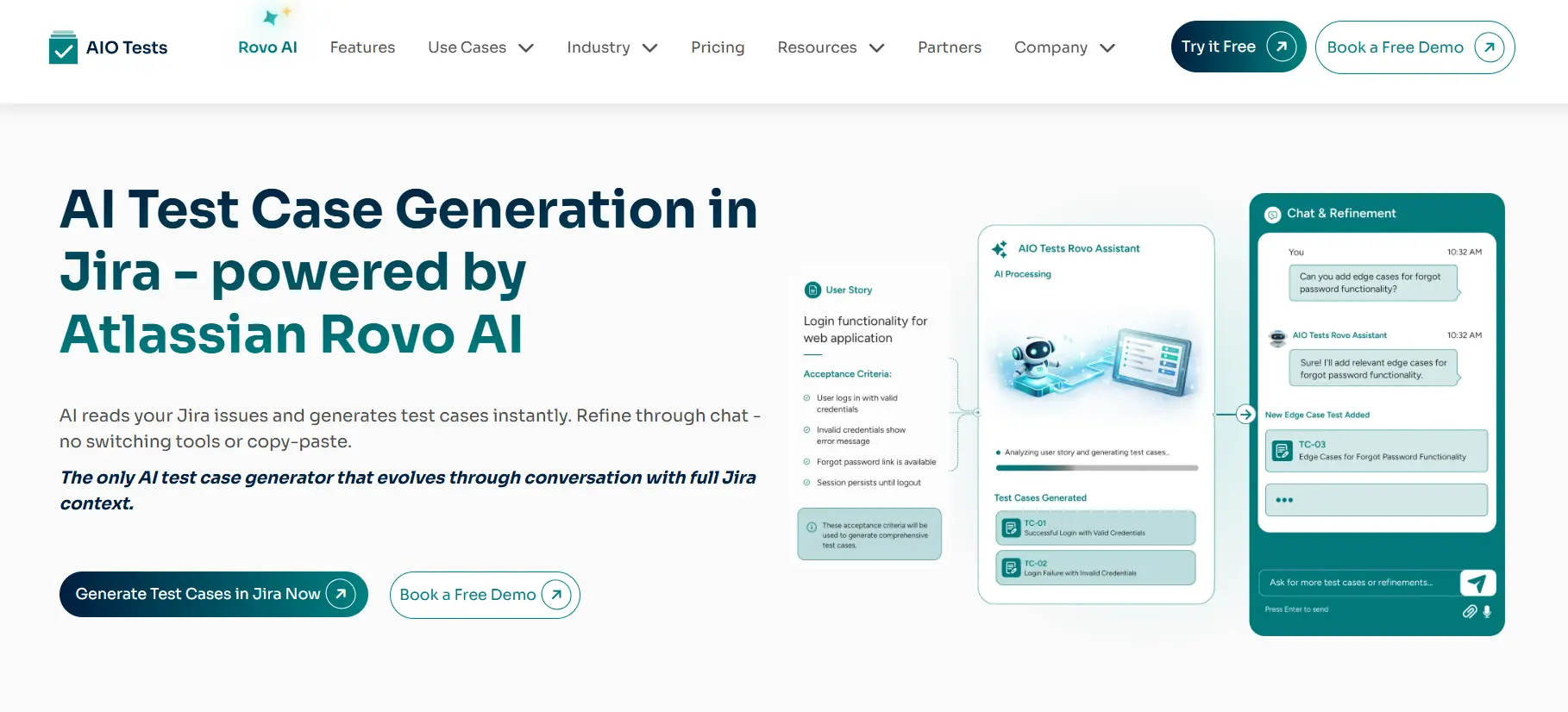
Generative AI can improve testing efficiency, but its real value comes when it works within existing QA workflows. Teams need more than one-time AI-generated suggestions. They need test cases that evolve with requirements, stay connected to Jira issues, and flow directly into their testing process without manual effort.
The AIO Tests Rovo Assistant is built for Jira teams. It reads your issues, epics, and requirements, generates test cases instantly, and lets you refine them through chat until they match your requirements exactly.
Chat-Based Test Case Design
Most AI tools generate test cases once and stop there. The Rovo AI assistant works differently. You can refine, expand, and improve test cases through follow-up prompts without losing context or recreating them from scratch.
Teams can:
- Generate test cases from any Jira issue through chat
- Add edge cases on the fly with follow-up prompts
- Refine outputs until they match the requirement exactly
- Maintain full context across the entire conversation
This makes test design conversational rather than transactional
Classic and BDD Format Support
Different teams write tests differently. This AI test case generator supports both Classic (step-by-step) and BDD/Gherkin (Given/When/Then) formats. You can switch between them through the chat at any point without regenerating test cases from scratch.
Context-Aware Generation from Jira
The Rovo AI does not work in isolation. It reads the Jira issue you are currently viewing, pulls in linked issues and epics, and uses that full context to generate test cases that match actual requirements.
This means:
- No copy-pasting requirements into an external tool
- Coverage expands across related issues automatically
- Edge cases tied to real requirements get surfaced earlier

Common Challenges When Implementing Generative AI in Software Testing
While generative AI can help QA teams improve efficiency and testing outcomes, successful implementation requires organizations to address challenges related to accuracy, security, workflow integration, and human involvement. Being aware of these challenges upfront helps teams plan for them and adopt AI without compromising testing quality.
1. Accuracy of AI-Generated Tests
AI-generated tests can reduce manual effort and speed up test creation, but they may not always capture the complete business context behind an application. Teams still need to review AI-generated tests to identify missing scenarios, incorrect conditions, and gaps in test coverage.
2. Security and Data Privacy
Generative AI often works with testing data, requirements, and application information, making security and privacy important considerations. Organizations need clear policies, proper access controls, and secure data practices to ensure AI adoption does not create unnecessary risks.
3. Maintaining Human Oversight
Generative AI is designed to support QA teams, not replace their expertise. Testers play an important role in reviewing AI-generated outputs, validating test scenarios, understanding business requirements, and making informed quality decisions.
4. Integration With Existing QA Workflows
Integrating AI into existing QA environments can be challenging when teams use multiple disconnected tools and processes. Organizations need AI solutions that work seamlessly with their existing test management platforms, automation frameworks, and development workflows to maintain visibility and traceability.
Final Words!
Generative AI in software testing helps QA teams improve testing speed, coverage, and decision-making by reducing repetitive work and providing smarter insights throughout the software lifecycle. However, successful adoption depends on more than implementing AI capabilities alone.
The best results come from combining AI with structured testing processes, human validation, reliable data, and connected workflows. Teams should focus on practical use cases, measure improvements through relevant QA KPIs, and integrate AI into their existing development ecosystem.
When generative AI works alongside a complete test management approach, organizations can build more efficient QA processes and deliver higher-quality software with greater confidence.
For teams working in Jira, a platform that connects AI test generation, execution tracking, traceability, and reporting in one place makes this transition significantly more practical.
Frequently Asked Questions
- What is generative AI in software testing, and how does it improve QA?
Generative AI in software testing uses AI to create, analyze, and improve testing assets such as test cases, scenarios, and test steps. It helps QA teams reduce manual effort, speed up test creation, identify missing scenarios, and improve overall test coverage while allowing testers to review and validate AI-generated results.
- What are the best practices for implementing generative AI in software testing?
To successfully implement generative AI in software testing, teams should start with clear testing goals, use reliable requirements, and keep human validation as part of the process. AI should support testers by improving productivity and efficiency while ensuring that test quality, accuracy, and business requirements are properly maintained.
- How can generative AI help automate test case creation and improve test coverage?
Generative AI can analyze requirements, user stories, or Jira issues to generate relevant test cases and scenarios faster than traditional manual methods. It helps QA teams cover more testing scenarios, including edge cases, while reducing repetitive work involved in writing and maintaining test cases.
- What are the biggest challenges of using generative AI in software testing?
Some key challenges of using generative AI in software testing include validating AI-generated test cases, maintaining data security, and ensuring that generated tests match the business requirements. Human oversight is still important to review AI outputs and make sure testing remains accurate and reliable.
- How does AIO Tests support AI-powered software testing within Jira?
AIO Tests helps teams use AI-powered testing capabilities within Jira by enabling faster test case creation and better management of testing workflows. With features like AI test case generation, test planning, execution tracking, and reporting, it allows QA teams to manage manual and automated testing from a single Jira-native platform.


.svg)
