


Summarize Blog
Quick Summary
QA teams face growing pressures from complex applications, tight release cycles, and repetitive manual testing, which often leads to gaps, delays, and errors. Automated test software addresses these issues by running tests faster, ensuring consistent coverage, and reducing human error. Platforms like AIO Tests enhance automation further by unifying results, providing traceability, and offering AI-powered reporting within Jira.
Software testing may sound straightforward, but in reality, QA teams face constant hurdles that directly impact software quality assurance. Tight release cycles, growing application complexity, and the demand for reliable quality put pressure on every test cycle.
Manual testing adds another layer of difficulty. It is repetitive, time-consuming, and prone to gaps in coverage, which slows delivery and increases the chance of defects making it into production.
This is where automated test software makes a real difference. By handling repetitive checks and ensuring broader coverage, it allows QA teams to find issues earlier and deliver with more confidence.
In this blog, we’ll look at the top QA challenges and how automated test software can address them.
What Are the Top QA Challenges That Automated Test Software Can Solve?
Many QA teams are familiar with the struggles of manual testing, but the real value comes from understanding the top challenges that automation can directly solve.
Below, we’ll break down the most common obstacles and show how automation turns each one into a measurable advantage.
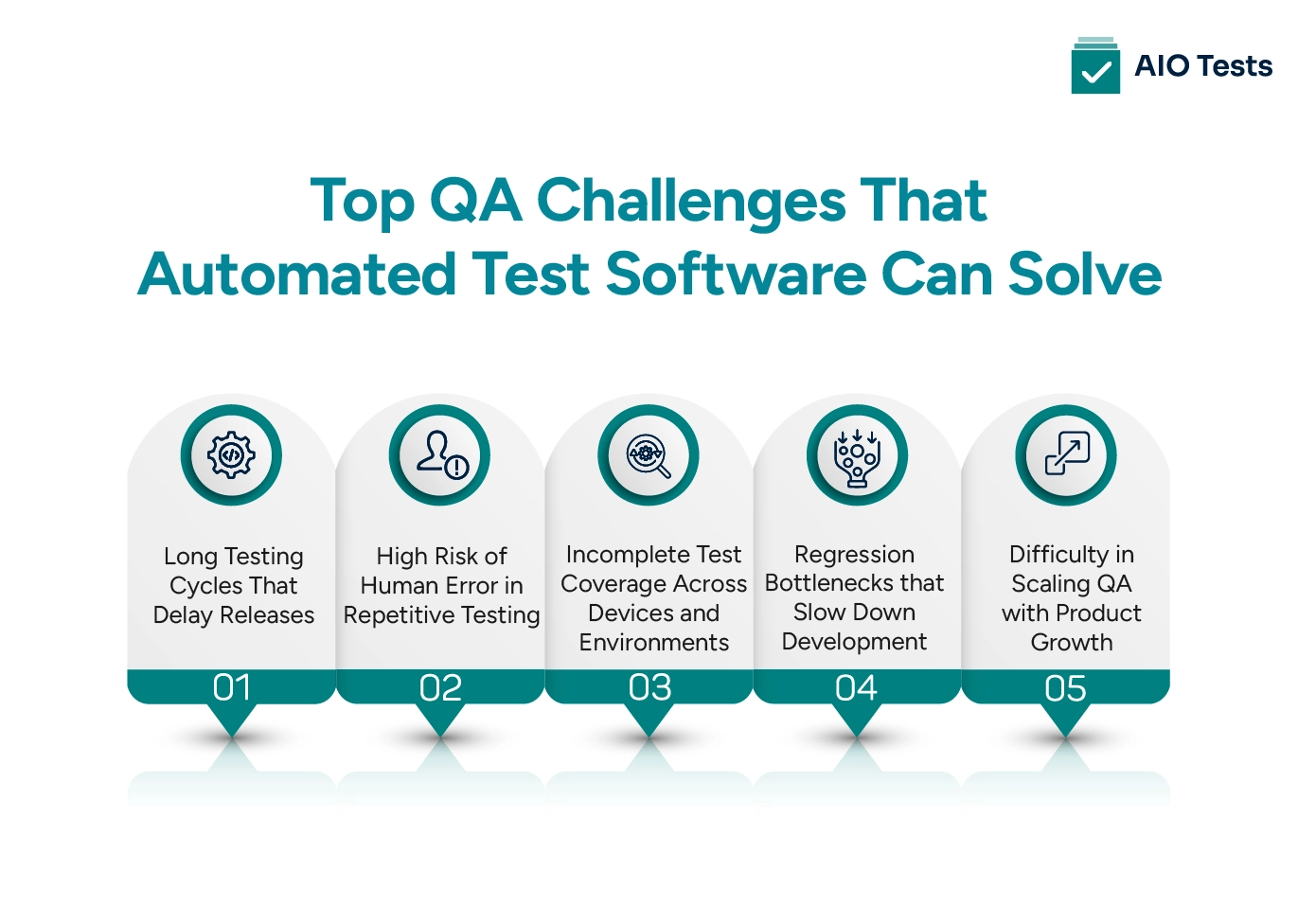
1. Long Testing Cycles That Delay Releases
The Challenge: Manual testing expands with every new feature. Regression cycles that once took hours may now take days, slowing down product launches.
Automation’s Solution:
- Run regression suites automatically with each build, triggered by CI/CD pipelines.
- Execute thousands of test cases in parallel across devices and browsers.
- Reduce execution time from days to hours or even minutes in some cases.
2. High Risk of Human Error in Repetitive Testing
The Challenge: Testers often miss steps or interpret outcomes differently, especially during repetitive regression work.
Automation’s Solution:
- Predefined scripts execute exactly the same steps every time.
- Automated validation ensures consistent pass/fail outcomes.
- Detailed logs and screenshots help pinpoint issues without subjective interpretation.
3. Incomplete Test Coverage Across Devices and Environments
The Challenge: It’s unrealistic to manually test all combinations of browsers, devices, and OS versions. This leaves gaps in coverage.
Automation’s Solution:
- Automated test platforms provide instant access to device labs and cloud-based environments.
- Test cases can be executed in parallel across dozens of configurations.
- Edge cases and performance conditions that are impractical to test manually become testable at scale.
4. Regression Bottlenecks that Slow Down Development
The Challenge: With every sprint, QA needs to rerun older tests. This creates bottlenecks and often forces teams to skip non-critical regressions.
Automation’s Solution:
- Teams can run regression packs automatically at night or on demand, regardless of suite size.
- Integration with version control ensures regressions run every time code changes.
- Developers receive near-instant feedback on whether new features break existing ones.
5. Difficulty in Scaling QA with Product Growth
The Challenge: As applications expand, manual QA doesn’t scale. More features mean exponentially more tests, but adding testers isn’t always feasible.
Automation’s Solution:
- Scripts can be extended and reused with minimal additional effort.
- Load, stress, and API testing are possible at a scale that manual testers could never replicate.
Automation aligns with DevOps workflows, enabling continuous testing alongside continuous delivery.
How Automated Testing Tools Improve QA Efficiency
One of the clearest ways to understand the value of automation is to compare how QA tasks are handled manually versus with automation tools.

Automation frameworks such as Cypress, JUnit, TestNG, and Cucumber excel at executing tests quickly and repeatedly.
They ensure critical checks run consistently, but many teams find that the real challenge arises afterwards: managing the growing volume of results, maintaining traceability to requirements, and making sense of outcomes across multiple projects.
How Does AIO Tests Support QA Automation Effectively?

This is where AIO Tests adds genuine value, not by replacing your existing tools, but by unifying your automated test software and manual testing efforts within Jira. The tool acts as a hub inside Jira that organizes results, ties them back to test cases and user stories, and provides clear reporting metrics.
Key Capabilities That Make AIO Tests Indispensable
- Broad Framework Compatibility: AIO Tests supports reporting and visibility for tests written in your preferred automation testing tools and frameworks, including Cucumber, JUnit, TestNG, NUnit, Robot Framework, Newman (Postman), Cypress, Playwright, Katalon Studio, and more.
- Seamless CI/CD Integration: Whether using Jenkins, Azure DevOps, GitHub Actions, Bitbucket, or others, AIO Tests captures results as part of your continuous pipeline.
- Unified Test Management and Traceability: From Jira requirements to execution outcomes, AIO Tests links every step of test cases, execution cycles, and defect tickets, offering full traceability in a single workflow.
- Reporting & Coverage Monitoring: The platform comes equipped with detailed dashboards, over 20 built-in reports, and metrics like automation coverage, burndown chart, execution summaries, defect trends, and more.
- AI-Powered Feature: AI-powered test case editing, generation and automation tagging accelerate preparation, while automated bug report population speeds up communication and logging.
Teams looking to evaluate this approach further can know more about AIO Tests on the Atlassian Marketplace, where its capabilities and integrations are detailed in depth.
How AIO Tests Supports Automated Testing Challenges
What Are the Common Misconceptions About QA Automation?
Many teams hold myths about QA automation that create unnecessary hurdles. Understanding the truth helps overcome common QA automation challenges:
- Automation replaces all manual testing: A common misconception is that automated tests can fully replace human testers. In reality, automation complements manual testing by handling repetitive and time-consuming tasks.
- Automation is too complex or expensive: Some believe implementing automation requires huge investments or technical expertise. Modern tools are designed to integrate easily and scale with your team’s needs.
- Automation solves all testing problems: Thinking automation can fix every issue leads to overlooked software testing challenges. Manual testing is still essential for exploratory checks and usability validation.
- Automation guarantees perfect quality: Automation reduces human error, but without proper planning and maintenance, teams can still face quality assurance challenges. The key is combining smart automation with clear test strategies.
When implemented thoughtfully, QA automation paired with the right test case management software improves efficiency, expands coverage, and helps teams avoid these common misconceptions.
Conclusion
Manual QA testing often struggles with issues like long regression cycles, limited coverage, and human errors. These bottlenecks not only slow down releases but also increase the risk of defects slipping into production.
That’s where automated test software helps teams boost efficiency, expand coverage, and deliver higher quality with confidence. However, automation alone is insufficient without the support of a Jira test management tool, as results can become fragmented and difficult to track.
To get the full value, teams need a solution that connects test planning, execution, and reporting into a single view. AIO Tests provides that missing link, bringing together manual and automated results inside Jira, delivering end-to-end traceability, and simplifying reporting so teams can spend less time managing QA testing tools and more time ensuring product quality.
Book a demo of AIO Tests to see how it enhances your QA automation process.

FAQs
- What is automated test software, and how is it different from manual QA testing?
Automated test software uses scripts and tools to run tests without human effort, unlike manual QA, where testers execute steps themselves. It speeds up regression cycles, improves accuracy, and reduces repetitive workload, while manual testing is still better for usability and exploratory checks.
- How does automated test software improve QA efficiency?
It runs tests faster, increases coverage, and detects defects earlier in development. Teams save time by reusing scripts, integrating automation into pipelines, and reducing the cost of fixing late-stage bugs. The result is a more reliable and scalable QA process.
- How does AIO Tests support automated test software?
AIO Tests integrates seamlessly with popular automation tools and frameworks. It centralizes test results, offers AI-driven reporting, and connects automation with Jira workflows that help QA teams track coverage, collaborate better, and maximize automation ROI.
- What problems in QA does automated test software address?
Automated test software tackles the most persistent QA bottlenecks, including long regression cycles, inconsistent test results, and limited test coverage across devices and environments. It reduces reliance on repetitive manual effort, lowers the risk of human error, and helps teams detect defects earlier in the development cycle.
- What are the key challenges QA teams face without automation?
Without automation, QA teams struggle with slow release cycles, growing regression backlogs, and incomplete coverage. Manual testing becomes harder to scale as features increase, often forcing teams to skip critical checks. This leads to higher defect leakage, increased rework, and pressure on testers.
- When should a QA team choose automation over manual testing?
QA teams should prioritize automation when tests are repetitive, regression heavy, or need to run frequently across multiple environments. Automation is ideal for stable workflows, CI/CD pipelines, and large applications where speed and consistency matter. Manual testing still plays a key role for exploratory testing and usability, but automation becomes essential once scale and release velocity increase.


.svg)

