


Summarize Blog
Quick Summary
Exploratory testing helps QA teams uncover defects missed by scripted tests. Learn seven exploratory testing techniques, practical examples, and ways to manage findings, track defects, and improve test coverage in Jira.
Scripted test cases cover expected workflows, but they may miss defects caused by unusual user actions, unexpected application states, or combinations of inputs. QA teams need ways to investigate these gaps, especially when testing new features or working with changing requirements in Agile sprints.
Exploratory testing helps testers investigate application behavior while designing and executing tests. Instead of following only predefined steps, they use observations, experience, and test ideas to uncover defects that existing test cases may not catch.
This blog covers seven exploratory testing techniques, with practical examples and guidance on when to use each one. It also explains how Jira QA teams can document findings, report defects, and turn important discoveries into repeatable regression tests.
Where Does Exploratory Testing Find Bugs That Scripted Tests Miss?
Scripted tests validate predefined scenarios, while exploratory testing helps QA teams investigate behaviors those scenarios may overlook. It is useful for finding defects caused by unusual action sequences, unexpected inputs, changing application states, and differences between environments.
Exploratory testing can uncover issues such as:
- Unexpected user actions: A user refreshes a page, navigates backward, or submits a form more than once.
- Boundary conditions: An application receives empty fields, maximum-length values, or invalid inputs.
- State and session problems: A session expires during checkout, or unsaved data disappears after reauthentication.
- Integration failures: A payment service times out, but the application processes the same order twice.
- Platform-specific defects: A workflow works in one browser but fails on a mobile device or another supported browser.
Exploratory testing does not replace scripted testing. Scripted tests provide repeatable checks for known requirements, while exploratory testing investigates uncertain behavior and helps identify scenarios worth adding to the test suite. Together, they give QA teams broader coverage.
Why Is Exploratory Testing Important in Agile?
Exploratory testing helps Agile QA teams investigate new features, changing requirements, and application behavior that predefined test cases may not cover. Testers can adapt their approach as they discover unexpected results, making it useful when acceptance criteria leave unanswered questions.
It can help teams:
- Test changing requirements: Explore updated features and check their effect on existing workflows.
- Investigate edge cases: Try unusual inputs, interrupted workflows, and unexpected application states.
- Identify coverage gaps: Find scenarios that scripted tests may overlook and add important checks to the test suite.
For example, when testing a session timeout feature, a tester might investigate what happens when a user submits a form as the session expires. The finding can help clarify expected behavior and identify a scenario for future regression testing.
7 Exploratory Testing Techniques Every Jira QA Team Should Try
The right exploratory testing technique depends on the feature, risk, and questions the team needs to investigate. The following approaches provide practical ways to explore application behavior and identify defects.
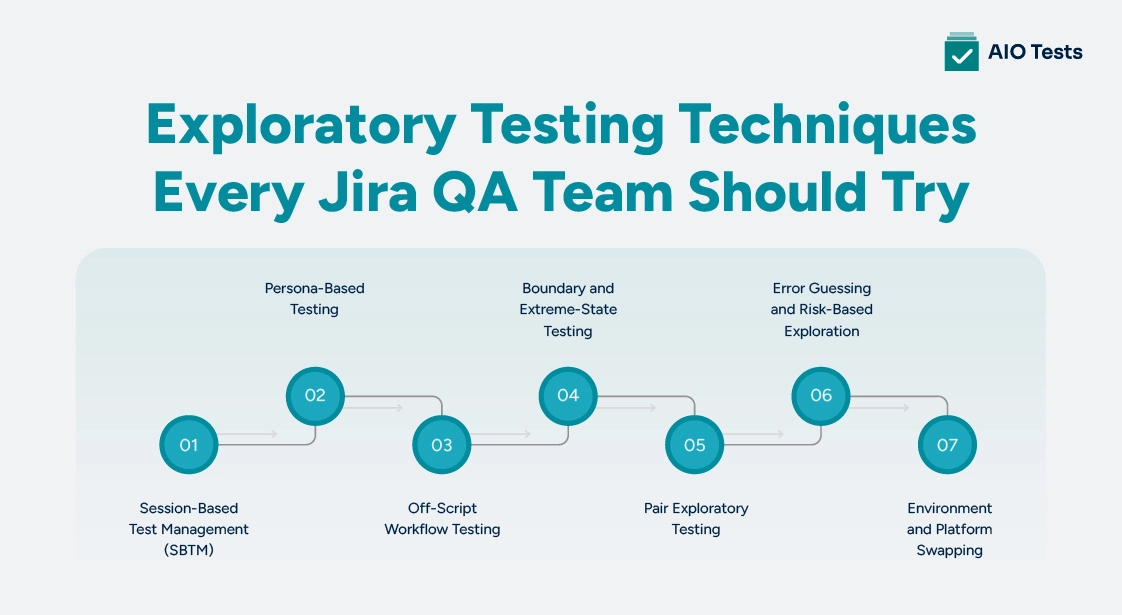
1. Session-Based Test Management (SBTM)
Session-Based Test Management (SBTM) organizes exploratory testing into focused sessions with a defined objective, time limit, and documented findings. It gives testers room to investigate unexpected behavior while keeping the work reviewable.
When to use it: Use SBTM for new features, complex workflows, or areas with unclear requirements.
Exploratory testing example: A tester spends 45 minutes investigating password reset, including expired links, repeated requests, invalid email addresses, and attempts to reuse a link after changing the password.
How it helps Jira QA teams: Record the session objective and findings, link confirmed defects to Jira issues, and create repeatable tests for important scenarios. SBTM is a session-management approach rather than a standalone test design technique.
2. Persona-Based Testing
Persona-based testing explores an application from the perspective of different user types, goals, and levels of experience. It helps uncover problems that may not appear in a single, expected user journey.
When to use it: Use this technique when workflows vary by user role, permissions, experience, or account status.
Exploratory testing example: In an e-commerce application, a tester explores checkout as a first-time customer creating an account, a returning customer using a saved payment method, and a customer attempting to purchase an unavailable item.
Each persona raises different questions about navigation, validation, payment handling, and error messages. Record the persona and observed behavior when reporting a defect in Jira.
3. Off-Script Workflow Testing
Off-script workflow testing explores unusual but plausible sequences of actions instead of following only the intended user journey. It is sometimes associated with freestyle testing, but testers should still have a clear purpose and work in a controlled test environment.
When to use it: Use this technique to investigate navigation, session handling, interrupted workflows, and interactions between application states.
Exploratory testing example: A tester adds an item to a shopping cart, logs out, returns using the browser's back button, changes the quantity, and attempts checkout.
This sequence may expose stale cart data, incorrect access to account information, or inconsistent session handling. Record the relevant steps and actual result so the issue can be reproduced.
4. Boundary and Extreme-State Testing
Boundary and extreme-state testing examines how an application responds when inputs reach their limits or the system enters an unusual state.
When to use it: Use this technique for input validation, numeric limits, required fields, session expiration, and state-dependent workflows.
Exploratory testing example: A tester enters the minimum and maximum permitted username lengths, submits an empty required field, and enters a value just outside the accepted limit. They also check whether valid information remains after the application rejects an input.
A test oracle helps determine whether the observed result is correct. It may be an acceptance criterion, a documented business rule, or an expected system response. Record the input, expected behavior, and actual result in Jira.
5. Pair Exploratory Testing
Pair exploratory testing involves two testers investigating the same feature. One may operate the application while the other observes, questions assumptions, suggests test ideas, and records findings. They can switch roles during the session.
When to use it: Use pair testing for complex workflows, unfamiliar features, and critical business processes where different perspectives may reveal overlooked risks.
Exploratory testing example: Two testers investigate a subscription cancellation flow. One follows the normal cancellation path while the other explores what happens when the user refreshes the page, changes plans, or tries to cancel an already expired subscription.
Their discussion may reveal unclear confirmation messages, incorrect subscription states, or missing validation. Record confirmed defects and agree on the expected behavior with the team.
6. Error Guessing and Risk-Based Exploration
Error guessing uses tester experience to predict where defects may occur. Risk-based testing helps prioritize investigation based on the likelihood and potential impact of a failure.
When to use it: Use these approaches when testing time is limited, a workflow has significant business impact, or previous defects point to areas that need further investigation.
Exploratory testing example: In a payment system, a tester prioritizes duplicate transactions, payment timeouts, lost form data, incorrect permissions, and failures between the application and payment gateway.
Heuristics help generate additional test ideas. One example is SFDPOT, which encourages testers to explore six perspectives:
- Structure: How the system is organized.
- Function: What the feature does.
- Data: How different inputs and stored values behave.
- Platform: How the feature works across supported environments.
- Operations: How the system behaves during use and maintenance.
- Time: How timing, delays, and interruptions affect behavior.
Use these perspectives to guide investigation, then record the risk, observed behavior, and potential impact in Jira.
7. Environment and Platform Swapping
Environment and platform swapping involves exploring the same workflow across supported browsers, devices, operating systems, configurations, or test environments. It helps identify defects caused by platform differences.
When to use it: Use this technique when users access the application across multiple platforms or a release affects browser compatibility, responsive layouts, or environment-specific behavior.
Exploratory testing example: A tester starts filling out a form in a desktop browser and then opens the same workflow on a supported mobile device. They check the layout, saved information, validation, and navigation.
The investigation may reveal a mobile layout issue, inconsistent validation, or data that fails to persist. Include the browser, device, operating system, application version, and environment in the Jira defect report.
How to Use Testing Tours and Mind Maps to Guide Exploratory Testing
Testing tours give testers a focus for exploring an application without prescribing every action. Common approaches include:
- Feature tours: Explore a feature's functions, settings, and actions.
- User tours: Follow a user's goals through the application.
- Data tours: Investigate valid, invalid, and stored data.
- Error tours: Explore failures, error messages, and recovery options.
For example, an error tour of checkout might cover payment failures, expired sessions, invalid discount codes, and duplicate submissions.
Mind maps help organize test ideas around a feature. A checkout mind map might branch into payment methods, discount codes, session expiration, duplicate submissions, and order confirmation. Each branch can suggest questions for further exploratory testing.
Testing tours provide direction, while mind maps help generate and organize ideas. Both can help teams identify gaps and decide what to investigate next.
Ad Hoc vs Exploratory Testing: What Is the Difference?
The main difference between ad hoc vs exploratory testing is the level of structure. Exploratory testing has a goal or test charter, while ad hoc testing is generally more informal and relies on spontaneous checks.
For example, an exploratory tester might investigate login behavior using a defined goal covering authentication and session handling, then record findings. An ad hoc tester might try unusual login inputs without a defined objective or formal notes.
Neither approach guarantees better results in every situation. Exploratory testing makes it easier to review the investigation.
How to Manage Exploratory Testing in Jira
Jira helps QA teams connect exploratory testing findings with defects, requirements, and follow-up work. A lightweight process keeps the investigation useful without requiring every action to become a formal test case.
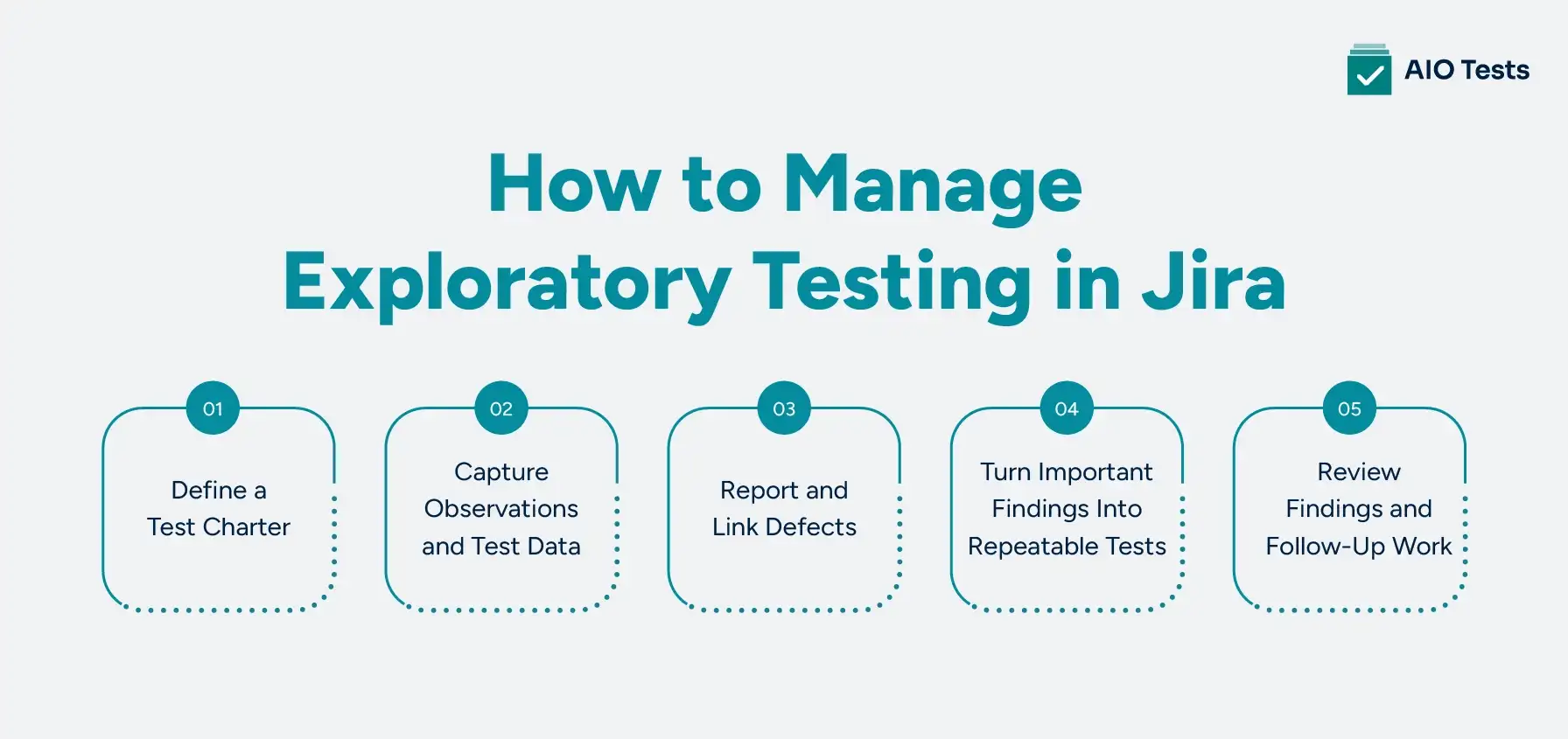
1. Define a Test Charter
Set an objective, scope, and risk before starting a session. For example, investigate how a shopping cart behaves when users change quantities, lose their session, or retry checkout after a payment failure.
2. Capture Observations and Test Data
Record important actions, inputs, unexpected results, and unresolved questions. Add screenshots or logs when they help explain the behavior.
3. Report and Link Defects
Document reproducible steps, expected and actual results, and the affected environment. Link defects to relevant Jira requirements or user stories so developers can understand the context.
4. Turn Important Findings Into Repeatable Tests
Not every exploratory action needs a scripted test. However, confirmed defects and high-risk scenarios may need repeatable regression tests. For example, if a payment timeout causes a duplicate order, add a test that checks whether the order is processed only once.
5. Review Findings and Follow-Up Work
At the end of a session, review the areas explored, defects reported, and risks that remain unresolved. Assign follow-up actions and identify scenarios that need additional testing.
How AIO Tests Supports Exploratory Testing Workflows in Jira
AIO Tests (Jira test management tool) helps QA teams manage test cases, track test execution, link defects, and maintain traceability within Jira. During exploratory testing, testers can investigate application behavior directly, then use the platform to document confirmed scenarios, manage repeatable tests, and track follow-up testing.
QA teams can use this Jira test management tool to:
For example, if exploratory testing uncovers a defect in a payment workflow, the team can report the defect in Jira and create a repeatable test case for the affected scenario. The AIO Tests can then help the team manage that test, record execution results, and track subsequent testing cycles.

Best Practices for Exploratory Testing in Agile Teams
Exploratory testing works best when testers have a clear purpose but can adapt their approach as they discover new information. These practices help Agile QA teams get useful results from each session.
- Set a clear objective: Define the feature, workflow, or risk you want to investigate before testing begins.
- Prioritize high-risk areas: Focus on critical workflows, recent code changes, complex integrations, and areas with a history of defects.
- Use heuristics to generate ideas: Apply approaches such as SFDPOT, error guessing, and testing tours to explore different aspects of a feature.
- Document important findings: Record reproducible steps, test data, unexpected behavior, and supporting evidence in Jira.
- Clarify expected behavior: Work with developers and product owners when requirements or acceptance criteria do not explain how the application should respond.
- Create regression tests from key discoveries: Turn confirmed defects and important edge cases into repeatable tests where appropriate.
- Revisit affected workflows: Explore areas that may be impacted by code changes, bug fixes, or new functionality.
Review findings during sprint discussions so the team can prioritize defects, resolve requirement gaps, and plan follow-up testing. This keeps exploratory testing connected to the team's ongoing development and release work.
Conclusion
Exploratory testing helps QA teams find defects that predefined test cases may miss. Techniques such as session-based testing, persona-based testing, error guessing, and platform swapping give testers practical ways to investigate application behavior and uncover gaps in test coverage.
For Agile teams, the value comes from acting on what testing reveals. Document important findings in Jira, link defects to requirements, and turn critical scenarios into repeatable regression tests. With a structured approach to exploratory testing, teams can investigate uncertain behavior while keeping their findings useful for future releases.

FAQs
1. What are the main exploratory testing techniques?
Common exploratory testing techniques include session-based test management, persona-based testing, off-script workflow testing, boundary testing, pair testing, error guessing, and environment or platform swapping. Testing tours, mind maps, heuristics, and risk-based exploration can also help testers generate ideas and investigate application behavior.
2. What is the difference between exploratory and ad hoc testing?
Exploratory testing follows a goal or test charter, while test design evolves as the tester investigates the application. Ad hoc testing is generally less structured and relies more on spontaneous actions. Exploratory testing also places greater emphasis on recording findings and identifying follow-up work.
3. Exploratory vs scripted testing: which is better?
Neither approach replaces the other. Scripted testing checks predefined scenarios and supports repeatable validation, while exploratory testing helps uncover unexpected behavior and gaps in test coverage. Combining both approaches helps QA teams verify known requirements and investigate risks that existing test cases may overlook.
4. When should you use exploratory testing?
Use exploratory testing when validating new features, investigating unclear requirements, checking complex workflows, exploring recent code changes, or looking for gaps in scripted test coverage. It is also useful when testers need to investigate unexpected behavior or assess high-risk areas before a release.


.svg)
