

Summarize Blog
Quick Summary
See what it takes to scale enterprise software testing, remove QA bottlenecks, gain clearer release visibility, and choose a testing tool that keeps complex releases moving with confidence.
A software release can appear ready, but one missed defect can quickly impact customers, delay deployments, and create unexpected costs for enterprise teams. The bigger an organization grows, the harder it becomes to maintain consistent quality across multiple applications, QA teams, and release cycles.
This is where a structured approach to enterprise software testing becomes critical. Enterprise environments require a more connected process to manage complex workflows, increasing test volumes, and collaboration across teams.
However, many QA teams still rely on disconnected tools and manual processes that make it difficult to track progress, identify risks, and make informed release decisions.
Choosing the right testing tool requires more than comparing features. Teams need a solution that brings testing, automation, reporting, and collaboration together to support efficient QA operations across the organization.
What Makes Enterprise Software Testing Different from Traditional QA?
These applications are typically connected with multiple systems, integrations, user workflows, and business functions, making continuous testing essential throughout the software lifecycle.
While traditional QA approaches may work well for smaller teams and simpler applications, they often fall short when organizations need to manage complex environments, multiple stakeholders, and frequent releases.
Enterprise teams need a more structured approach that improves collaboration, maintains visibility across testing activities, and helps identify risks before they impact production.
By connecting the right people, processes, and tools, organizations can build a testing process that supports reliable releases and consistent software quality.
The key factors that make enterprise software testing different include:
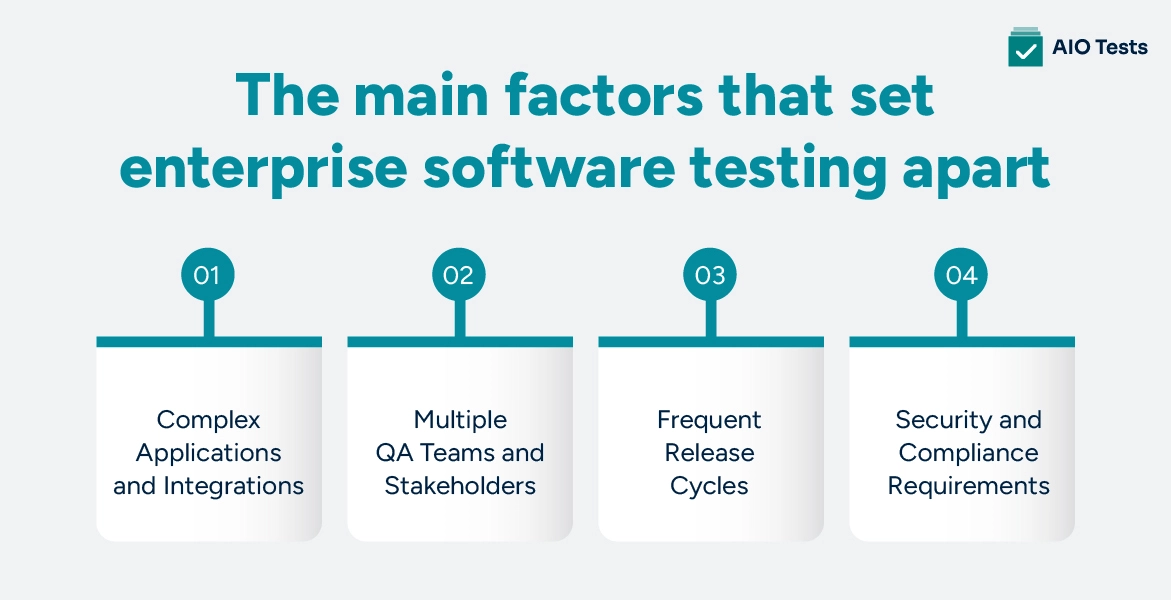
- Complex Applications and Integrations
Enterprise applications typically connect with multiple internal and external systems. Testing must ensure that these integrations work correctly across different environments and workflows.
- Multiple QA Teams and Stakeholders
Large organizations typically have distributed teams working across different products or business units. Without standardized processes, teams may follow inconsistent testing approaches.
- Frequent Release Cycles
Modern enterprises release updates faster than before. QA teams need testing processes that support continuous feedback without creating bottlenecks.
- Security and Compliance Requirements
Enterprise applications often handle sensitive business data, making security testing, audit visibility, and compliance requirements important parts of the testing process.
Key Challenges in Enterprise Application Testing
As organizations scale, enterprise application testing becomes more challenging because teams need to manage larger testing environments while maintaining consistency and visibility.
The biggest challenge is not simply running more tests. It is managing testing operations effectively across multiple teams, applications, and release cycles.
1. Managing Testing Across Multiple Teams
Enterprise QA teams often work across different products, applications, and development teams. Without a centralized approach, each team may create its own workflows, test repositories, and reporting processes.
Common challenges include:
- Different teams following different testing processes
- Difficulty tracking overall testing progress
- Limited visibility into release readiness
- Duplicate testing efforts across teams
- Inconsistent quality standards
A centralized testing approach helps organizations create consistent workflows while allowing teams to collaborate more effectively.
2. Maintaining Traceability Across Requirements, Tests, and Defects
For enterprise teams, understanding how testing activities connect with business requirements is essential.
Without proper traceability, teams may struggle to answer important questions:
- Which requirements have been tested?
- Are critical workflows covered?
- Which defects impact upcoming releases?
- What risks remain before deployment?
A connected testing workflow helps teams link requirements, test cases, executions, and defects together. This improves visibility and allows QA leaders to identify risks earlier.
3. Scaling Manual Testing and Automation Workflows
Automation has become an important part of modern QA, but enterprise teams still rely on manual testing for exploratory testing, usability checks, and complex scenarios.
The challenge is managing both approaches effectively.
Teams need to balance:
- Growing test case volumes
- Automated regression testing
- Manual validation
- Different testing frameworks
- Faster release timelines
A strong testing solution should support both manual and automated workflows instead of forcing teams into a single testing approach.
How to Select the Right Tool for Multi-Team QA
Selecting the right software testing tool for enterprise goes beyond comparing features and pricing. Enterprise QA teams need a solution that fits their existing processes, supports collaboration between teams, and can scale as testing requirements continue to grow.
The right testing platform should help teams manage testing activities in one place, improve visibility into software quality, support automation efforts, and connect QA workflows with the development lifecycle.
Before choosing a testing solution, QA leaders should evaluate the following capabilities:
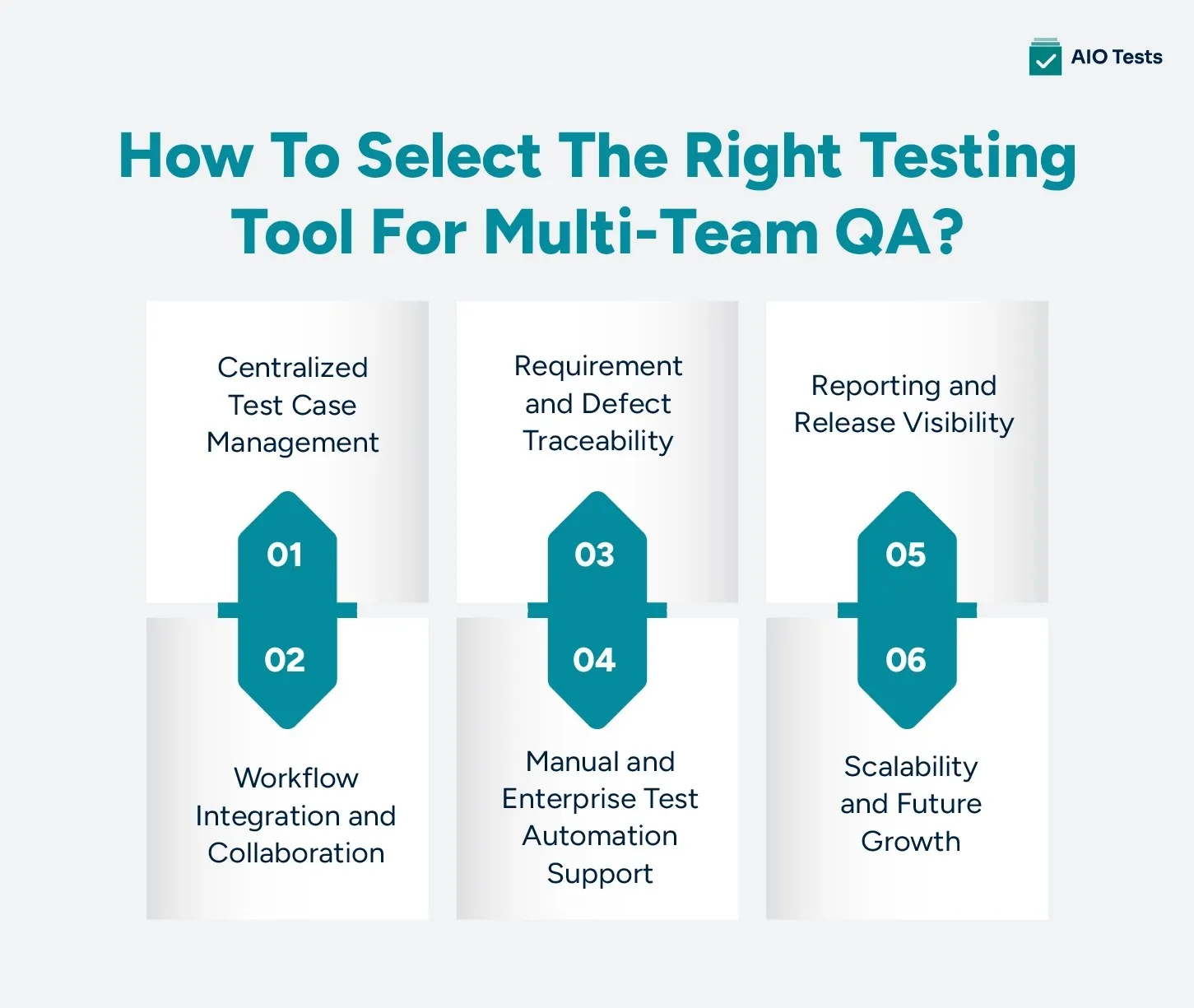
1. Centralized Test Case Management
As QA operations expand, managing test cases across spreadsheets, disconnected tools, or different systems can quickly become challenging. Teams need a centralized approach to create, organize, execute, and maintain test cases throughout the software development life cycle.
A reliable testing platform must help teams:
- Create and manage reusable test cases
- Organize test suites and execution cycles
- Track testing progress across different projects
- Maintain consistent processes across QA teams
- Reduce duplicate testing efforts
Centralized test management provides a single source of truth for testing activities. It helps QA leaders monitor progress, identify gaps, and make informed decisions without depending on manual updates from multiple teams.
2. Workflow Integration and Collaboration
A testing platform should work with existing development processes instead of creating another isolated system.
For enterprise teams, seamless integration with tools already used by developers, testers, and product teams is essential for improving collaboration and maintaining efficient workflows.
When evaluating a testing solution, organizations should consider:
- Jira and project management tool integrations
- CI/CD pipeline compatibility
- Automation framework integrations
- Collaboration between development, QA, and product teams
A connected workflow reduces context switching and ensures testing information remains available throughout the development process.
3. Requirement and Defect Traceability
Enterprise teams need clear visibility into how requirements move from planning to testing and release. Without proper traceability, it becomes difficult to identify coverage gaps, understand risks, or determine whether an application is ready for deployment.
A reliable testing platform enables teams to:
- Connect requirements with test cases
- Link failed tests with defects
- Automation framework integrations
- Collaboration between development, QA, and product teams
Strong traceability helps QA leaders understand overall software quality and resolve issues before they impact production environments.
4. Support for Manual and Enterprise-Scale Test Automation
Modern QA teams rely on both manual testing and automation to maintain software quality. While automation helps teams execute repetitive tests faster, manual testing remains important for exploratory testing, usability checks, and validating complex business scenarios.
Enterprise test automation requires more than simply running automated scripts. Teams need a platform that connects automation results with the broader testing process.
A suitable solution should support:
- Integration with automation frameworks
- CI/CD pipeline workflows
- Automated test result tracking
- Visibility across manual and automated testing activities
By combining manual and automated testing workflows, teams can improve testing efficiency while maintaining a complete view of software quality.
5. Reporting and Release Visibility
Enterprise QA leaders need insights beyond basic test execution numbers. They need meaningful insights that help them understand risks, track progress, and make confident release decisions.
A testing platform should provide visibility into:
- Test execution status
- Pass and fail trends
- Defect impact
- Release readiness
Real-time reporting reduces reliance on manual status updates and helps stakeholders understand the current state of software quality throughout the release cycle.
6. Scalability and Future Growth
As organizations grow, their testing requirements grow as well. More applications, larger QA teams, and frequent releases require a solution that can handle increasing complexity without creating additional challenges.
A scalable testing approach requires a platform that can support:
- Multiple QA teams
- Multiple projects and applications
- Growing test case libraries
- Standardized testing processes
However, scalability is not only about handling more users or test cases. Enterprise teams should also consider whether the platform can adapt to changing workflows, support future QA needs, and integrate with their existing technology ecosystem.
A strong testing solution should provide:
Flexible Workflows
Every organization has different testing processes. The right platform should allow teams to adjust workflows based on project requirements while maintaining consistency across QA operations.
Easy Adoption Across Teams
A tool that requires major process changes can create adoption challenges. Enterprise teams should choose solutions that fit naturally into existing workflows and are easy for both QA and development teams to adopt.
Long-Term Integration Support
Modern QA environments depend on connected tools. Integration with platforms such as Jira, automation frameworks, and CI/CD systems helps teams maintain efficient testing workflows as they scale.
For organizations already using Jira. A Jira-native Enterprise QA platform can simplify testing operations by connecting test planning, execution, automation, and reporting within the same environment.
Building an Enterprise Testing Strategy With the Right Tool
A successful enterprise testing strategy is not built on technology alone. Organizations need a structured approach that aligns people, processes, and tools to maintain consistent software quality.
A strong strategy includes:
- Defined Testing Processes: Standardized testing processes help teams maintain consistency across applications, projects, and development teams.
- Cross-Team Collaboration: Enterprise QA requires close collaboration between testers, developers, product teams, and business stakeholders.
- Automation Adoption: Automation should be integrated into the broader testing workflow to improve efficiency while maintaining quality.
- Quality Measurement: Organizations need meaningful metrics and reporting to understand testing effectiveness and identify improvement areas.
- Continuous Improvement: Testing processes should evolve as applications, teams, and business requirements change.
The right testing platform should support an organization's strategy instead of becoming another disconnected system that teams need to manage.
How AIO Tests Helps Teams Simplify Enterprise Software Testing in Jira
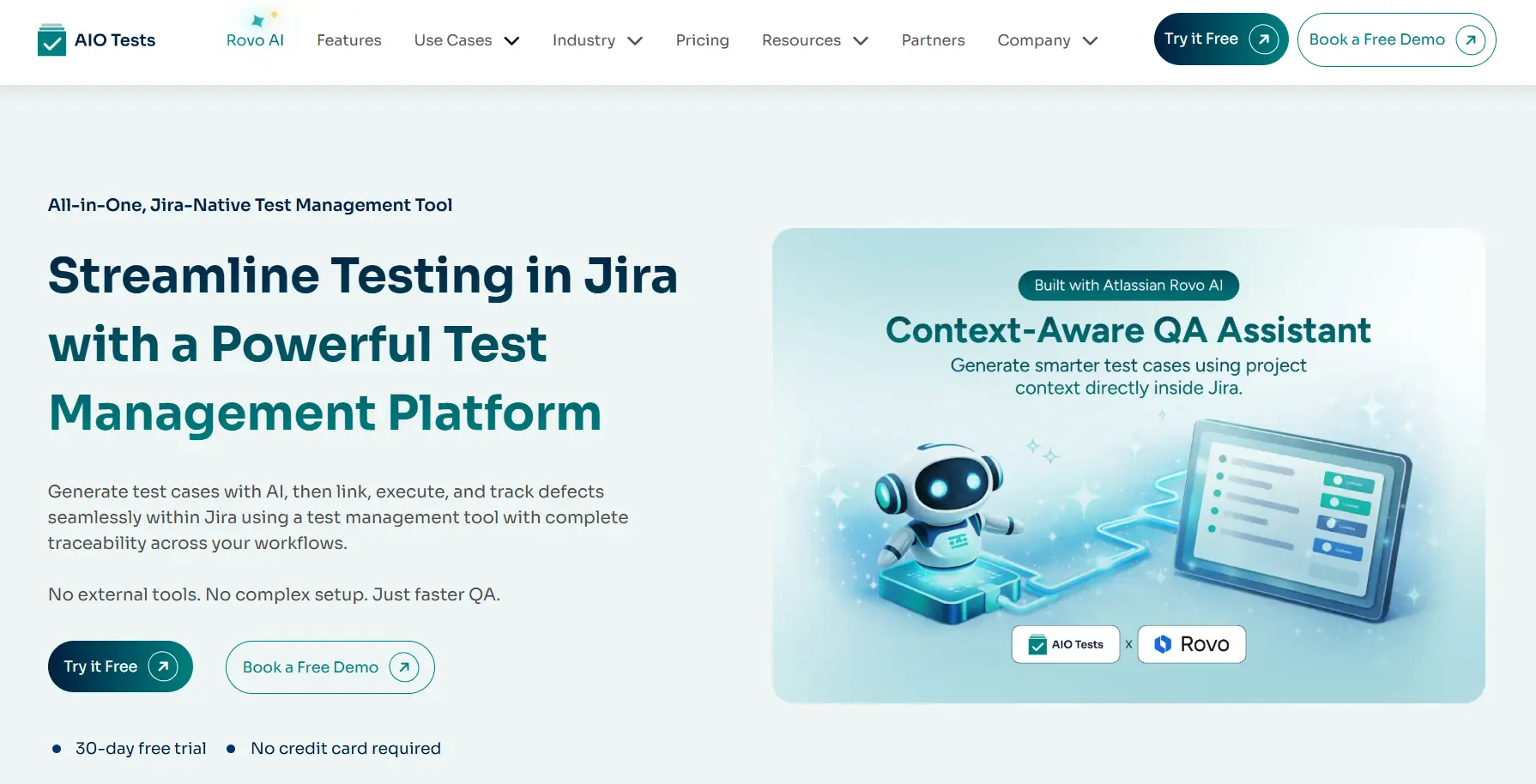
Enterprise QA teams do not struggle because they lack effort. They struggle because their tools, teams, and testing data live in disconnected places. This Jira test management tool platform helps solve these challenges by connecting testing workflows within the development environment.
The platform addresses these challenges through the following capabilities:
- AI-Powered Test Case Creation
Creating test cases manually across large projects is slow and leads to inconsistent coverage. The platform uses generative AI to create test cases directly from Jira requirements or user stories. Teams can choose between classic or BDD-style cases and define whether they need positive, negative, or end-to-end scenarios.
- Centralized Test Management Inside Jira
Teams can create, organize, and execute test cases without leaving Jira. Existing test cases can be imported from Excel, CSV, or feature files. A folder-based repository keeps everything organized by project or workflow. Linked cases ensure that when one test case is updated, all related cases reflect the change automatically, cutting down on duplicate work across teams.
- Reusable Test Sets for Consistent Coverage
A feature called Sets allows teams to group related test cases beyond functional boundaries. Smoke tests, regression sets, and critical workflow validations can be saved as reusable sets and added directly to execution cycles. This removes the dependency on individual team members to decide what needs to be tested before each release.
- Complete Execution Management
Test execution happens entirely within Jira. Teams can log defects directly from failed cases, with bug reports auto-populated with relevant test details. A built-in timer records time spent per case, helping QA managers compare estimated effort with execution time. An Execution Planner sets daily targets and sends notifications if execution falls behind schedule.
- End-to-End Traceability
Requirements, test cases, execution cycles, and defects are all linked in one connected view inside Jira. This gives QA leaders a clear picture of what has been tested, what is covered, and where gaps exist before a release goes out. Nothing gets lost between planning and deployment.
- Automation Framework Support
Manual and automated testing are managed in the same environment. The platform works with frameworks including Cucumber, TestNG, JUnit, Playwright, Cypress, Robot Framework, and Katalon Studio. Teams can trigger Jenkins builds directly from the Cycles screen and push automated results through REST APIs without switching between tools.
- Reports That Support Release Decisions
A wide range of reports covers execution status, traceability, automation coverage, defect trends, and burndown plans. Reports can be scheduled for automatic delivery to stakeholders and exported in PDF or Excel format. Dashboard gadgets give QA leaders a live view of pass and fail rates without waiting on manual status updates from individual teams.
- Quick Setup With Minimal Disruption
AIO Tests installs directly from the Atlassian Marketplace and is ready to use in minutes. Teams can migrate from Zephyr or Xray, import existing test data, and configure workflows, custom fields, and permissions to match how they already work, without rebuilding their process from scratch.
Conclusion
Enterprise QA teams need more than basic testing solutions to manage complex applications, multiple teams, and frequent releases. A successful enterprise software testing approach requires a platform that improves collaboration, scalability, traceability, and visibility across the entire testing lifecycle.
Selecting the right testing platform helps organizations improve quality by connecting testing processes with business goals and release decisions.
For teams already working with Jira, a Jira-native solution can simplify complex testing workflows while keeping development and QA activities connected in one environment.
Explore AIO Tests - book a free demo now!

Frequently Asked Questions
- What is enterprise software testing, and why is it important for large organizations?
Software testing for enterprise is how large organizations validate applications that power critical business operations across multiple teams, systems, and workflows. The bigger the organization, the harder it becomes to maintain consistent quality without a structured approach to manage complex integrations, frequent releases, and cross-team dependencies. When this process breaks down, the cost shows up as fast through delayed deployments, customer-facing defects, and unplanned rework.
- What features should you look for in an enterprise software testing tool?
At a minimum, the tool needs to bring test case management, execution tracking, traceability, and reporting into one place rather than leaving teams to piece things together across disconnected systems. Support for both manual and automated testing matters too, since most enterprise teams rely on both and need visibility across each. Beyond features, look at how well it integrates with tools your teams already use and whether it can handle growing test volumes without creating new process problems.
- How do enterprise software testing tools support multi-team QA collaboration?
When every team works from a shared environment where test cases, execution cycles, and defect data are visible in one place, a lot of the back-and-forth coordination disappears on its own. Centralized test repositories and standardized workflows mean different teams are following the same process regardless of which project they are on, which cuts down on duplicate work and missed coverage. For stakeholders, it means there is one reliable place to check release readiness instead of chasing updates from multiple teams.
- What is the difference between enterprise software testing and enterprise test automation?
It covers everything that goes into QA at an organizational level, including test planning, manual testing, exploratory testing, defect tracking, and release validation. Automation is one piece of that picture, focused on running repetitive tests faster and more consistently using scripts and testing frameworks. The two work best together, but automation on its own cannot cover the judgment calls that come with complex business scenarios and exploratory testing.
- How can AIO Tests help organizations scale enterprise software testing in Jira?
AIO Tests is built directly inside Jira, which means test case creation, execution, automation reporting, traceability, and stakeholder reporting all live in the same environment your teams are already working in. It supports AI-powered test case generation, reusable test sets, and direct integrations with frameworks like Playwright, Cypress, Cucumber, and Jenkins, which makes it practical for teams managing large test volumes across multiple projects. Custom workflows, permission controls, and configurable fields mean teams can shape the platform around how they already work rather than the other way around.


.svg)

