

.webp)
Summarize Blog
Quick Summary
Choosing the right API testing tools is about how well they support your workflow, automation, and CI/CD processes. A strong API testing strategy focuses on reliable automation, scalability, and clear visibility across systems. Use this checklist to avoid common gaps and build a testing setup that actually supports faster, stable releases.
Modern applications don’t fail at the UI first—they fail at the API layer. And when they do, the impact is immediate: broken integrations, failed transactions, and poor customer experience.
For QA leaders, this shifts the focus. API testing is no longer a supporting activity. It’s a core part of release quality, especially in microservices, distributed systems, and fast CI/CD environments.
But here’s the problem: most teams don’t fail at doing API testing—they fail at choosing the right software QA tools and capabilities to scale it.
This guide cuts through that. It focuses on what actually matters when evaluating API testing tools in real-world QA environments.
What Is API Testing?
API testing is a critical component of software quality assurance, focused on validating how different software systems communicate with each other. Instead of testing what users see (UI), it tests the underlying logic, requests, responses, data flow, and service interactions.
API testing ensures that an application’s backend services behave as expected under different conditions. This includes verifying endpoints, request formats, response accuracy, error handling, and data integrity.
What Should You Look for in an API Testing Tool?
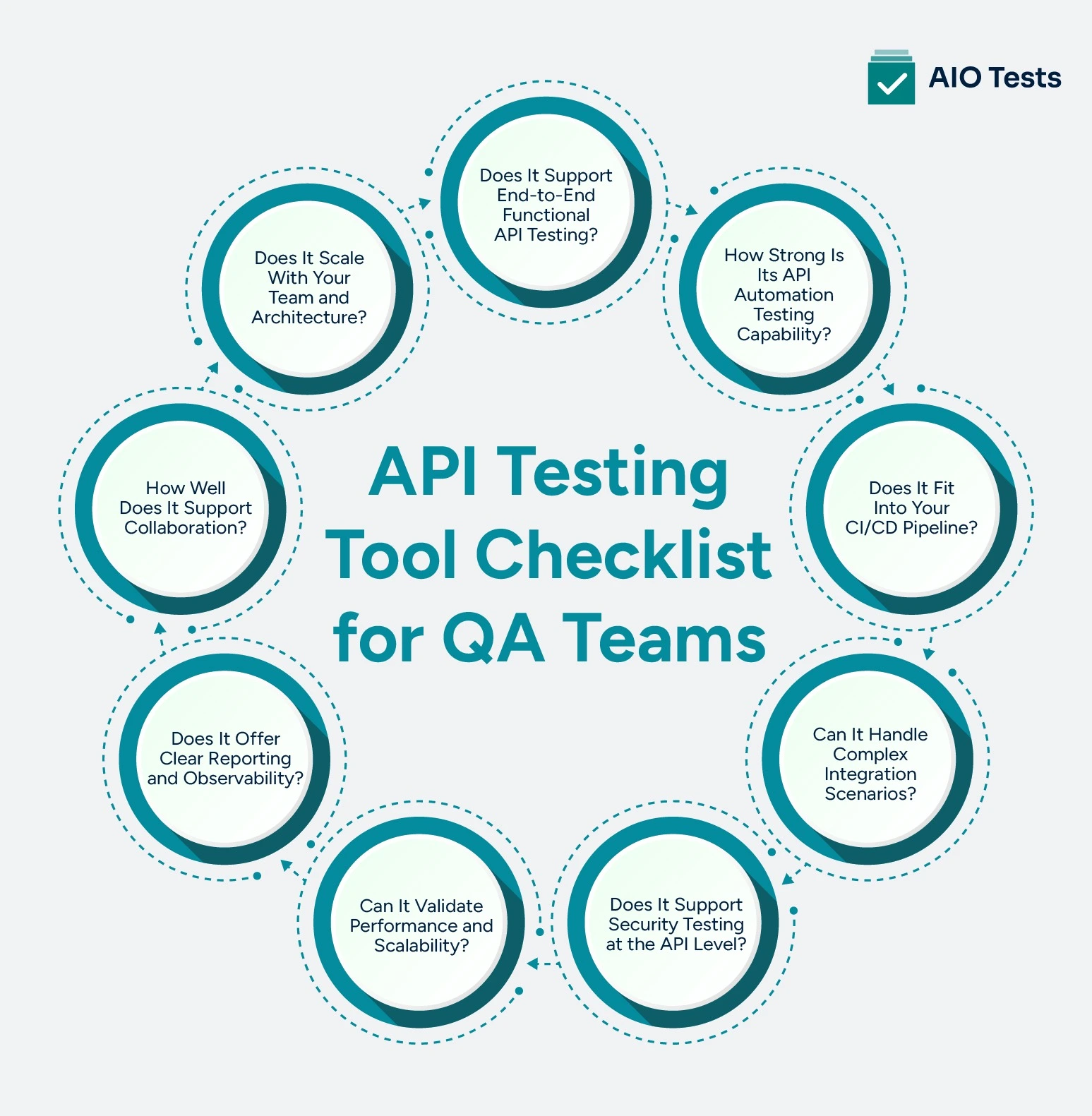
Choosing the right tool is not about feature count. It’s about whether the tool supports how your team actually builds, tests, and releases software.
Below is a practical API testing checklist based on real QA workflows.
1. Does It Support End-to-End Functional API Testing?
At the core, any software testing tool must validate API behavior correctly.
Look for:
- Request building (REST, GraphQL, SOAP)
- Assertions on status codes, headers, and payloads
- Schema validation and contract testing
- Data-driven testing support
Why this matters: In distributed systems, APIs don’t operate in isolation. You need to validate not just responses, but whether contracts hold across services.
2. How Strong Is Its API Automation Testing Capability?
Manual testing does not scale.
A solid tool should support:
- Scripted and low-code automation options
- Reusable test components
- Parameterization and environment handling
- Scheduled and trigger-based execution
Why this matters: Teams often start manually and “plan” to automate later. In reality, that transition rarely happens cleanly. Strong automated API testing support upfront prevents rework.
3. Does It Fit Into Your CI/CD Pipeline?
API testing should run where your code runs—in the pipeline.
Check for:
- Native CI/CD integrations (Jenkins, GitHub Actions, GitLab, etc.)
- CLI support for headless execution
- Fast execution times for pipeline compatibility
- Parallel test execution
Why this matters: If your tool cannot run reliably in CI/CD, it becomes a bottleneck instead of a quality gate.
4. Can It Handle Complex Integration Scenarios?
Real-world APIs depend on other services.
You need:
- Service virtualization or mocking
- Dependency simulation
- Test data management
- Environment isolation
Why this matters: Without mocking, teams either test in unstable environments or skip edge cases entirely.
5. Does It Support Security Testing at the API Level?
Security issues often originate in APIs.
Look for:
- Authentication testing (OAuth, JWT, API keys)
- Input validation checks
- Rate limiting and abuse testing
- Integration with security testing tools
Why this matters: API vulnerabilities are one of the most common attack vectors. Ignoring this layer creates hidden risk.
6. Can It Validate Performance and Scalability?
Functional correctness is not enough.
The tool should help:
- Measure response times
- Run load and stress scenarios
- Detect bottlenecks under scale
- Simulate concurrent users
Why this matters: An API that works for 10 requests but fails at 10,000 is still a production issue.
7. Does It Offer Clear Reporting and Observability?
QA Test execution without insight is noise.
You need:
- Detailed logs and error traces
- Test result dashboards
- Historical trends
- Integration with monitoring tools
Why this matters: A comprehensive QA test report should make it easy to track failures, analyze trends, and share insights across teams without manual effort.
8. How Well Does It Support Collaboration?
API testing is not just a QA activity.
Check for:
- Shared test repositories
- Version control integration
- Role-based access
- Documentation and test case visibility
Why this matters: Developers, QA, and DevOps teams all interact with APIs. Collaboration reduces silos and improves test coverage.
9. Does It Scale With Your Team and Architecture?
Early-stage tools often break at scale.
Evaluate:
- Support for microservices architectures
- Handling of large test suites
- Distributed execution
- Maintainability over time
Why this matters: What works for a small team may collapse under enterprise-level complexity.
How to Choose API Testing Tools That Actually Fit Your Workflow
Most teams approach this the wrong way. They start with a list of popular tools, compare features of API testing tools, and pick the one that “looks best.”
The real question is not “Which tool is best?”
It’s “Which tool fits how our team actually builds and tests software?”
Here’s how to evaluate that properly.
- Start with your existing workflow: Map how your team currently handles API testing. The tool should fit into your process with minimal changes, not force a complete shift.
- Evaluate API testing automation strength: Ensure the tool supports reliable API testing automation. It should allow reusable tests, easy parameterization, and stable execution over time.
- Verify CI/CD compatibility: Check if tests can run seamlessly in your pipeline. Strong automated API testing should integrate without slowing builds or requiring manual effort.
- Check test data and environment management: The tool should handle multiple environments and dynamic test data smoothly. Poor handling here often leads to flaky and unreliable tests.
- Assess maintenance and scalability: Evaluate how easy it is to update and manage tests as APIs evolve. The tool should scale with your system without increasing complexity.
- Run a real-world pilot: Test the tool using your actual APIs and workflows. This helps uncover practical limitations that are not visible in demos.

Common Mistakes Teams Make When Evaluating API Testing Tools
Here are the most common pitfalls teams make when evaluating API testing tools.
- Choosing tools based on UI instead of core API testing capabilities
- Ignoring API testing automation requirements in early evaluation
- Overlooking CI/CD integration for automated API testing
- Not evaluating test data and environment management
- Treating API testing as a QA-only activity
- Underestimating long-term maintenance effort
- Ignoring the scalability of API testing tools
- Skipping security testing in API automation testing
- Not validating performance and load handling
- Relying on demos instead of real-world testing
Conclusion
API failures rarely come from a lack of testing; they come from gaps in how testing is set up, automated, and maintained.
That’s why choosing the right approach to API testing matters more than choosing a popular tool.
A strong setup is one where API testing automation runs consistently inside your workflow, not outside it. Where tests are reliable, easy to maintain, and give clear visibility into failures. And where teams can scale automated API testing without slowing down releases.

FAQs
1. What is meant by API testing?
API testing is the process of validating that an application’s APIs work correctly, reliably, and securely. Instead of testing the user interface, it focuses on the backend logic—checking whether requests and responses behave as expected, data is processed accurately, and services communicate without failure.
2. What are the methods in API testing?
API testing involves multiple methods, each targeting a different aspect of quality:
- Functional testing – Verifies that the API returns correct responses for valid requests
- Validation testing – Ensures the API behaves according to business requirements
- Load testing – Checks how the API performs under heavy traffic
- Security testing – Identifies vulnerabilities like unauthorized access or data leaks
- Error handling testing – Confirms how the API responds to invalid or unexpected inputs
- Integration testing – Validates how APIs interact with other services or systems
3. Which tool is used for API testing?
Tools depend on your team’s needs, automation maturity, and tech stack. There are some widely used API testing tools, including:
- Postman – Popular for manual and automated API testing with an easy-to-use interface
- SoapUI – Known for functional and security testing, especially in enterprise environments
- Katalon Studio – Supports API, web, and mobile testing in one platform
- Rest Assured – Ideal for developers building automated API tests in Java
- JMeter – Commonly used for API load and performance testing


.svg)
