

.webp)
Summarize Blog
Quick Summary
Faster releases start with better QA tooling. Master test case management in Jira with this practical guide to choosing the right app for your team's size and workflow. Compare top apps and make a confident decision that your entire team will thank you for.
Your sprint just ended. Three bugs slipped into production. Your stakeholders are asking questions you don't have clean answers to.
Here's the uncomfortable truth: your team isn't failing at testing. You're failing at test case management in Jira.
Most QA teams use Jira for everything, but manage test cases in scattered spreadsheets, random issue types, or disconnected tools. The result? Zero traceability. Zero execution visibility. And zero confidence on release day.
No traceability means no accountability. No execution tracking means every deployment is a calculated risk.
But here's the good news: the right Jira-native test management app fixes all of this. Without adding a new tool to your stack. Without disrupting your existing workflow.
This guide breaks down exactly what to look for, what separates a good tool from a great one, and which tools are worth your team's time in 2026.
Let's get into it.
Why Jira Alone Isn't Enough for Test Case Management in Jira
Jira is excellent at issue tracking and project management, not structured QA.
And the gap between what Jira does and what your testing process actually needs? That's exactly where bugs slip through to production.
- The Spreadsheet Trap
Most QA team start the same way. Jira for sprints and bugs. Excel or Google Sheets for test cases. It works fine at 20 test cases. It completely falls apart at 200.
Suddenly, you've got multiple versions of the same sheet floating around. No one knows which is current. Test cases have no link to Jira requirements. Execution status lives in someone's head. And when a release goes wrong, there's no audit trail to trace back through.
Spreadsheets aren't a test management system. They're a liability dressed up as a workaround.
- The Missing Traceability Layer
Jira tracks bugs and stories brilliantly. But it can't, by default, connect your requirements to test cases, execution cycles, and defects in one unified, auditable view.
That missing link is the root cause of most QA blind spots.
When a new feature ships with a defect, your first question should be: "Which test case was supposed to catch this, and was it actually executed?" In Jira alone, you can't answer that in under 30 seconds. In most teams, you can't answer it at all.
- What This Actually Costs Your Team
The operational cost is real: failed releases, duplicate test cases, manual reporting that eats 3–4 hours every sprint, and QA effort that's completely invisible to stakeholders.
But the reputational cost hits harder. When QA can't produce a clear QA test report before a release, leadership loses confidence. Fast.
"Can't we just use Jira's built-in features for this?"
It's a fair question. But Jira's native issue types weren't built for test management. There's no execution planner. No version control for test cases. No cycle-level reporting. No AI-assisted case creation. You'd be forcing a project management tool to do a specialist job, and feeling the gaps every single sprint.
Structured test case management in Jira requires a purpose-built layer on top of Jira, not a workaround within it.
Jira Test Case Management: Native Add-Ons vs. Standalone Platforms
Once you've accepted that Jira alone is not enough, the next question hits immediately: what kind of software QA tools do you actually need?
There are two categories. And choosing the wrong one costs you more than money; it costs you team adoption.
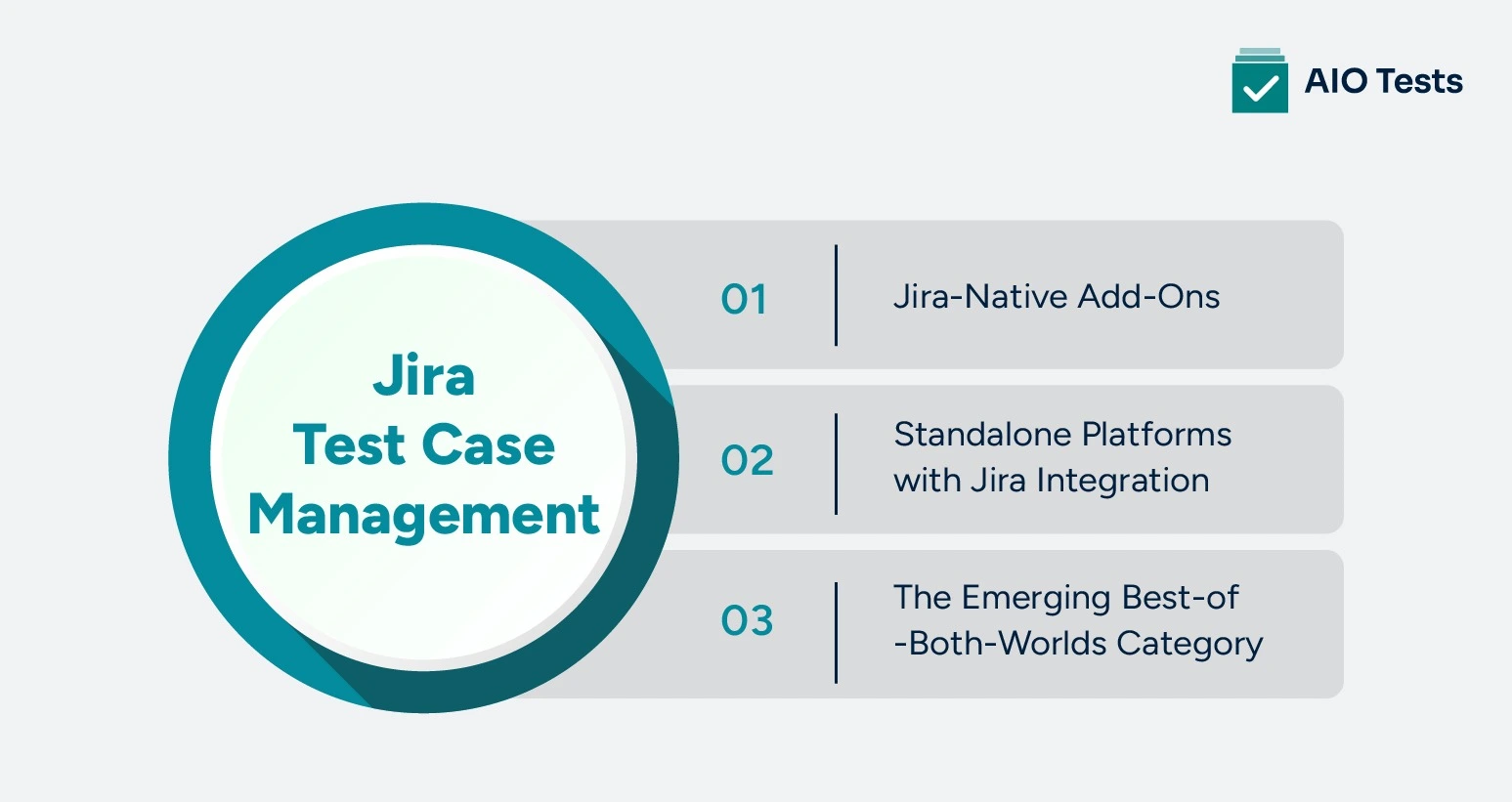
1. Jira-Native Add-Ons (Live Inside Jira)
Jira-native apps embed directly into your existing Jira environment. Test cases are managed through app panels or Jira issue types, no separate login, no new interface to learn, no additional procurement cycle.
Your team stays in Jira. The test management layer just appears around them.
- Pros: Familiar UI from day one. Jira-native billing alongside your existing subscription. Native traceability to stories, epics, and sprints without manual linking.
- Cons: Feature depth varies significantly between vendors. Some native apps are lightweight by design, which is fine for small teams, but creates ceilings as you scale.
2. Standalone Platforms with Jira Integration
Standalone platforms are separate tools, AIO Tests, TestRail, PractiTest, and SpiraTest, that connect to Jira via API or webhook. They sync issues and defects, but live entirely outside your Jira environment.
Historically, these tools offered deeper feature sets. But that depth comes with trade-offs.
- Pros: Mature, feature-rich platforms with strong cross-project reporting capabilities.
- Cons: Every tester needs a separate login. Every test result requires a context switch. Procurement means a separate vendor, separate contract, and separate onboarding cycle. Team adoption consistently suffers when QA lives in a different tool from development.
3. The Emerging Best-of-Both-Worlds Category
Here's where Jira test case management has evolved significantly in recent years.
The best Jira-native apps today match, and in some cases exceed, the feature depth of standalone platforms. Without the friction, the context-switching, or the adoption battles.
The Atlassian Marketplace install numbers clearly reflect this shift. Zephyr Squad has 17.7k installs. Xray has 12k. Zephyr Scale sits at 6.4k. And tools like AIO Tests are growing rapidly, earning a 3.9/4 rating on the Marketplace as teams choose native depth over standalone complexity.
5 Must-Have Criteria for Selecting a Test Management App in Jira
Not all test management apps are built equal. Some look great in a demo and fall apart in daily use. Others are technically deep but too complex for your team to actually adopt.
Here's the framework that cuts through the noise.
1. A Centralized Test Case Repository
If your test cases aren't organized, they're not manageable. Full stop.
Look for folder-based organization, version control per case, and bulk import support, CSV, Excel, and BDD .feature files. At scale, you also need linked cases that sync changes across related tests automatically, so updating one case doesn't mean manually updating twenty.
A true centralized test case repository in Jira isn't a nice-to-have. It's the foundation on which everything else is built.
2. Full End-to-End Traceability
Here's a simple test. Ask your current setup: "What's our test coverage on this user story?" If the answer takes longer than 3 seconds, you have a traceability problem.
The right Jira test management platform links requirements to test cases, execution cycles, and defects, all visible from a single Jira panel. No tab-switching. No manual cross-referencing. When a stakeholder asks for coverage confidence before a release, you should be able to show them in real time.
3. Jira Test Execution Tracking with Real Reporting
A pass/fail list is not a report. It's a starting point.
Real QA reporting software in Jira means execution planners that set daily targets, built-in timers that track actual vs. estimated effort, defect logging tied directly to failed cases, and burndown reports that show sprint progress at a glance. You need 20+ report types, dashboard gadgets, automated report scheduling, and PDF or Excel exports that stakeholders can actually read without a QA decoder ring.
If you can't send a clean execution report to your product manager in under 2 minutes, your reporting isn't working hard enough.
4. AI-Assisted Test Case Creation
Manual test case writing is the single biggest time sink in QA. And it's increasingly unnecessary. Additionally, you can try AI testing tools to see how they work.
The AI layer you need isn't a generic prompt tool bolted on as an afterthought. It should generate classic or BDD-style test cases directly from your Jira requirements, in multiple languages, with options for positive, negative, and end-to-end scenarios. Even better if it supports chat-based test design, so testers can refine cases in real time without starting over from scratch.
AI-assisted creation doesn't replace QA test software judgment. It eliminates the blank-page problem and gets your team to comprehensive coverage faster.
5. Automation and CI/CD Integration
Manual testing alone doesn't scale. Your test management tool needs to be a full participant in your automation pipeline, not a passive observer.
That means REST APIs, Cucumber integration with step-level result reporting, a Jenkins plugin, and plug-and-play reporters for Cypress, Katalon, and Postman. Critically, automated test results must flow back into execution cycles automatically. And your team should be able to trigger CI/CD builds directly from the cycle view — without leaving the test interface.
3 Best Test Case Management Tools for Jira
The Atlassian Marketplace has no shortage of options. But when it comes to truly purpose-built test case management for Jira, three tools consistently stand out.
1. AIO Tests: The All-in-One Choice for Serious QA Teams

If you want a test management tool for Jira that's powerful without being complicated, AIO Tests is where many QA teams use it, and for good reason.
What makes AIO Tests different is not just what it does. It's how it was built. Every feature on the platform traces back to direct feedback from testing domain experts and real QA teams. There is no bloat.
No features that exist just to fill a comparison table. Everything inside AIO Tests exists because someone in the trenches needed it.
Key Features That Set AIO Tests Apart
- AI-Powered Test Case Generation: AIO Tests uses AI to automatically generate test cases directly from your Jira requirements — in classic or BDD style, across multiple languages. The AI assistant also refines test steps, fixes grammar, and suggests improvements, so your cases are thorough from day one.
- Full BDD Support: Write human-readable test scenarios in Gherkin, natively inside Jira. This bridges the gap between QA, developers, and product stakeholders; everyone speaks the same language, and nothing gets lost in translation.
- CI/CD Integration: Native plugins for Jenkins and other DevOps tools mean your automated test executions trigger post-build and report results directly back into AIO Tests. Continuous testing, continuous feedback, without leaving your pipeline.
- End-to-End Traceability: AIO Tests enables complete visibility across the testing lifecycle by linking requirements, test cases, executions, and defects. This ensures better impact analysis, accountability, and audit readiness at every stage.
- Automation Support: The platform seamlessly integrates automated and manual testing efforts within a unified framework. This helps teams maintain consistency, reduce duplication, and accelerate overall test execution.
- Collaboration: AIO Tests provides a centralized workspace where QA teams, developers, and stakeholders can work together efficiently. It improves communication, aligns testing goals, and ensures transparency across teams.
- Centralize Test Case Management: All test cases are managed in a single, structured repository, making it easy to create, organize, and scale test assets. This eliminates fragmentation and improves consistency across projects.
- Customization: The platform offers flexible configuration options, allowing teams to tailor workflows, fields, and processes to their needs. This ensures the tool adapts to existing QA practices without adding unnecessary complexity.
AIO Tests Pricing
AIO Tests offers flexible pricing designed to support both small QA teams and large Jira-based organizations, with a free plan available for up to 10 users. Check more details: AIO Tests Pricing.

2. Xray

Xray is a well-established Jira-native tool with strong BDD and Cucumber support. It works well for teams with automation-heavy workflows and offers solid traceability within Jira. However, there's no permanent free plan, and smaller teams may find the pricing model harder to justify at early stages.
Key Features of Xray
- Native Jira integration with robust test management capabilities
- Strong support for BDD frameworks like Cucumber
- End-to-end traceability across requirements, tests, and defects
Xray Pricing
- No permanent free plan available
- Paid plans vary based on Jira Cloud and Data Center deployments
3. Zephyr Scale

Zephyr Scale, formerly TM4J, offers flexible workflow strategies that support both Agile and Waterfall methodologies. It covers the core test management basics reasonably well. That said, it lacks AI-assisted case creation, and its reporting depth falls short of that of more modern alternatives. A functional choice, but not a future-proof one. Check the Best Alternatives to Zephyr to grow your business.
Key Features of Zephyr
- Native Jira integration with support for Agile and Waterfall workflows
- Test case creation, organization, and execution management
- Basic traceability across requirements, tests, and defects
Zephyr Pricing
- No fully-featured permanent free plan for growing teams
- Tiered pricing based on the number of users and Jira deployment type
Expert Tips for Maximizing Your Jira Test Management Setup
Setting up the right tool is step one. Getting the most out of it is where the real gains happen. Here are five practical tips QA leads can apply immediately.
- Tip 1: Link test cases to requirements before sprint planning, not after.
Traceability built upfront saves hours of manual mapping later. If it's not linked before the sprint starts, it rarely gets linked at all.
- Tip 2: Use test sets to group your regression suites.
Pre-built groupings mean execution cycle creation takes minutes before each release, not hours of scrambling to remember what needs to run.
- Tip 3: Treat AI-generated test cases as a first draft, not a final output.
Always review for business logic, edge cases, and negative scenarios specific to your product. AI removes the blank-page problem. Your domain expertise fills the gaps.
- Tip 4: Schedule stakeholder reports every Friday without fail.
Consistent visibility builds QA credibility over time. When leadership sees clean execution data every week, last-minute release anxiety drops significantly.
- Tip 5: Pilot on one Jira project before rolling out team-wide.
Validate the workflow, iron out the configuration, get one team bought in, then standardize across the board with confidence.
Conclusion
Jira is the operational hub of modern dev teams. But without a purpose-built Test Case Management in Jira layer sitting on top of it, QA stays invisible, reactive, and one bad release away from losing stakeholder trust.
The good news? It doesn't have to be that way.
Picture every sprint ending with full traceability, clean execution reports ready to share, zero spreadsheet scrambles, and stakeholders who trust your QA sign-off without asking for a manual update. That's not an ambitious vision; that's what structured test management inside Jira actually delivers.
AIO Tests gives your team all of that, natively inside Jira, with a free plan to get started today. Book a demo today to explore more about AIO Tests.

Frequently Asked Questions
Q1: What is a test case repository in Jira, and why does your team need one?
A test case repository in Jira is a centralized, structured library where all your test cases are stored, organized, and managed, typically organized within a folder hierarchy in the Jira-native app. Without one, test cases end up scattered across spreadsheets and random Jira issue types with no version control, no audit trail, and no single source of truth.
Q2: How does Jira test execution tracking work inside a test management app?
Jira test execution tracking organizes test cases into execution cycles tied to specific sprints or releases, where testers log pass, fail, or blocked statuses, with built-in defect logging and time tracking. The result is a real-time, auditable record of exactly what was tested, when, by whom, and the outcome, all linked back to your Jira stories.
Q3: What should I look for in a test case management tool for Jira?
Evaluate every tool against five criteria: a centralized test case repository, full end-to-end traceability, robust execution tracking with real reporting, AI-assisted case creation, and deep CI/CD integration. A tool that checks all five, natively inside Jira, eliminates the need for any external QA tooling.
Q4: What is the difference between Jira-native test management apps and standalone platforms?
Jira-native apps live entirely inside your Jira environment, same login, same billing, zero context-switching. Standalone platforms connect via API but require separate logins, separate procurement, and constant tool switching, which consistently hurts team adoption.
Q5: Can small QA teams benefit from test case management in Jira, or is it only for enterprise teams?
Structured test management isn't an enterprise-only discipline; bugs don't care about team size. AIO Tests offers a completely free plan for teams with up to 10 Jira Cloud users, so small teams can build the right QA habits without any upfront cost.


.svg)
