

Summarize Blog
Quick Summary
Standardize Jira versions, control release scope, connect requirements with tests, combine manual and automated results, track defects, and review shared reports before approving each software release for confident release decisions.
A Jira version can show that every planned story is complete, yet the release may still have untested requirements, failed automation runs, or unresolved defects. This creates a critical gap between development progress and actual release readiness.
The challenge grows when QA teams manage test cases in spreadsheets, automation results in CI/CD tools, and defect evidence across separate systems. Release managers then spend more time collecting updates than assessing quality risks.
Effective Jira version management closes this gap by connecting release scope with test coverage, execution status, defects, and approval criteria. This guide covers Jira version management best practices to structure complex QA workflows, maintain traceability, and make release decisions based on reliable testing evidence.
How Do Jira Versions Support Release Planning?
Jira versions give teams a shared way to define, track, and communicate the scope of an upcoming software release. Instead of reviewing unrelated stories, bugs, and tasks, teams can group all planned work under one release version.
During release planning, teams can assign the following work items to a version through the Fix Version field:
- User stories and new features
- Bugs and security fixes
- Product improvements
- Technical and infrastructure tasks
- Documentation updates
A planned release date helps product, engineering, and QA teams coordinate development, testing, approval, and deployment activities. Assigning a version owner also clarifies who is responsible for maintaining the scope, reviewing changes, and preparing the version for release.
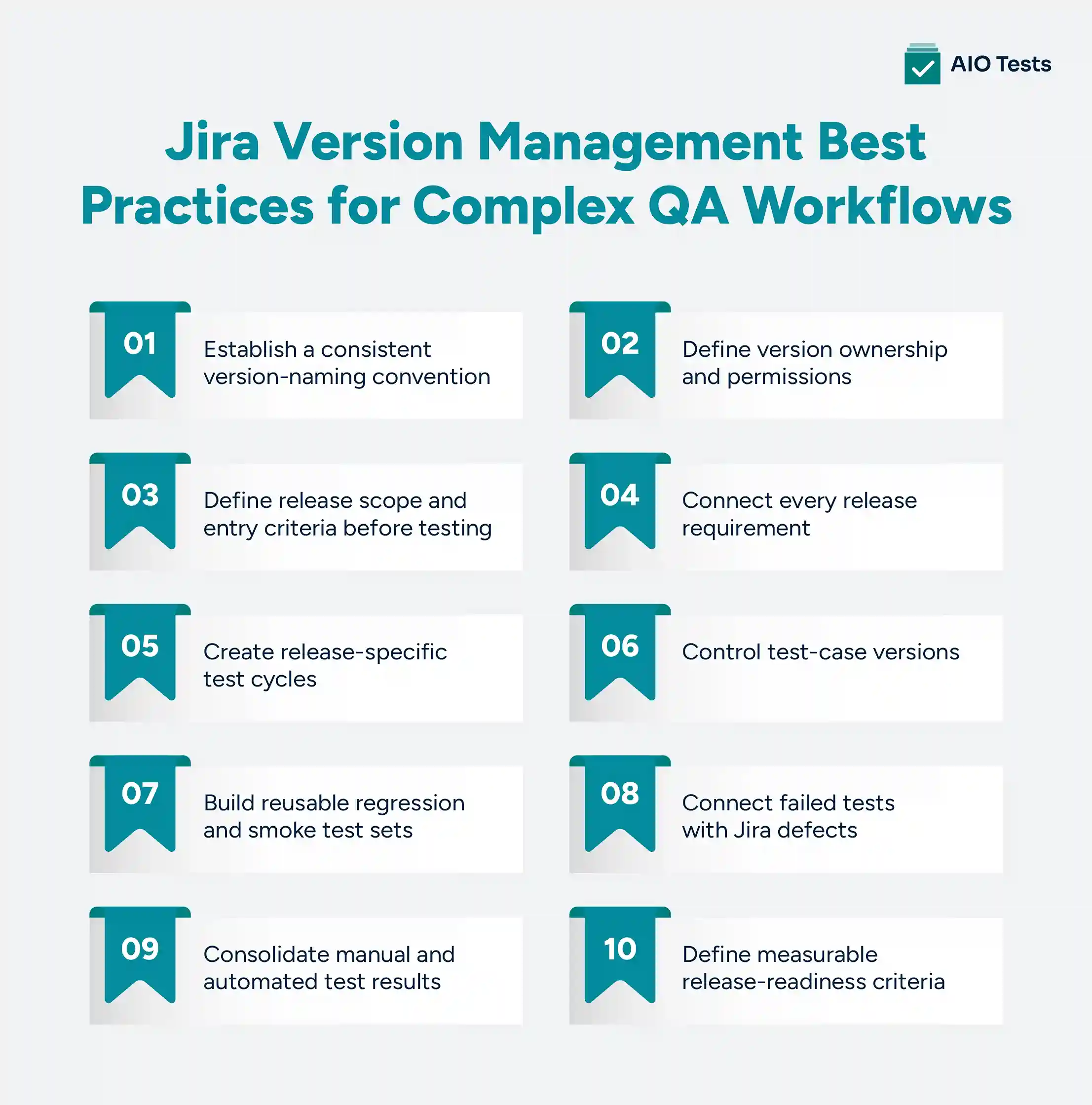
Jira Version Management Best Practices for Complex QA Workflows
The following Jira version management best practices help teams connect release planning with QA execution and release-readiness evidence.
1. Establish a consistent version-naming convention
A version name should immediately tell users which product, release, or delivery period it represents.
Suitable formats include:
- Payments 4.2
- Mobile 2027.03
- Platform-Q2-R1
- API-3.5.1
- Customer-Portal-RC2
Choose one format and document how it should be used. The convention may include:
- Product or service name
- Major, minor, and patch numbers
- Planned release period
- Release-candidate number
- Region or customer group, when relevant
Avoid names such as Next Release, Future, New Version, or Final Release. These names lose meaning over time and make filtering, reporting, and historical review difficult.
Teams should also define how hotfixes, patches, release candidates, and internal releases are named.
2. Define version ownership and permissions
Not every Jira user should create, rename, release, or archive versions without review. Uncontrolled changes can produce duplicate versions and unreliable reporting.
Assign clear responsibilities for:
- Creating versions
- Approving version names
- Setting release dates
- Assigning work to a version
- Approving scope changes
- Marking versions as released
- Moving incomplete issues
- Archiving old versions
Product managers may own business scope, while engineering and QA leads assess technical and testing impact. A release manager or Jira administrator can oversee version creation and closure.
Ownership does not mean one person makes every decision. It means everyone knows who is accountable for maintaining accurate version information.
3. Define release scope and entry criteria before testing
Before release testing begins, confirm which stories, fixes, technical tasks, and dependencies are included.
Entry criteria may require:
- Acceptance criteria are complete
- Development work is code-complete
- Code reviews are finished
- Required unit tests pass
- Builds are available in the correct environment
- Test data is prepared
- Test environments are stable
- Known limitations are documented
- Requirements have appropriate test coverage
Teams also need a controlled process for late scope changes. Every proposed addition should be reviewed for its effect on testing time, regression coverage, dependencies, and release risk.
A Jira issue should not be added to a version simply because its development is almost complete. The team must confirm that there is enough time to test it properly.
4. Connect every release requirement with appropriate test coverage
Issue completion answers whether work has moved through its Jira workflow. It does not answer whether the functionality has been validated.
Link each important requirement to one or more relevant test cases. Coverage should account for:
- Positive scenarios
- Negative scenarios
- Boundary conditions
- Integration points
- Permissions and user roles
- Data validation
- Error handling
- Business-critical workflows
- Applicable security and compliance requirements
Testing depth should reflect risk. A minor content change does not require the same coverage as a payment workflow, authentication change, or data migration.
Before approval, identify requirements with:
- No linked test cases
- Draft or unapproved test cases
- Incomplete executions
- Failed results
- Open defects
- Outdated coverage
This creates a more meaningful release view than issue status alone.
5. Create release-specific test cycles
A release-specific test cycle defines what must be executed for a particular Jira version or release candidate.
Depending on the product and risk level, teams may create separate cycles for:
- Functional testing
- Integration testing
- API testing
- User acceptance testing
- Security validation
- Release-candidate testing
- Post-deployment smoke testing
Each cycle should define:
- Included test cases
- Test environment
- Assigned testers
- Planned dates
- Execution target
- Entry and exit criteria
- Required evidence
- Defect-handling process
For example, Payments 4.2 – RC1 Regression is more useful than a generic cycle called Regression Testing. It clearly connects the execution to a release and candidate build.
6. Control test-case versions
A Jira release version and a test-case version are different.
The Jira version groups the work planned for release. A test-case version preserves a particular revision of the instructions used to validate that work.
Test-case version control becomes important when teams update:
- Preconditions
- Test steps
- Expected results
- Test data
- API parameters
- Supported devices
- Business rules
- Environment requirements
Teams should identify which test-case revision was approved and executed for each release. They should also maintain a history of who made changes and why.
Without this control, a test case may be edited after execution, making it difficult to reconstruct what was actually tested.
7. Build reusable regression and smoke test sets
QA teams should not rebuild the entire release-certification suite for every version.
Create reusable test sets for areas such as:
- Login and authentication
- Account creation
- Payments
- Search
- Notifications
- Permissions
- Reporting
- Critical APIs
- Core customer journeys
A baseline regression set provides consistent coverage across releases. The team can then add release-specific tests based on changed functionality, dependencies, and risk.
Reusable sets still require maintenance. Review them periodically to:
- Remove duplicate or outdated cases
- Add coverage for recurring defects
- Update cases affected by product changes
- Separate critical tests from lower-risk scenarios
- Identify candidates for automation
The objective is not to execute every available test for every release. It is to select the tests that provide meaningful evidence within the available time.
8. Connect failed tests with Jira defects
When a test fails, create or link the relevant Jira defect from the execution context.
The defect should include:
- Affected requirement
- Jira release version
- Test case and execution
- Environment and build
- Steps to reproduce
- Expected and actual results
- Screenshots, logs, or other evidence
- Severity and priority
- Retest status
This connection helps developers reproduce the issue and helps release managers understand its effect on the release.
After the defect is resolved, record the retest result. Closing the Jira bug without confirming the fix can leave the release with unresolved quality risk.
9. Consolidate manual and automated test results
Complex releases often combine manual exploratory testing with API, integration, UI, and performance automation.
Bring these results into a shared Jira QA workflow so stakeholders can assess the entire release. The process should show:
- Which automated suites ran
- Which build and environment they tested
- How many tests passed or failed
- Which failures produced defects
- Which tests still require manual execution
- Whether failed tests were rerun successfully
Automation results should not be treated as release evidence without context. A passing suite may cover only part of the release, while a failing suite may contain environment or script problems rather than product defects.
QA teams need to interpret the results before making a release recommendation.
10. Define measurable release-readiness criteria
Terms such as “testing is almost complete” or “the build looks stable” are too subjective for release approval.
Define measurable exit criteria before testing begins. For example:
- All critical requirements have approved test coverage
- Mandatory test cycles are complete
- All critical tests pass
- At least 95% of planned tests have been executed
- No unresolved blocker or critical defects remain
- Accepted lower-priority defects have documented approval
- Resolved defects have passed retesting
- Required regression and smoke tests are complete
- Automated suites have run against the correct build
- QA evidence is available for review
The exact thresholds should reflect product risk, customer impact, and regulatory requirements. A banking platform and an internal content tool should not use identical release gates.
These criteria support decision-making; they do not remove professional judgment. A team may approve a release with a known low-risk defect or reject one despite a high pass rate if an important workflow remains untested.
So, these are the 10 Jira version management best practices for complex QA Workflows.
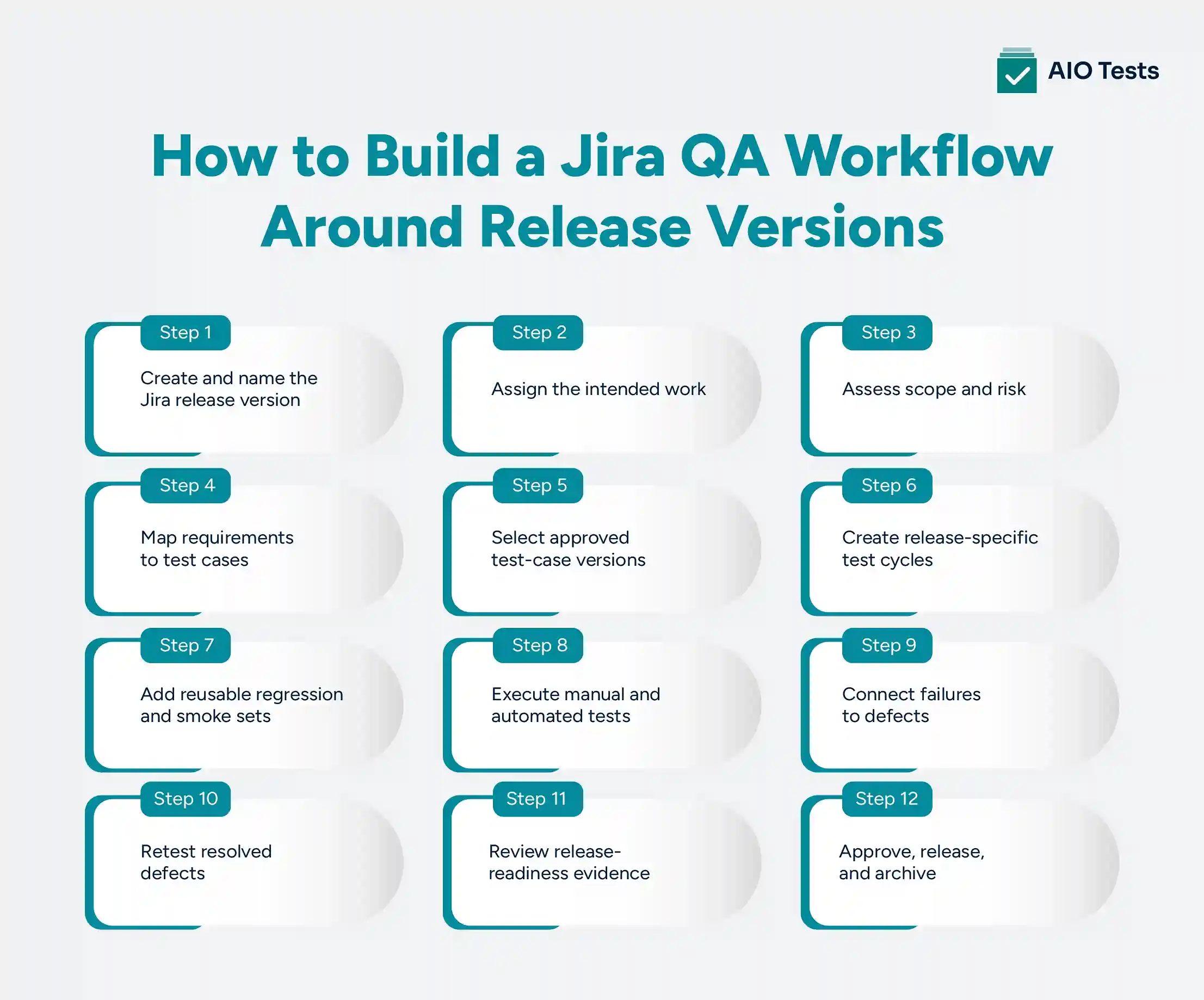
How to Build a Jira QA Workflow Around Release Versions
A connected Jira QA workflow gives every team a consistent path from planned scope to release approval.
Step 1: Create and name the Jira release version
Create the version using the agreed naming convention. Add its description, planned date, owner, and any relevant release objective.
Step 2: Assign the intended work
Assign stories, defects, improvements, and technical tasks through the appropriate version field. Review the list for missing dependencies or unrelated issues.
Step 3: Assess scope and risk
Identify customer-critical workflows, integrations, data changes, security concerns, and areas with a history of defects. Use this assessment to determine testing depth.
Step 4: Map requirements to test cases
Connect each important requirement with the cases needed to validate it. Flag requirements with missing, outdated, or insufficient coverage.
Step 5: Select approved test-case versions
Confirm that test steps, expected results, data, and preconditions reflect the functionality being released.
Step 6: Create release-specific test cycles
Organize tests by release candidate, environment, phase, or team. Assign testers and establish planned execution dates.
Step 7: Add reusable regression and smoke sets
Select the reusable tests needed to protect critical workflows. Add focused tests for changed or high-risk areas.
Step 8: Execute manual and automated tests
Record results against the correct build and environment. Ensure automated results and manual executions contribute to the same release view.
Step 9: Connect failures to defects
Create or link Jira bugs with the relevant requirement, execution evidence, environment, and release information.
Step 10: Retest resolved defects
Confirm fixes against the correct build. Run additional regression tests when the change may affect connected functionality.
Step 11: Review release-readiness evidence
Assess requirement coverage, execution completion, failure status, unresolved defects, and agreed release criteria.
Step 12: Approve, release, and archive
Document the decision, move incomplete items where necessary, complete deployment validation, and archive the version when appropriate.
How Does AIO Tests Improve Jira Version Management?
AIO Tests adds a Jira-native test management layer that helps teams connect release planning with testing activities. While Jira Versions help teams organize the work planned for a release, the Jira test management tool helps QA teams validate whether those changes have the required test coverage, execution results, and defect visibility.
Teams can manage test cases, test-case versions, test sets, test cycles, execution results, and defects within Jira instead of maintaining release validation information across disconnected tools.
Maintain test cases and versions inside Jira
AIO Tests allows teams to create and manage Classic and BDD test cases directly within Jira. The test management tool for Jira supports multiple versions of a test case, allowing teams to preserve previous revisions and track changes throughout the test case lifecycle.
When a test case is updated, teams can create a new version while keeping earlier versions available for reference. This helps QA teams understand how test coverage has evolved and review the test case history associated with validation activities. Explore AIO Tests features.
Organize release testing with reusable Test Sets
The platform helps teams organize related test cases into reusable Test Sets for different testing activities, such as:
- Regression testing
- Smoke testing
- Feature validation
- Release testing
Instead of selecting test cases manually for every release, QA teams can maintain reusable collections and update them based on changing requirements, risks, and product functionality.
Plan and track execution through Test Cycles
Test Cycles help teams organize and monitor test execution activities within Jira.
Teams can use Test Cycles to:
- Add required test cases
- Assign execution responsibilities
- Record test results
- Attach execution evidence
- Track failed tests
- Link defects
This gives QA and release teams better visibility into testing progress before making release decisions.
Connect Jira requirements, tests, executions, and defects
The tool improves traceability by connecting Jira requirements with test cases, execution results, and defects.
Teams can identify:
- Which requirements have associated test coverage
- Which tests have been executed
- Which tests have passed or failed
- Which defects are linked to failed validations
This provides a clearer view of release quality compared with tracking completed Jira issues alone.
Maintain test-case history and controlled revisions
Test-case version control helps teams preserve the test instructions used during validation activities.
When test cases change, teams can maintain previous versions and review the history of modifications. This is useful for releases where teams need to understand what was tested and how test coverage changed over time.
Combine manual and automated testing results
The platform helps teams bring different testing activities together within Jira. It supports integrations with automation frameworks and CI/CD tools, allowing teams to include automated execution results alongside manual testing activities.
Teams can integrate results from tools and frameworks such as:
- Playwright
- Cypress
- Cucumber
- Robot Framework
- Katalon
- Postman
This gives release stakeholders a more complete view of testing progress and quality evidence.
Support release decisions with better QA visibility
A Jira Version shows the work planned for a release. AIO Tests helps teams understand whether that work has been validated through connected test cases, executions, and defect information.
By managing testing activities directly within Jira, QA teams can maintain better visibility into release readiness and collaborate with development and product teams using the same platform.

Conclusion
Effective Jira version management requires more than creating a version, setting a date, and assigning issues.
Complex QA workflows also need controlled scope, requirement coverage, approved test-case versions, release-specific execution cycles, connected defects, and measurable release criteria. These practices help teams distinguish completed development work from tested, release-ready functionality.
AIO Tests connect Jira requirements with test cases, cycles, executions, automation results, and defects. This gives QA, engineering, and release teams a shared view of the evidence behind each release decision. Try for Free now!
FAQs
1. What is Jira version management, and why is it important for QA teams?
Jira version management is the process of creating, tracking, releasing, and archiving versions that group work for a planned software release. It helps QA teams identify the intended release scope and organize testing around the correct stories, fixes, dependencies, and delivery dates.
2. What are the best practices for managing Jira release versions?
Use consistent version names, assign clear ownership, define scope before testing, control late changes, connect requirements to tests, create release-specific cycles, track defects, and define measurable release criteria. Teams should also review unresolved work before releasing or archiving a version.
3. How does Jira version management support complex QA workflows?
Jira versions provide a shared release reference for requirements, defects, technical tasks, and planned dates. When connected with test management, teams can organize execution cycles, trace coverage, consolidate results, and assess release readiness against the same version.
4. How can teams use Jira release versions for effective release planning?
Create a version for the planned milestone, assign the relevant work, set ownership and dates, and review dependencies and risk. QA teams can then map coverage, plan execution cycles, monitor defects, and evaluate testing evidence before release approval.
5. What is the difference between Jira versioning and traditional version control?
Jira versioning groups work items around planned releases. Traditional version control systems such as Git maintain changes to source-code files and support branches, merges, and revision history. Test-case versioning separately preserves revisions of the instructions used to validate software.


.svg)
