

.webp)
Summarize Blog
Quick Summary
Manual tracking breaks at scale. Requirements traceability tools connect requirements, test cases, and defects within a single live system, providing modern QA teams with real-time coverage, audit-ready reports, and zero pre-release chaos.
It's 48 hours before release. A stakeholder asks: "Are all requirements covered?" Your QA lead opens a spreadsheet that hasn't been touched in three sprints. The scramble begins.
Sound familiar? It should. According to research, 83% of organizations in medical device & life sciences had their traceability maintained in an Excel-based matrix before adopting a dedicated tool
Manual tracking doesn't just slow your team down. It creates invisible coverage gaps that only surface when a bug hits production or an auditor asks for documentation you don't have.
By the end of this post, you'll know exactly which approach works for your team, when manual tracking is acceptable, and what separates a truly modern requirements traceability tool from a digital spreadsheet with a better logo.
The Hidden Cost of Manual Requirements Tracking Software
Let's be honest about what manual tracking actually looks like in practice.
It's an Excel file called "RTM_v3_FINAL_updated.xlsx" sitting in a shared folder. It's sticky notes, email threads, and someone's personal Notion doc that three other people don't know exists. It's Google Sheets with color-coded rows that made sense in week one of the project.
That's the reality for most QA teams, and it works until it doesn't.
- The maintenance trap is the first crack. Requirements change. Test cases get added, retired, or renamed. But the spreadsheet? It stays where it was. Within two to three sprints, your RTM no longer reflects reality. It reflects what your team planned to test three months ago.
- Then comes the pre-audit panic. Before every release review, someone spends two to three days manually rebuilding the traceability matrix from scratch, cross-referencing test cases against requirements, chasing down defect links, and praying that nothing critical was missed. That's not QA. That's damage control.
- Scale is where manual tracking fully collapses. A team of two managing 20 stable requirements? Manual tracking is manageable. A team of six managing 200+ requirements across five active sprints? The matrix becomes a liability, not an asset.
And there's a hidden cost nobody talks about: the hours your QA engineers spend maintaining a spreadsheet are hours they're not spending on actual testing. That's the real price of requirements traceability in software testing done the old way.
What Requirements Traceability Matrix Tools Actually Offer Modern QA Teams?
Here's the fundamental truth: dedicated requirements traceability matrix tools don't just digitize your spreadsheet. They replace the entire manual process with something structurally different.
Here's what that looks like in practice.
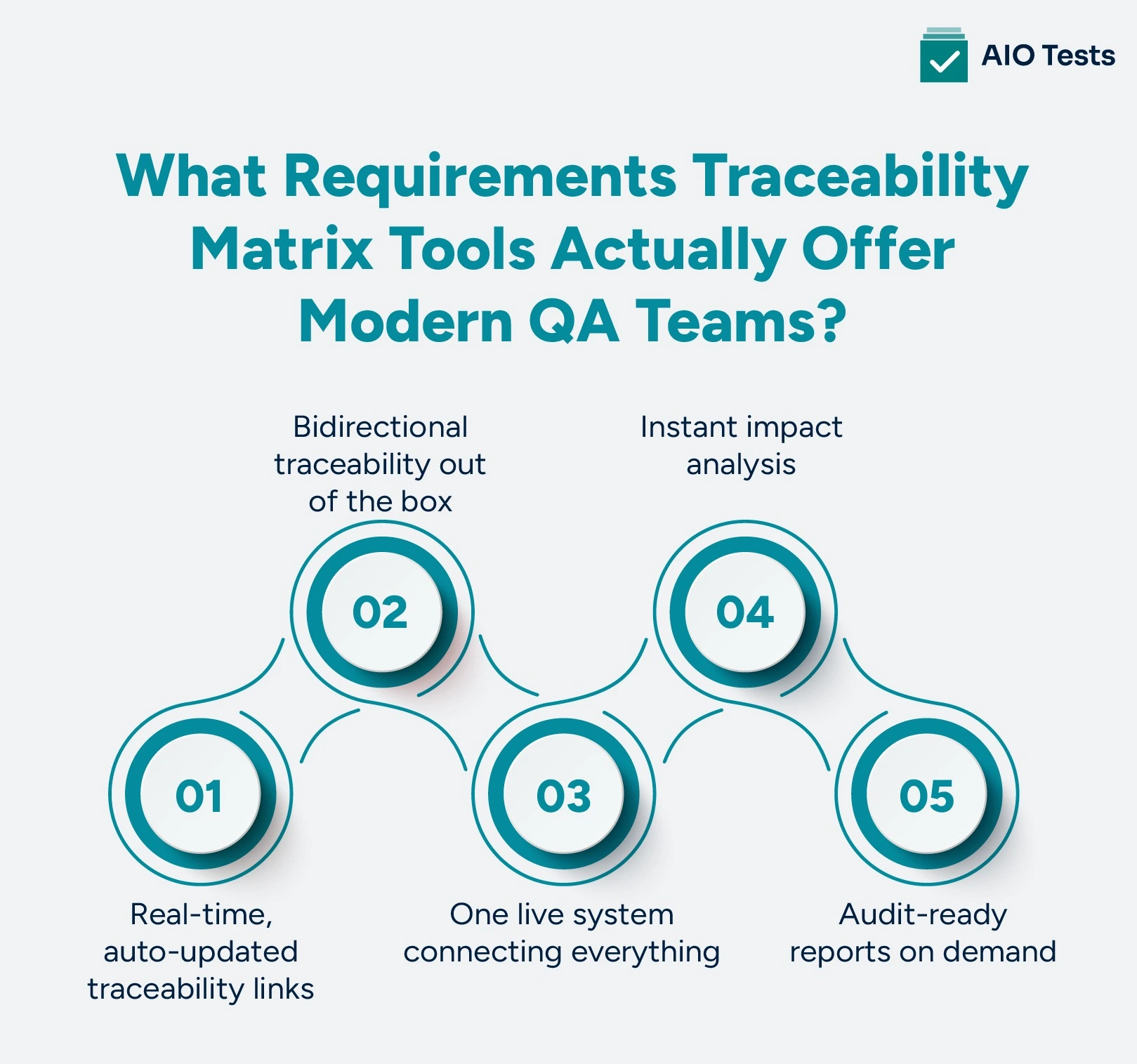
- Real-time, auto-updated traceability links: When a requirement changes in your tool, every linked test case, execution cycle, and defect reflects that change immediately. No manual updates. No stale data.
- Bidirectional traceability out of the box: Forward traceability maps requirements to test cases to confirm coverage. Backward traceability traces a test case or defect back to its source requirement, confirming that nothing was tested without a reason. Bidirectional traceability gives you both simultaneously, automatically.
- One live system connecting everything: Requirements → test cases → defects. All in one place. All connected. All current.
- Instant impact analysis: When a requirement changes in sprint 4, your QA traceability tool flags every linked test case that needs to be reviewed or re-executed. In a spreadsheet, you find out when a bug ships to production.
- Audit-ready reports on demand: Instead of a three-day manual rebuild, you generate a full RTM report with one click. That's not just convenient, it's the difference between a smooth compliance review and a chaotic one.
Software Requirements Tracking Tools vs. Manual Tracking: The Real Comparison
This is the section no competitor blog has published. Here's the honest, side-by-side breakdown.
The pattern is clear. Manual tracking wins on upfront simplicity. Everything else, maintenance, accuracy, scalability, speed, goes to purpose-built software requirements tracking tools.
A modern requirements tracking software handles automatically what your team currently handles manually, after hours, under deadline pressure, with a spreadsheet that's already three weeks out of date.
When Does Manual Tracking Still Make Sense for QA Traceability Tools?
Here's the honest answer, and it matters for building trust with your team.
Manual tracking works when:
- Your QA team is 1–3 people
- The project has fewer than 30–50 stable requirements
- There are no regulatory or compliance requirements
- The project is short-term or one-time in nature
Manual tracking breaks when:
- Requirements change frequently, every sprint
- Your QA team scales beyond 3–4 members
- Audits or compliance documentation is required
- Multiple integrations are in play (Jira, CI/CD pipelines, automation frameworks)
- You're running parallel sprints or multiple releases simultaneously
If even two or three of those "breaks" scenarios sound familiar, you've already outgrown manual tracking, and the gap between what you have and what you need is growing with every sprint. That's exactly where QA traceability tools are built to step in.
What to Look for in Software Requirements Tracking Tools
Not all tools are created equal. Before you evaluate any platform, run it against this checklist.
✅ Bidirectional traceability (forward + backward, automatic)
✅ Native Jira / DevOps integration
✅ Real-time requirement-to-test-case linking
✅ Instant impact analysis when requirements change
✅ One-click audit-ready RTM reports
✅ CI/CD pipeline compatibility
✅ Role-based access, QA Lead, Dev, PM, and Stakeholder views
✅ Agile/sprint-friendly workflows
Any software requirements tracking tool worth evaluating should check all eight of these boxes. If it doesn't, it's just a digital spreadsheet with a better UI.
AIO Tests: The Best Requirements Tracking Software for Modern QA Teams

AIO Tests is a Jira-native, all-in-one test management tool built specifically for QA teams that operate inside Jira. It doesn't ask you to learn a new system or migrate your workflow. It meets your team exactly where they already work, and eliminates every manual step in the traceability process.
AIO Tests automatically connects requirements, test cases, executions, and defects within Jira. With built-in traceability reports and live data, teams get an accurate, audit-ready RTM without relying on spreadsheets.
Core Features That Make AIO Tests the #1 Choice
- End-to-End Live Traceability
AIO Tests provides full traceability across the testing lifecycle, allowing teams to link requirements to test cases, traceability analysis, execution cycles, and defects, giving complete visibility and clear accountability at every stage. When a requirement changes, every downstream link updates in real time.
- AI-Powered Test Case Generation
AIO Tests uses Generative AI to automatically generate classic or BDD-style test cases directly from Jira requirements. Teams can generate positive, negative, or end-to-end tests using customizable AI prompts in the language of their choice. What used to take a QA engineer hours now takes minutes.
- 20+ Built-in Traceability & Coverage Reports
AIO Tests offers two core traceability reports, Traceability Summary (summarized coverage numbers for executive-level reporting) and Traceability Detail (a tabular format with full details on requirements, cases, executions, and linked bugs). Plus 18+ additional report types covering defect trends, burndown plans, execution progress, and pass/fail rates, all exportable in PDF or Excel.
- Full CI/CD & Automation Integration
AIO Tests integrates with CI/CD pipelines such as Jenkins and reports automated test results from frameworks including Playwright, Robot Framework, Cypress, Katalon, and more. Cucumber and Postman reporting are also supported natively.
- Version Control & Audit Trail
Every test case is versioned. Every change is logged, who made it, when, and why. No more guessing what your matrix looked like before that last sprint. Full audit history, always available.
- Scale & Social Proof
AIO Tests is trusted by 4,200+ customers across 100+ countries, with 200,000+ active users and 6 million+ test cases created. It holds a 3.9/4 rating on the Atlassian Marketplace.
As one customer puts it: "We have been using AIO for ten months, and it has made our test case and test management much easier."
Pricing: AIO Tests' pricing is designed for teams of all sizes. The free plan covers up to 10 users. Paid Cloud plans start at $198/month and scale with Jira billing. Data Center deployments available. Every plan includes a 30-day free trial - zero risk.

"But We've Always Done It This Way", Common Objections Answered
Objection 1: "Tools are too expensive."
Run the math differently. What does one missed requirement cost in production, bug fixes, rollbacks, customer churn, and emergency patches? A single production incident routinely costs more than an annual tool subscription. The tool pays for itself the first time it prevents a release failure.
Objection 2: "We're Agile, we don't need heavy documentation."
Modern requirements traceability tools are built for Agile, not against it. AIO Tests lives inside Jira, aligns with sprint workflows, and adds lightweight traceability, not waterfall-era documentation overhead. Agile doesn't mean untraceable. It means fast and traceable.
Objection 3: "The learning curve is too steep."
The best tools don't replace your stack; they extend it. AIO Tests installs directly into Jira with minimal setup. Your team is already in Jira every day. The learning curve is measured in hours, not months.
Objection 4: "Our team is small, we don't need this yet."
The best time to implement traceability is before you scale, not after. Setting it up with 30 requirements is exponentially easier than retrofitting it with 300. Start small, grow without chaos.
Winding Up!
Manual tracking isn't inherently wrong. For small teams, stable projects, and short timelines, it gets the job done.
But for modern QA teams running Agile workflows at scale, with frequent requirement changes, compliance needs, and Jira-integrated pipelines, manual tracking is not a process. It's a liability.
The right requirements traceability tools change the equation entirely. Your team stops firefighting before every release. Your matrices are always current. Your audits take minutes, not days. And every stakeholder, from QA Lead to C-suite, gets a clear, real-time picture of exactly what's been tested and what hasn't.
Imagine walking into your next release review with a one-click report instead of a three-day rebuild. That's what purpose-built traceability looks like.

FAQs
- What is the difference between manual tracking and requirements traceability tools?
Manual tracking uses spreadsheets, Word docs, or Google Sheets to link requirements to test cases, updated by hand. Requirements traceability tools automate those links in real time, connecting requirements, test cases, execution results, and defects in a single live system. The key difference is accuracy at scale: manual matrices go stale; tool-driven matrices stay current automatically.
- When should a QA team switch from spreadsheets to requirements traceability software?
The signal is clear: if your requirements change every sprint, your team has more than 3–4 QA members, or you face compliance/audit requirements, you've outgrown spreadsheets. Requirements tracking software becomes essential the moment maintaining your manual matrix starts costing more time than running actual tests.
- Do requirements traceability tools work with Agile and sprint-based workflows?
Yes, modern tools are built for Agile, not against it. Platforms like AIO Tests live natively inside Jira, align with sprint workflows, and support bidirectional traceability without adding documentation overhead. QA traceability tools today are designed to keep pace with sprint velocity, not slow it down.
- What are the must-have features in requirements tracking software for QA teams?
Look for: bidirectional traceability, native Jira integration, real-time requirement-to-test-case linking, instant impact analysis, one-click RTM reports, CI/CD compatibility, role-based access, and Agile-friendly workflows. Any software requirements tracking tool that doesn't check all eight boxes is essentially a digitized spreadsheet.
- How does requirements traceability in software testing reduce defects before release?
Requirements traceability in software testing ensures every requirement has a corresponding test case, and every defect is linked back to its source requirement. When a requirement changes, the tool instantly flags affected test cases for review. This prevents coverage gaps from forming silently and ensures no requirement ships untested, catching defects before they reach production rather than after.


.svg)
