

.webp)
Summarize Blog
Quick Summary
Jira test reporting often falls short when teams need to present clear testing progress, quality metrics, and release risk to executives. Default Jira reports expose raw data but lack the context and visibility that leadership needs to make confident decisions.
With AIO Tests, Jira test reporting is transformed into executive-ready dashboards and reports that deliver real-time insights without manual effort.
Reporting test results in Jira shouldn’t feel like a constant battle. If you’re already running tests, but your Jira test reporting leaves you scrambling for answers, you're not alone.
For QA Managers and Test Leads, Jira’s default reporting falls short when it comes to providing the kind of insights executives need. Whether it’s test progress, quality metrics, or risk assessment, the standard Jira reports can’t paint the full picture.
In this guide, we'll show you how to create executive-ready Jira test reports without the headache of custom configurations using AIO Tests to bring clarity and confidence to your reporting.
What Executives Actually Want to See in Jira Test Reports
Executives aren’t looking for technical jargon or granular details about each test case. They need quick answers to key questions that impact decision-making.
Here’s what they care about most:
- Progress Towards Release: Executives want to know where the project stands in terms of testing completion across different types of software testing. Are we on track to hit deadlines? How much testing is left before the release can proceed?
- Quality Indicators: Metrics like pass/fail rates and defect trends are critical. Executives need to understand how much of the application is stable and whether there are emerging issues that could delay the release.
- Risk Levels: The ability to quickly assess whether there are critical failures or blockers that might jeopardize the project. This includes high-severity bugs or any areas of the application that aren’t passing essential tests.
- Clear Summaries of Test Coverage: Executives need a high-level view of test coverage. They want to know which areas of the product have been thoroughly tested and which might still be under-tested.
Why the “Raw Test Data” Isn’t Enough:
Raw test case data, while useful for testers, doesn’t provide the strategic insights executives need. A report full of individual test results doesn’t give a clear picture of the overall status. It’s hard to interpret progress, quality, or risk without proper context.
That’s why test reporting dashboards in Jira are essential. They offer executive-level insights that focus on the big picture rather than just pass/fail data.
When a QA reporting software like AIO Tests is in place, it transforms the raw data into visual summaries that highlight key metrics and trends. This makes it easy for leadership to make informed decisions without needing to get into technical details.
How to Build Test Management Reports in Jira
When creating test execution reports in Jira, the goal is to deliver clear, relevant, and actionable insights that executives can use to make informed decisions quickly.
Executives need a concise summary of the testing progress, quality, and risk level.
Key Elements of Executive-Ready Test Reports:
- Clarity: Present the most important data in a straightforward format that allows for quick interpretation.
- Relevance: Focus on metrics that directly influence release decisions and overall project status.
Actionable Insights: Highlight the areas that need attention, such as blockers, critical defects, or areas with insufficient test coverage.
What Are The Essential Metrics for Executive Test Reports:
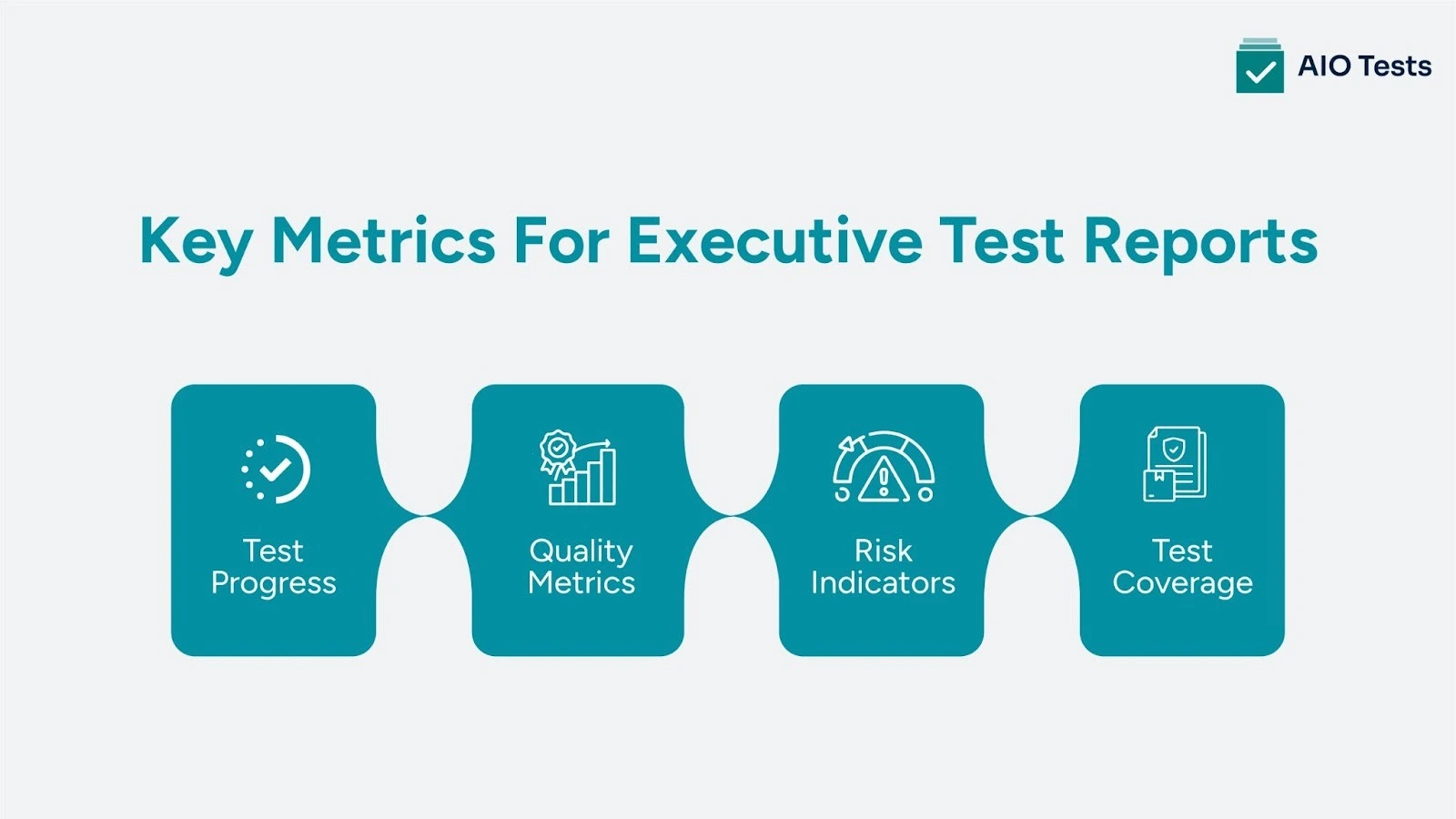
- Test Progress:
- Provide an overview of the test completion rate (e.g., percentage of tests passed vs. failed).
- Include a breakdown of the number of tests completed, remaining, and the testing phase (manual vs. automated).
- Quality Metrics:
- Track defects by severity and resolution status. Include trends over time to show whether defects are being resolved or if new ones are emerging.
- Visual representations, such as bar graphs or pie charts, can clearly communicate how defects are distributed by severity or whether the defect count is growing or shrinking.
- Risk Indicators:
- Identify any high-risk areas, blockers, or critical failures that may impact the release timeline.
- Use clear visuals (e.g., color coding, bar graphs) to show where attention is needed most.
- Test Coverage:
- Show how much of the application has been tested and which areas still require testing. A simple pie chart or heatmap can provide a quick visual reference of testing coverage.
- Show how much of the application has been tested and which areas still require testing. A simple pie chart or heatmap can provide a quick visual reference of testing coverage.
These metrics ensure that your report gives executives an at-a-glance understanding of the test status.
AIO Tests - Test Management Tool for Better Test Reporting
AIO Tests is an AI testing tool that enhances Jira test reporting by providing comprehensive, 20+ reports without the need for custom configuration or scripting. It integrates seamlessly with Jira, offering a plug-and-play solution that enables teams to quickly generate meaningful test reports.
Here’s how AIO Tests stands out:
- Customizable Reports:
Generate tailored test management reports in Jira that support software quality assurance by focusing on the metrics that matter most to leadership. Track test progress, monitor defects, and assess risk with ease.
- Automated Reporting:
AIO Tests allows you to automate the report generation process, eliminating manual exports and reducing the chances of human error. Schedule regular updates for stakeholders, ensuring they receive the most current test reports without any additional effort from your team.
- Real-Time Insights:
With AIO Tests, access real-time test reporting dashboards in Jira that reflect the latest data, making it easy for executives to assess the status of testing, identify high-risk areas, and track defect resolution progress.
- Visual Dashboards for Executives:
Build customized Jira test reporting dashboards that aggregate key metrics in an easy-to-understand format. Whether it's test progress, defect status, or risk levels, these dashboards provide a clear, high-level overview, helping leadership make informed decisions with minimal time spent on data analysis.
- Ease of Use:
AIO Tests provides a user-friendly experience, allowing teams to generate executive-level reports without requiring technical expertise. The intuitive interface simplifies the process of reporting, ensuring that anyone on the team can create impactful Jira test reports with minimal training.
Why AIO Tests is the Best Solution for Executive Reporting in Jira
- No Custom Configuration Needed: AIO Tests works as a native Atlassian test management tool, integrating directly with Jira test management to deliver a true plug-and-play experience. From AI case generation to executive dashboards, teams can manage workflows and generate Jira reports without custom setup or scripting.
- Time and Stress Reduction: By automating Jira test management and reporting, AIO Tests eliminates manual exports, spreadsheet errors, and ad-hoc processes. AI test case generation further accelerates QA test management by reducing the time spent creating and maintaining test cases.
- Clarity for Leadership: AIO Tests brings structure to QA test management by centralizing test execution, AI-generated test cases, and real-time Jira reporting. Executives gain immediate visibility into test progress, quality risks, and release readiness without digging through raw data.
- Invest in Reliable Decision-Making: AIO Tests ensures leadership decisions are backed by accurate, real-time Jira test management insights. This creates confidence in release decisions and strengthens quality governance across the organization.
Explore pricing, features, and real user reviews by visiting AIO Tests on the Atlassian Marketplace.
Conclusion
Effective executive reporting is essential for making informed release decisions. While Jira’s native QA testing tools can be useful, they often fall short when it comes to providing the high-level insights leadership needs.
With AIO Tests, you can easily generate clear, actionable test reports that offer visibility into test progress, quality, and risk, ensuring your reports meet executive expectations. Schedule a demo of AIO Tests to see how it supports executive reporting and enables smarter release decisions.

FAQs
1. What is Jira test reporting, and why is it important?
Jira test reporting involves collecting and presenting data on test execution, defects, and test coverage. It’s important because it helps teams and stakeholders gain visibility into project progress, quality, and risk, providing a clear picture of the software's readiness for release. Without effective reporting, valuable insights can get lost in raw data.
2. How do you create reports in Jira?
To create reports in Jira, navigate to the "Reports" section of your project. You can select various report types, like burndown charts or velocity reports. Simply apply the necessary filters (e.g., project, sprint) to generate the report. While basic, these reports give insights into team progress and issue trends.
3. What types of reports can Jira generate without plugins?
Jira can generate several reports out of the box, including sprint reports, velocity charts, issue breakdowns, and control charts. These reports are useful for tracking team performance and project health, but they may lack the deeper insights needed for executive-level decision-making.
4. What is the difference between Jira reports and dashboards?
Jira reports provide pre-configured, static views of project data, focusing on trends and historical performance. Dashboards, on the other hand, are customizable, real-time displays of key metrics, allowing users to monitor multiple data points simultaneously. Dashboards can incorporate various report gadgets for a comprehensive view.
5. Why might teams use a third-party app like AIO Tests for Jira test reporting?
A third-party app like AIO Tests enhances Jira’s native reporting by offering detailed, executive-friendly test reports and dashboards. It automates the generation and distribution of reports, consolidates manual and automated test results, and provides clearer insights into test progress, defects, and risks, making decision-making more efficient.


.svg)
