

.webp)
Summarize Blog
Quick Summary
AI agents now run real workflows, not just demos, and traditional QA wasn't built for that. This guide breaks down the AI agent lifecycle stage by stage, explains why testing an agent isn't the same as testing regular software, and lays out a practical framework for validating agents before and after they ship.
Teams are shipping AI agents into production faster than they're building the QA habits to support them. An agent that triages support tickets or pulls data from three systems doesn't fail the way a website does.
It doesn't throw an error and stop. It makes a confident, wrong decision and keeps going. That's where AI agent testing earns its place as a distinct discipline rather than a checkbox on a release form.
Most teams discover this gap only after an agent has already shipped, and by then the damage looks like a support escalation or a process that broke quietly three weeks ago.
This guide walks through the full lifecycle an agent moves through, what makes testing it different, and what a workable testing framework looks like.
What Is the AI Agent Lifecycle?
The AI agent lifecycle is the full path an agent travels, from the moment someone defines what it should do to the point where it's running in production and getting refined based on real results. It covers design, development, testing, deployment, monitoring, and ongoing improvement.
This isn't the same as a typical software lifecycle. A normal application either works or it doesn't, and a bug shows up as an error. An AI agent can produce an answer that's technically functional and still wrong in a way that matters. Two differences drive everything else in this guide:
- The same input can produce different outputs depending on context, model state, or available tools.
- Quality isn't binary. An agent's output sits somewhere on a spectrum from clearly correct to clearly wrong, with a lot of "good enough" in between.
Keeping these two facts in mind makes every later section easier to follow.
The Stages at a Glance
Six stages make up most agent lifecycles, though some teams compress this to five:
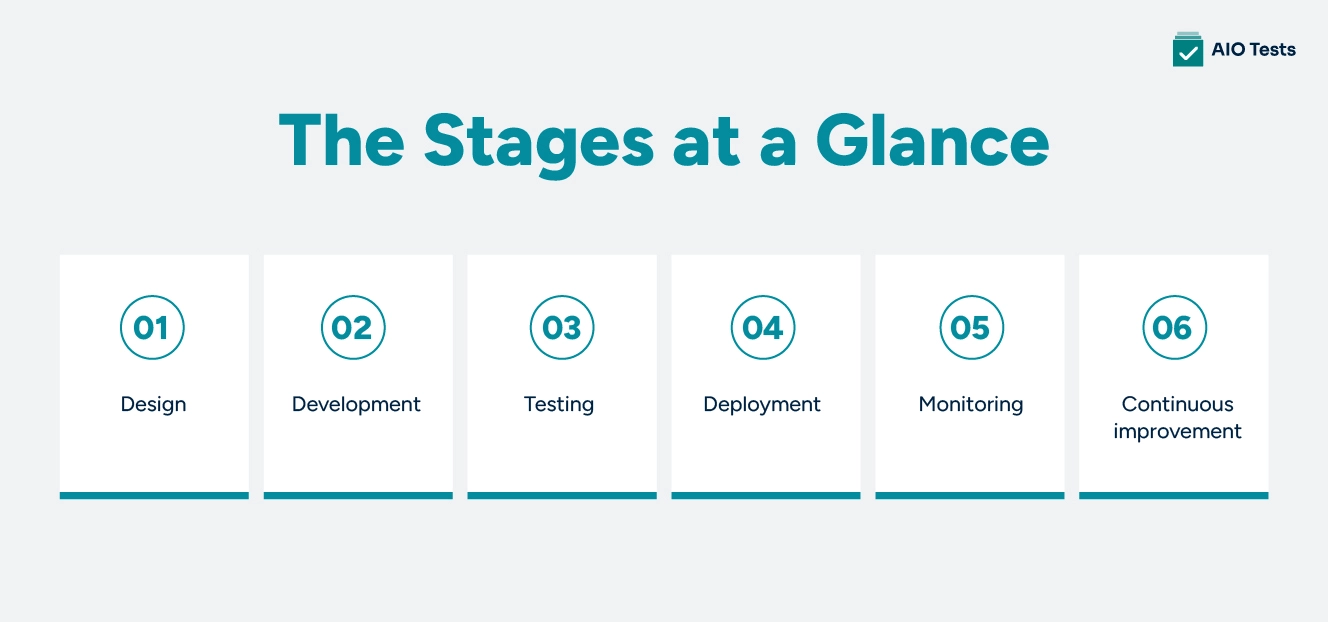
- Design: define the agent's purpose, boundaries, and what counts as success.
- Development: build the agent and connect it to the tools and data it needs.
- Testing: check that it behaves correctly, safely, and consistently before anyone outside the team sees it.
- Deployment: release it carefully, usually to a small slice of users first.
- Monitoring: track how it performs once real people and real data are involved.
- Continuous improvement: feed what you learn back into the next version.
Each stage feeds the next one. Skipping or rushing any single stage tends to show up as a problem two or three stages later.
Why AI Agent Testing Is Different From Traditional QA?
Traditional QA checks for a clear pass or fail. You give the system an input, the QA team knows what output it should produce, and they confirm it matches. That model works when the system behaves consistently every time.
AI agents don't behave the same way every time. The same prompt or task can lead to a different sequence of decisions depending on what the agent retrieves, which tool it calls first, or how it interprets an ambiguous instruction. A test that passed yesterday can fail today without anyone changing a line of code.
This means AI agent testing has to measure quality and consistency more than correctness alone. A team testing an agent isn't just asking whether it got the right answer. They're asking whether it gets a good answer most of the time, fails safely when it doesn't, and stays predictable enough that people can trust it. That shift shows up in every section that follows.
AI Application Testing vs. AI Agent Testing: Where's the Line?
One distinction worth settling before going further is the difference between testing an AI application and testing an AI agent. These two terms get used interchangeably, which causes real confusion for teams new to this space.
AI application testing usually means testing the AI feature itself, in isolation. Does a chatbot answer questions accurately? Does a summarisation feature produce a fair summary? This is closer to testing a single function: input goes in, output comes out, and you judge the output.
AI agent testing covers more ground. An agent doesn't just produce an output. It makes decisions, picks actions, and often changes something in the real world: updating a record, sending a message, triggering another system.
Comparison Table
AI Agent Validation: Confirming the Agent Does What It Was Built to Do
Validation answers one specific question: Does the agent do what it was actually built to do?
Before testing for edge cases or long-term reliability, a team needs to confirm the basics. If an agent was built to classify support tickets into five categories, validation checks that it does exactly that, within the boundaries it was given, and nothing beyond them.
Validation typically covers:
- Whether the agent stays inside its intended scope, instead of attempting tasks nobody asked it to do.
- Whether its outputs match the format and structure the system downstream expects.
- Whether it respects hard limits, like which tools it's allowed to call or what data it can access.
Validation is the floor, not the ceiling. An agent can pass every validation check and still produce mediocre or inconsistent results, which is exactly what the next section covers.
AI Agent Evaluation: Measuring Quality Beyond Pass or Fail
Evaluation goes a layer deeper than validation. Instead of asking whether the agent technically did the right thing, evaluation asks how well it did it.
This is where the spectrum from earlier comes back. An evaluation doesn't return a simple pass or fail. It evaluates an agent's output against criteria such as accuracy, consistency across similar inputs, and handling of inputs that don't fit a clean pattern.
Most teams start small:
- A handful of real examples, maybe fifty to a hundred, covering common cases and a few known tricky ones.
- A way to score those examples: sometimes a simple rule, sometimes a human reviewer, sometimes another AI model acting as a judge.
- A habit of rerunning that same set whenever the agent's prompt, model, or tools change.
None of this requires a dedicated evaluation platform to start. It requires a willingness to define what "good" looks like before assuming the agent has reached it.
Agentic AI Testing: Why Multi-Step Agents Need a Different Lens
With validation and evaluation as the foundation, the next layer is agentic testing, and it's where most off-the-shelf AI testing advice stops being useful. That advice still assumes a single prompt and a single response. An agent doesn't answer once. It plans, picks a tool, acts, checks the result, and often repeats that loop several times before finishing a task.
Every one of those steps is a place where things can go wrong, and the failures compound. An agent that misreads a piece of retrieved data in step two might call the wrong tool in step three and produce a confidently wrong final answer in step five, with nothing in the final output hinting at where it broke.
This is why testing an agent means testing the chain, not just the destination. Useful checks include:
- Did the agent choose the right tool for the task, not just any tool that technically worked?
- Did it stop and ask for help when it should have, instead of guessing?
- Did the number of steps it took stay within a reasonable range, instead of looping or stalling?
Agentic testing is less about the final answer and more about whether the agent's reasoning held up along the way.
Building An AI Agent Testing Framework
Validation confirms the agent does what it should. Evaluation measures how well. Agentic testing checks whether its reasoning held up across multiple steps. On their own, these feel like three separate checklists. A testing framework turns them into a single, repeatable system, and it doesn't need to be complicated to get started. Three layers cover most of what matters:
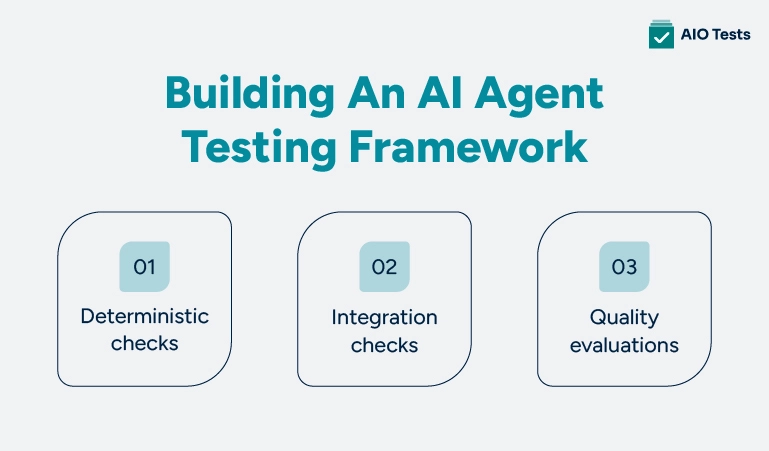
- Deterministic checks: These cover the parts of the agent that should behave predictably every time: does the output match the expected format, did it stay within its permissions, did it avoid an action it was explicitly told never to take. These run fast and catch obvious regressions.
- Integration checks: These confirm the agent works correctly when it's connected to the systems it depends on: real APIs, real databases, and other tools. An agent can pass every deterministic check and still fail the moment a real API responds slower than expected or returns something unexpected.
- Quality evaluations: These are the harder, more subjective checks from the evaluation section above: is the output good, not just technically valid, and does that quality hold up across a range of realistic inputs?
A simple rule of thumb: deterministic and integration checks tell you the agent didn't break. Quality evaluations tell you whether it's any good. Most teams need both to trust an agent in production.
AI Workflow Testing: Looking Beyond the Agent's Own Output
An agent rarely operates by itself. It sits inside a larger workflow, picking up a task from one system and handing a result to another.
AI workflow testing means testing that handoff, not just the agent's individual decision. If an agent classifies a ticket correctly but the classification never makes it into the system the support team actually uses, the agent technically worked and the workflow still failed.
This kind of testing usually checks:
- Whether the agent's output reaches the next step in the process, in the format that step expects.
- What happens when the agent is uncertain. Does it escalate cleanly, or does it pass along a guess that looks confident?
- Whether a failure in one step of the workflow is surfaced, rather than breaking something three steps later without anyone noticing.
Testing the agent in isolation tells you it works. Testing the workflow tells you it's useful.
A Simple Example: Testing One Agent Through Its Lifecycle
Here's how this looks in practice, using a simple support-ticket triage agent as the example. Its job is to read an incoming ticket and route it to the right team.
- Design: the team defines the agent's scope. It only classifies and routes; it doesn't reply to the customer or close the ticket. Success means at least 90% of tickets land with the right team.
- Development: the agent is connected to the ticketing system and given a clear set of categories to choose from.
- Testing: the team validates that it only picks from the approved categories, evaluates its accuracy against a set of 100 real past tickets, and runs agentic checks to confirm it doesn't loop or call tools it doesn't need.
- Deployment: it goes live for 10% of incoming tickets first, while the rest continue to use the old manual process.
- Monitoring: the team tracks how often the agent's routing gets overridden by a human, which signals where it's getting things wrong.
- Continuous improvement: after a month, a pattern shows up. The agent struggles with tickets that mention more than one issue. The team adds examples like that to its evaluation set and adjusts its instructions.
Nothing here required a large platform or a specialized team. It required treating each stage as a real checkpoint instead of a formality.
AI Test Case Generation in Jira for Agent-Era QA Teams
The example above shows what testing an agent through its lifecycle looks like conceptually. In practice, each of those checks still has to be converted into an actual test case that someone writes, runs, and maintains. For teams already living in Jira, that step is usually the slowest part of the process.
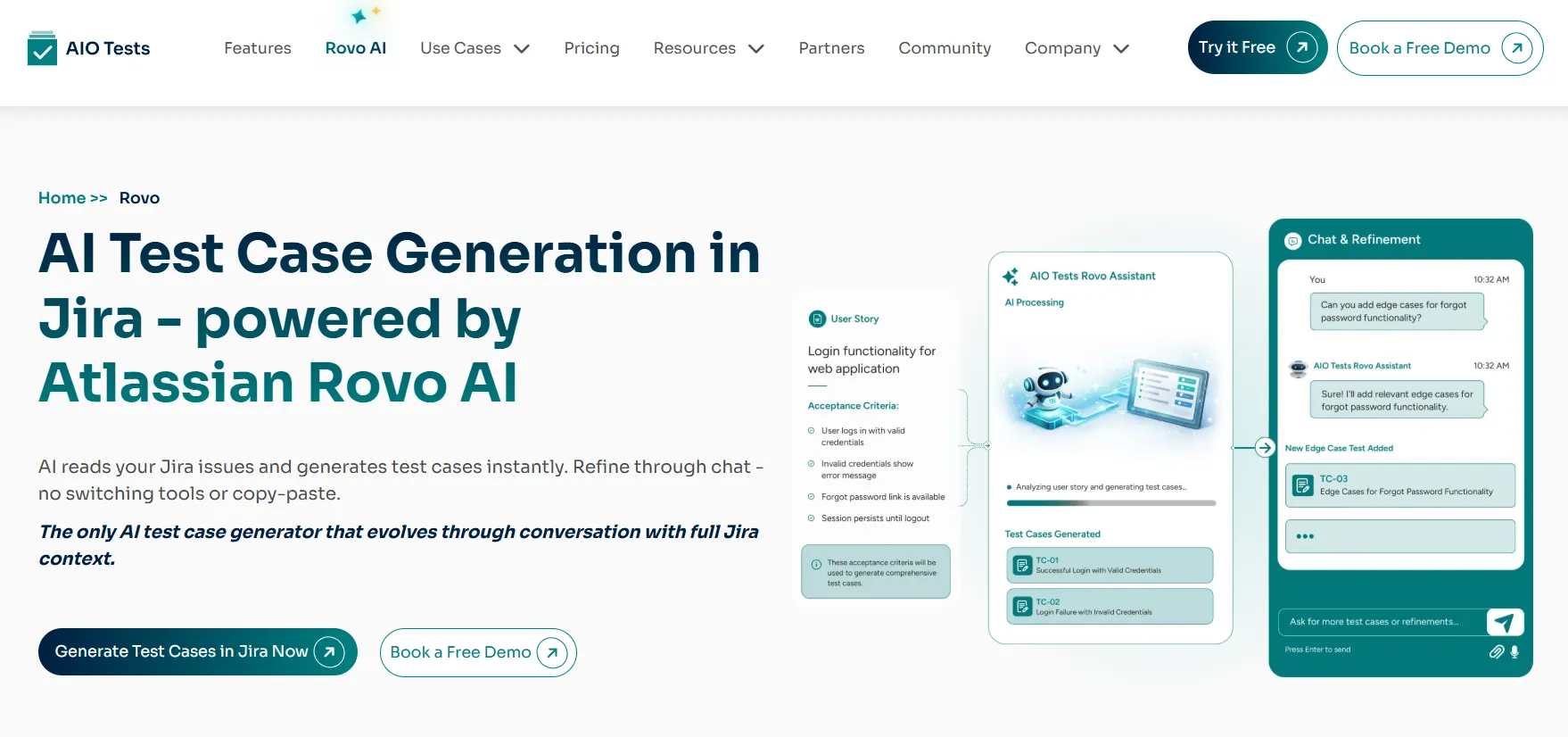
AIO Tests Rovo Assistant handles that translation directly inside Jira, using Atlassian's Rovo AI to read a story and turn it into test cases without anyone leaving the issue. A few things make it useful for teams applying the kind of testing discipline this guide covers:
- Pulls context from related Jira issues, not just the one story you're looking at, so generated cases reflect the fuller picture instead of a narrow slice of it.
- Lets you refine cases via chat, adding scenarios or adjusting depth without having to start the generation over from scratch.
- Imports finished cases straight into AIO Tests, with no copy-paste between tools.
- Keeps full requirement-to-test traceability, so every case stays linked back to the story that produced it.
- Runs entirely within Jira's existing permission model, so it only sees what the requesting user is already authorized to see.
For a team applying the lifecycle thinking in this guide, traceability matters more than it may seem. When an agent's behavior drifts, and you need to trace it back to the original requirement, having that link already built saves the part of the investigation that usually takes the longest.

Common Mistakes Teams Make When Testing AI Agents
A few patterns show up again and again once an agent reaches production:
- Testing only the happy path. The agent works fine on the examples the team thought to try, and nobody tested what happens with a messy or unexpected input.
- Treating monitoring as optional. Teams watch an agent for a week after launch and move on, missing the slow drift that emerges over months rather than days.
- Trusting a good demo. An agent that performs well in a controlled walkthrough hasn't been tested against the messier reality of real users and real data.
- Skipping validation because the output "looked right." A confident, well-formatted answer can still be the wrong decision.
None of these mistakes comes from a lack of effort. They come from applying old assumptions about software testing to a system that doesn't follow the same rules.
Conclusion
The AI agent lifecycle isn't a formality to move through on the way to deployment. Each stage, especially testing, is where an agent earns the trust it needs to operate without someone checking every decision it makes.
AI agent testing isn't one task. It's validation, evaluation, agentic checks, and reliability tracking, working together across the life of the agent rather than a single gate before launch. Teams that treat it that way build agents that hold up well past their first good demo.
Book a demo now to explore AIO Tests Rovo Assistant.
FAQs
1. What is AI Agent Reliability Testing?
AI Agent Reliability Testing is the process of continuously checking whether an AI agent maintains consistent performance over time in real-world conditions. It focuses on detecting drift, performance drops, and behavioral inconsistencies after deployment.
2. How is AI agent testing different from traditional software testing?
Traditional testing checks fixed outputs for given inputs, whereas AI agent testing addresses probabilistic and context-dependent behaviour. AI agents also involve reasoning, tool use, and multi-step decisions, which makes outcomes less predictable and harder to validate with simple pass/fail rules.
3. What is the difference between AI agent validation and AI agent evaluation?
Validation is about checking whether the agent meets minimum safety, correctness, and functional requirements before release. Evaluation focuses on measuring performance quality using benchmarks, metrics, and real-world scenarios to understand how well the agent behaves overall.
4. What does an AI agent testing framework actually include?
It typically includes test datasets, simulation environments, evaluation metrics, and guardrails for safety and compliance. It also covers logging, monitoring, prompt/version control, tool-use testing, and adversarial or edge-case testing (red teaming).
5. How do you know if an AI agent is still reliable after it's been in production for a while?
Reliability is tracked through continuous monitoring of performance metrics like task success rate, error rate, and user feedback signals. Drift detection, regression tests, and periodic re-evaluation help identify when the agent’s behavior starts degrading over time.


.svg)

