AIOTest logo

Rated 4.9/5 on the Atlassian Marketplace

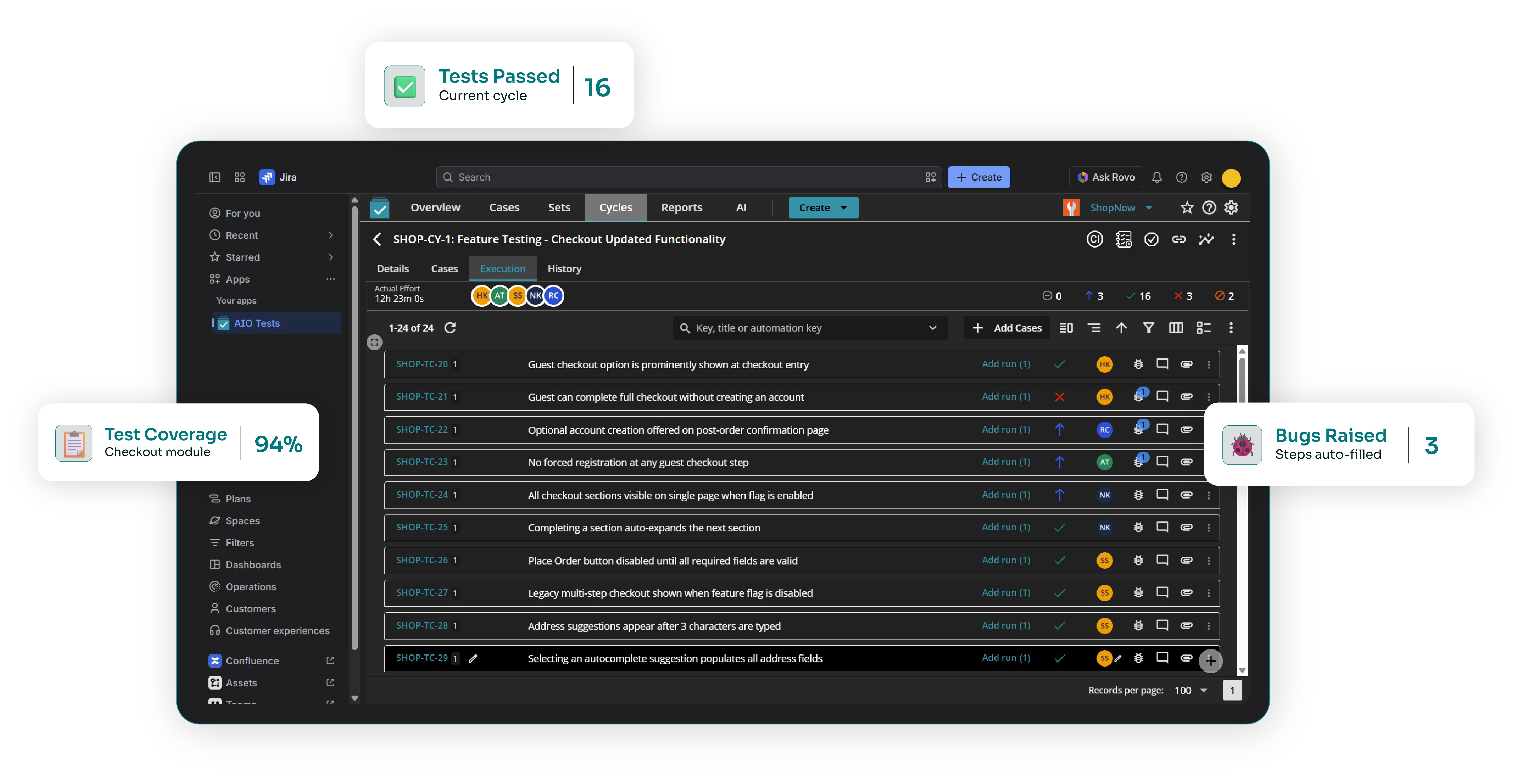
Jira Test Management Tool for Complete QA Workflows

Try Our Platform for 30 Days Free - No Strings Attached

Manage your entire QA workflow in Jira with the AIO Tests Jira test management tool. Improve test coverage, reduce defects, and deliver software faster with a streamlined testing process.
Bullet-point
Bullet-point
We Are Trusted by Industry Leaders Across the Globe
OE logoAriseHealth logo2020INC logoThe Paak logoToogether logoToogether logoToogether logoToogether logoToogether logoToogether logo
Line Breaker

Impact

Our Impact in Numbers

Reflecting the impressive outcomes that define our success
100+
Countries  Touched
3,500+
Customers Worldwide
200K+
Active Users
6M+
Test Cases Created
4.9/5
On Atlassian Marketplace

Product tour

Experience How AIO Tests Simplifies Test Management in Jira

Watch how AIO Tests simplifies test planning, execution, automation, and reporting in Jira from a single, native platform.

The gap

How AIO Tests Solves Common Jira Testing Challenges

One Native Jira Test Management Tool, Not a Bolt-On
Challenge

Your test cases don't live where your work does

Test cases are managed in spreadsheets or separate tools while requirements and defects remain in Jira. Every update means switching context, and things get missed.

The AIO Tests Solution

Native Jira Integration

AIO Tests is built exclusively for Jira, allowing your team to manage the entire testing lifecycle without switching between tools.

Challenge

You can't prove what's actually been tested

When requirements, tests, and defects live in different places, nobody can answer "is this release covered?" without manual digging.

The AIO Tests Solution

Full Traceability

Link requirements, test cases, executions, and defects in one place for complete visibility, simpler impact analysis, and faster audits.

Challenge

Writing and maintaining tests manually eats the week

Creating and updating test cases by hand takes time away from execution, finding defects, and making improvements.

The AIO Tests Solution

AI-Powered Test Case Creation

Generate classic and BDD test cases from Jira requirements, cutting manual effort and improving coverage.

Capabilities

 Powerful Features of AIO Tests for Smarter Test Management

Centralized Test Management

Organize test cases with folders, templates, version control, and reusable linked cases for easier maintenance.

Easy Migration and Reuse

Import test cases from Excel, CSV, or Gherkin files and reuse linked cases with just a few clicks.

Automation Support

Connect your preferred automation frameworks using REST APIs, simplify test reporting, and manage automated test results directly within Jira.

Chat-Based Test Case Generation

Describe what you need in plain English and let AI refine the cases through conversation, inside Jira. Richer project context means more complete cases, and your data stays governed by Atlassian Rovo AI's rules.

Migration

Migrate to AIO Tests Without Disrupting Your Testing

Migrating your test cases, history, and project structure to a new Jira test case management tool is one of the biggest concerns for QA teams. AIO Tests offers end-to-end migration support to simplify the process.
Talk to a Migration Expert

Guided Migration

Import test cases, folders, and execution history from your existing tool.

Dedicated Migration Experts

Work directly with our team throughout the migration process.

Zero Downtime

Continue testing in your current tool while AIO Tests instances are configured.

Validate Before Switching

Use a free trial to validate your migration before committing.

Pricing Plans for AIO Tests

Billing
Save ~17%
Users
Try:

Standard

Onboard your team and scale fast

Free per year

Up to 10 users (10 selected)

Best for

Growing QA teams standardizing test management inside Jira.

Stays free for teams up to 10 users — no credit card needed after trial.

  • Test Management and Execution
  • Next-Gen AI Features
  • AIO Tests MCP Server
  • BDD Support
  • Easy Migration from XRAY & Zephyr

What QA Teams Say on the Atlassian Marketplace

Profile avatar with the initials 'RJ' on a teal background.

Rebecca Jones

Frame design for website or application interface
Diagram of a frame design

“We're still new to AIO, having been using it just the last three months, but we already know it's a vast improvement over our previous test case tool. Our QA team finds it easy to use and quite intuitive.  The AIO Support team has been fantastic.”

Circular profile avatar with the initials 'MZ' in teal on a white background, representing a default user profile icon

Maksim Zinovev

Frame design for website or application interface
Diagram of a frame design

“Good product and cost / value offer. Helpful features - case and cycle visibility on Jira issue - classic and Gherkin test templates - test repository - reports - custom fields Missing features, potential improvements - exploratory testing session template - custom test case templates.”

Circular profile avatar with the initials 'JH' in teal on a white background, representing a default user profile icon

Jouni Haapala

Frame design for website or application interface
Diagram of a frame design

"We have been using AIO for ten months and it has made our test case and test management much easier. More features are coming constantly, which improves usability. Support is great fast and helpful and the issues get fixed."

Joe Wong

Frame design for website or application interface
Diagram of a frame design

"We've been using AIO for approximately 3 years now and the product works well at an affordable price at scale. The product team makes improvements every quarter and their support staff is extremely responsive."

Circular profile avatar with the initials 'MP' in teal on a white background, representing a default user profile icon

Mickey Perlstein

Frame design for website or application interface
Diagram of a frame design

"Great app especially with great customer support service, they respond in a few seconds it's amazing and they assist via calls and shared screens. I would highly recommend this app."

Circular profile avatar with the initials 'DD' in teal on a white background, representing a default user profile icon

Dino Dona

Frame design for website or application interface
Diagram of a frame design

"This product perfectly meets the needs of our company. You will have little configuration to plan for and everything present has a meaning. Many improvements are possible and the team is attentive and responds very quickly to our requests."

Ready to Simplify Jira Test Management?

Replace multiple plugins and manual processes with one native Jira test management tool.

FAQ

Frequently Asked Questions

What is AIO Tests?

v

AIO Tests is an AI-powered solution for test management for Jira that helps QA teams create, organize, execute, automate, and track test cases and maintain complete traceability within Jira.

How is AIO Tests different from adding test cases as regular Jira issues?

v

AIO Tests is designed to manage the entire testing lifecycle within Jira. It allows QA teams to organize test cases, execute tests, maintain traceability, automate testing, and monitor progress from within Jira.

How does AIO Tests improve Jira QA testing?

v

AIO Tests enhances Jira test management by providing end-to-end traceability, AI-powered test case generation, automation framework integrations, automated bug reporting, and 20+ customizable reports for complete project visibility.

Does AIO Tests support both manual and automated testing?

v

Yes, AIO Tests supports manual test execution with built-in timers and integrates with automation frameworks, so manual and automated test results appear in the same reports.

Does AIO Tests work with Atlassian Rovo?

v

Yes. The AIO Tests Rovo Assistant lets you generate and refine test cases through a chat interface inside Jira. Because it draws on wider Jira project context, the cases it produces are more complete, and once you're satisfied, you can import them straight into AIO Tests. Your data is processed and governed by Atlassian Rovo AI's rules. The Rovo Assistant is a separate Marketplace app and requires an active Rovo subscription.

Can I migrate my existing test cases into AIO Tests?

v

Yes, you can. AIO Tests provides guided import and dedicated migration support for QA teams moving from spreadsheets or other Jira case management plugins.

Does AIO Tests offer a free plan?

v

Yes, AIO Tests offers a free plan for Jira Cloud teams with up to 10 active users, with paid tiers available as your team grows.

Empower Your QA Team Today

ISO


One of our representatives will reach out & walk you through the platform's capabilities, ensuring your team is equipped with the knowledge to make the best use of it from day one.


So, if you’re ready to take your QA strategy to the next level, contact us today.